What’s actually slowing this PC down?
Pick the symptom - the matching free tool is one click away.
A full VPS disk can stop a 24/7 YouTube stream by preventing the encoder or its service from writing files, logs, or other data it needs. First confirm which filesystem is full and what is consuming it; then recover space safely, inspect the streaming service, and verify YouTube’s stream health before treating the incident as resolved. A full-disk warning alone does not tell you what to delete.
Why did my 24/7 YouTube stream stop when my VPS disk filled?
The streaming process runs on the VPS, so a filesystem with no usable space can interfere with the encoder or related services. The symptoms might include write errors, a stopped service, or a stream that YouTube no longer receives. But the disk being full does not prove that logs caused the problem, nor does it rule out a separate encoder, network, or YouTube ingest issue.
Diagnose both sides of the connection: inspect the VPS’s disk and service logs, then compare their timestamps with YouTube Live Control Room. YouTube says, “The Live Dashboard and Live Control Room check for errors in the stream that you’re sending to YouTube.” Its messages include timestamps and error-specific guidance. YouTube Help: Live streaming error messages.
How do I find what filled the disk on Linux?
- Check capacity and mounts. Use your distribution’s available disk-usage tools to identify which filesystem or mount point is full. A full data volume is different from a full root filesystem, and the distinction affects where to investigate.
- Locate the consumer on that filesystem. Find the large files or directories before removing anything. Consider media, application logs, journal files, and other service data as possibilities—not conclusions.
- Preserve evidence where possible. Capture relevant service errors and note when the stream failed before cleanup. Logs may help establish whether storage exhaustion caused the interruption or whether another fault happened at the same time.
- Choose a remedy for the identified cause. Do not delete arbitrary files under
/var, stream assets, databases, or package files just to make the warning disappear. If the disk is persistently too small for the workload, ask your VPS provider about expanding its virtual disk or moving to a suitable storage capacity; the applicable steps depend on the provider and filesystem.
How do I correlate VPS logs with YouTube stream health?
Check the local service
If the encoder is managed by systemd, inspect the actual unit name and its recent state and logs. For example, journalctl -u your-service-name shows logs for a named unit; replace the example name with your real unit. Use the unit’s status and logs to look for start failures, write errors, encoder errors, or connection problems around the interruption time. The systemd 255 journalctl manual documents unit filtering and following logs.
#1 Best Overall

- 【High-speed performance upgrade, goodbye to lag】Experience lightning-fast read speeds of up to 500MB/s and write speeds of 400MB/s with EDILOCA 2.5" SATA III SSD, delivering 3x faster performance than traditional HDDs. Accelerate system boot time by 60%, reduce game loading delays, and streamline large file transfers for seamless multitasking—ideal for gamers, professionals, and daily users. Backward compatible with SATA II (3Gb/s) interfaces for versatile upgrades.
- 【3D QLC NAND technology, durability and capacity combined】Engineered with advanced 3D QLC NAND flash memory, this internal SSD achieves high-density storage while ensuring extended lifespan and stable performance. Rigorously tested under heavy workloads, it guarantees 99.9% data integrity, making it reliable for long-term use. Precision components and 72-hour stress testing further enhance durability, even in demanding environments.
- 【Excellent performance, silent and resilient】Say goodbye to mechanical noise—this SSD hard drive operates silently with no moving parts. Built-in shock-resistant (1500G/0.5ms) and drop-proof (1.2m) features protect data against accidental impacts, ensuring peace of mind for laptop users on the go. Whether gaming, working, or streaming, enjoy near-instant responsiveness and consistent performance without interruptions.
- 【Universal compatibility, plug and play】Seamlessly compatible with Windows 10/11, macOS 10.4+, Linux 2.6.33+, and NAS systems. Plug-and-play design simplifies installation—simply mount the SSD and format it via Disk Management (new drives are blank, requiring initial partitioning). Perfect for upgrading laptops, desktops, or expanding storage in home servers, with no additional drivers needed.
- 【3-year service, backed by a 3-year limited warranty】Backed by EDILOCA’s 3-year limited warranty and 24/7 technical support, ensuring worry-free use. Trusted by over 2 million global users, each SSD undergoes a 72-hour stress test for quality assurance. From personal computers to professional workstations, EDILOCA delivers reliable data storage solutions with a commitment to customer satisfaction.
Compare the event timeline
Open YouTube Studio’s Live Control Room for the relevant stream and compare its timestamped health messages with the VPS logs. YouTube’s dashboard describes the stream YouTube is receiving; it does not establish that the VPS has recovered its disk space. The Live Control Room also provides real-time stream metrics. See YouTube Help: See your live stream’s metrics.
How do I clear systemd journal logs safely?
Only use journal cleanup as a remedy if journal files are confirmed to be a material consumer. The journal may contain useful incident evidence, and vacuuming it will not free space occupied by media, application logs stored elsewhere, or another service’s data.
Rank #2
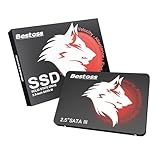
- Launch as Fast as Sirius: Replace slow HDDs with this internal SSD. 550MB/s read speeds boot systems at least 50% faster than HDDs. Open office files in seconds and load games faster with this SATA SSD for your computer storage.
- Long-Lasting Durability: Your Tough & Reliable Sky wolf Guardian: TLC chips offer longer write life than QLC. This internal SSD ensures reliable internal hard drive performance for vital data.
- Full Coverage for Multi-Scenario Use: Perfect for office, content creation, and home/ NAS systems. This 2.5 inch SSD accelerates boot times and file transfers as your trusted PC hard drive.
- Versatile Capacity Storage: Enjoy Freedom: 120GB-4TB options. This SSD internal stores files, photos, videos, games - ideal hard drive for PC storage needs.
- Multi-Device Compatibility & Plug & Play: SATA III SSD compatible with Windows/Linux laptops, desktops. A high-performance internal sata SSD solution for your pc storage.
- Measure journal use: run
journalctl --disk-usageto see the journal’s reported disk use. - Inspect relevant messages: review the affected unit’s logs and preserve messages needed for diagnosis.
- Rotate and vacuum archived files if appropriate:
journalctl --rotatefollowed byjournalctl --vacuum-size=LIMITis one documented approach. ReplaceLIMITwith a deliberate size target suitable for your available disk and operational needs; it is not a universal recommendation. - Measure again: check journal usage after cleanup rather than assuming the selected target is an exact final total.
Vacuuming removes the oldest archived journal files. Active journal files remain, so the reported total may not fall exactly to the requested size. For command behavior, see the systemd 255 journalctl manual.
How do I restore the stream and tell if YouTube is receiving it again?
- Make sure the full filesystem has headroom. Confirm that the cause has been addressed and there is usable space before trying to start the encoder again.
- Check the service before restarting. Inspect its current state and recent logs. If it is stopped, a deliberate restart of the correct unit may be appropriate; unit names and encoder commands vary by host.
- Watch the local logs during recovery. Confirm that the encoder starts and does not immediately report write failures, invalid inputs, credential problems, or connection errors.
- Verify YouTube’s view of the stream. In Live Control Room, check the stream status and health messages and compare the new timestamps with the local logs. YouTube’s dashboard is the confirmation of what reaches YouTube, not proof that the underlying disk problem cannot recur.
Whether YouTube resumes the same event or a recording remains available depends on the event configuration and what the dashboard shows; an uninterrupted event or VOD cannot be guaranteed from the VPS recovery alone.
The Tool Desk
Outbyte PC Repair FREERepair Windows errors before they cause bigger problemsFix Now →Outbyte Driver Updater FREEScan for outdated or missing drivers - takes under a minuteDriver Scan →Rank #3
- Launch as Fast as Sirius: Replace slow HDDs with this internal SSD. 550MB/s read speeds boot systems at least 50% faster than HDDs. Open office files in seconds and load games faster with this SATA SSD for your computer storage.
- Long-Lasting Durability: Your Tough & Reliable Sky wolf Guardian: TLC chips offer longer write life than QLC. This internal SSD ensures reliable internal hard drive performance for vital data.
- Full Coverage for Multi-Scenario Use: Perfect for office, content creation, and home/ NAS systems. This 2.5 inch SSD accelerates boot times and file transfers as your trusted PC hard drive.
- Versatile Capacity Storage: Enjoy Freedom: 120GB-4TB options. This SSD internal stores files, photos, videos, games - ideal hard drive for PC storage needs.
- Multi-Device Compatibility & Plug & Play: SATA III SSD compatible with Windows/Linux laptops, desktops. A high-performance internal sata SSD solution for your pc storage.
What if the disk has space but YouTube still reports errors?
Follow the specific error shown in Live Control Room rather than continuing to delete files. If YouTube reports connection or ingest trouble while the VPS has headroom, investigate the encoder and network path separately. OBS’s connection troubleshooting guidance says dropped frames and intermittent disconnections are commonly associated with an unstable connection to the ingest server or a bitrate the connection cannot sustain; that advice applies to OBS symptoms, not as proof that OBS is your encoder. OBS: Stream Connection Troubleshooting.
Use the evidence to select a branch
| Evidence | Branch to investigate | Next action |
|---|---|---|
| Filesystem is full and local logs show write or no-space errors | Host storage exhaustion | Identify the actual consumer, recover space safely, then inspect and recover the service. |
| Journal usage is unusually large | systemd journal retention | Measure usage, inspect relevant logs, and consider rotating and vacuuming archived journal files; configure suitable limits after checking the system. |
| Disk has headroom but YouTube reports stream or connection errors | Ingest, network, or encoder configuration | Use YouTube’s timestamped error guidance and investigate the encoder/network path. |
| Disk is healthy but the local service is stopped | Process recovery | Check the unit and logs, then make a deliberate restart if appropriate. |
How can I prevent the disk from stopping the stream again?
Set journal limits for the actual system
If journal growth contributed to the incident, review journald’s persistent and runtime storage settings. SystemMaxUse= and SystemKeepFree= can constrain journal usage and preserve free space, but suitable values depend on the VPS disk, logging volume, and operational needs. Check the installed systemd version and storage layout before changing configuration. The systemd 252 journald.conf manual documents these controls and version-specific defaults.
Rank #4

- Renewed server with the highest quality standards
- Ideal for a robust enterprise environment or data center
- All servers include power cords, and other parts detailed in full product description below
- Custom configurations available upon request
Limits are not a general disk cleanup policy: journald removes archived journal files to reduce its use, not unrelated files, and configuration changes do not automatically clear existing non-journal data.
Pair service supervision with capacity monitoring
A systemd restart policy may help when a process exits, but it cannot create disk space or fix invalid inputs, stream credentials, or a YouTube-side error. One public Ubuntu VPS example runs FFmpeg under systemd with Restart=always; it is an implementation example, not a guarantee or a universal configuration. See the 24/7 YouTube Stream setup and operations notes.
Free tools Windows power users keep installed
One-click scans. No signup required.
Best Value

- 【High capacity storage】The Beelink Me Pro NAS comes with 3 x M.2 2280 PCIe3.0 SSD slots, each slot supporting up to 4TB capacity, for a total of up to 12TB capacity. In addition, the Mini PC also comes with two hard drive bays, supports 2.5-inch and 3.5-inch SATA drives, with up to 30TB capacity per drive. You can install the SSD yourself and use it to store data.
- 【Supports multiple systems】Beelink Mini PC equipped with Intel N95 CPU( 4C/4T, up to 3.4GHz),12G LPDDR5, and 128G SSD (supporting Windows/Linux systems), you can use this machine as a mini computer or install home media center systems such as JellyFin/KODI/Plex, turning this NAS into a large storage network and easily streaming photos, music, or 4K movies to your TV or other devices for sharing with your family and guests.
- 【Modular Innovative Design】Conventional Design: The motherboard is fixed inside the chassis with noreserved upgrade path, making user upgrades inconvenient or impossible. ME Pro innovation: DIY drawer-style design supports easy motherboard upgrades - compatible with Intel N-series, Intel 12th/13th/14th/15th Gen, AMD FP8 series, and ARM architectures. It allows quick dust removal with a single pull, fully user-operable.
- 【Soft Routing&Efficient Transmission】 The Me Pro PC is equipped with dual LAN, supporting soft routing functionality for network performance optimization, feature expansion, advanced network management, and resource sharing. It supports Wake On LAN, RTC Wake, and Auto Power On. At the same time, the mini PC has built-in WiFi 6 and Bluetooth 5.4, supporting wireless connection to multiple devices such as keyboards, mice, and printers, and high-speed transmission of various photos and streaming videos, providing you with a better user experience.
- 【Lifetime After-Sales Service】Beelink has been dedicated to R&D NAS for many years. All Beelink NAS have passed strict inspections before shipping. If you have any questions, please don’t hesitate to contact US. We are 100% guaranteed to solve your problems. We offer lifetime technical support, a 3-Year-free warranty, and 24/7 after-sales service. All of our products obtained FCC, RoHS, and CE Certifications.
Configure disk-capacity monitoring and alerts appropriate to your VPS, alongside service supervision. If the virtual disk is repeatedly reaching capacity despite reasonable retention and workload management, ask the provider about storage expansion or plan a move to a VPS with adequate disk space.
Or let it run in the cloud
For a YouTube channel that loops uploaded recordings, StreamNeo is a cloud alternative to operating an encoder on your VPS. It does not fix a full VPS disk or stream from a camera: it plays uploaded videos to YouTube from its cloud service, so nothing has to stay on at home. Upload a recording or build a playlist, add your YouTube stream key, and go live.
- Any quality up to 4K 60fps at one flat price per slot, streamed as uploaded without re-encoding or quality tiers.
- Automatic recovery if YouTube drops the stream.
- The first day is free with no card.
Monthly: $9.99 per month. See StreamNeo or current pricing. Start the first day at no charge by creating a StreamNeo account.
Quick Recap
Product prices and availability are accurate as of the date/time indicated and are subject to change. Any price and availability information displayed on Amazon at the time of purchase will apply.



