Do not download an “OnlyFans app” from an app store, APK website, Telegram channel, advertisement, or third-party download page. The main OnlyFans service is accessed through a web browser at onlyfans.com. In a formal response to Ofcom, OnlyFans described itself as a “web-only platform” and said it does not operate an app or distinct app services. That is the relevant position for this U.S.-oriented guide, checked on August 11, 2026.
You can still place a shortcut on an iPhone, iPad, or Android home screen so the website is easier to open. That shortcut may look and feel somewhat like an app, but it is not a native OnlyFans application downloaded from the App Store or Google Play.
The short answer: there is no verified native OnlyFans app for the main service
To use the main OnlyFans subscription platform, open Safari on an iPhone or iPad, or Chrome on Android, and enter the official address manually:
Check the address bar before signing in. If a page sends you to an unfamiliar domain, asks you to install an APK, or requests your OnlyFans password outside the official website, close it.
#1 Best Overall

- WARNING: Not compatible with iPhone 16, iPhone 16 Plus, iPhone 16 Pro Max
- Content: 3 Tempered Glass Privacy Screen Protectors for iPhone 15 Pro (6.3 inches) and an easy installation tool. The privacy screen protector can protect the confidentiality of the data on the screen. It reduces the viewing angle to prevent prying eyes, keeping confidential information out of sight from third parties.
- The privacy screen protector can protect the data on the screen. It reduces the viewing angle to prevent prying eyes, keeping confidential information out of sight from third parties.
- Provides an additional layer of privacy protection: the advanced privacy filter blocks viewing from any angle greater than 28° to keep what’s on your iPhone 15 Pro screen for your eyes only.
- An ideal anti-break solution: Extremely high hardness, protects the phone screen from shocks and accidental damage. Dust-free, no fingerprints, a push-button,installation too easy, bubble-free.
There may be apps in mobile marketplaces that use “OnlyFans” in their names. Some are guides, advice tools, search utilities, or unrelated social applications. Their presence does not make them official clients for the main OnlyFans service.
How to access OnlyFans safely
- Open Safari or Chrome.
- Type onlyfans.com into the address bar rather than tapping a download advertisement or an unfamiliar search result.
- Confirm the domain before entering your username, password, payment details, or creator information.
- Sign in through the website if you already have an account, or follow the website’s own account-creation process.
- Optionally add the website to your phone’s home screen using the instructions below.
A browser shortcut is the closest practical substitute for an app. It does not create a separate official OnlyFans download, and it does not guarantee that every feature behaves identically across phones, browsers, or regions.
How to add OnlyFans to an iPhone or iPad home screen
Apple’s current Safari instructions allow a website to be saved as a home-screen icon and, where available, opened in an app-like presentation.
- Open Safari.
- Go directly to onlyfans.com.
- Tap the Share button.
- Choose Add to Home Screen. You may need to scroll through the share options to find it.
- If the option appears, turn on Open as Web App.
- Tap Add.
The new icon opens the OnlyFans website through Safari’s web-app functionality. It is not an OnlyFans binary installed from the App Store. If Open as Web App is not shown, you can still add the ordinary website shortcut.
Free tools Windows power users keep installed
One-click scans. No signup required.
Rank #2

- [2 Pack] This product includes 2 pack privacy screen protectors.WORKS FOR iPhone 17e/16e/14/iPhone 13/13 Pro 6.1 Inch tempered glass screen protector.Featuring maximum protection from scratches, scrapes, and bumps.[Not for iPhone 16 6.1 inch, iPhone 13 mini 5.4 inch, iPhone 13 Pro Max/iPhone 14 Pro Max/iPhone 14 Plus 6.7 inch, iPhone 14 Pro 6.1 inch]
- Specialty: to enhance compatibility with most cases, the Tempered glass does not cover the entire screen. HD ultra-clear rounded glass for iPhone 17e/16e/14/iPhone 13/13 Pro is 99.99% touch-screen accurate.
- 99.99% High-definition clear hydrophobic and oleophobic screen coating protects against sweat and oil residue from fingerprints.
- High Privacy: Keeps your personal, private, and sensitive information hidden from strangers,screen is only visible to persons directly in front of screen.Good choose when you are in the bus,elevator,metro or other public occasions.(Note: Due to this privacy cover will darken the image to prevent the peeking eyes near you, you might need to turn your device display brightness up a bit when use it.)
- Online video installation instruction: Easiest Installation - removing dust and aligning it properly before actual installation,enjoy your screen as if it wasn't there.
iPhone privacy note
A home-screen icon can make access convenient, but it can also disclose the service name to someone looking at the device. A neutral shortcut name may reduce casual visibility, but it is not a security feature. On a shared iPhone or iPad, use a device passcode, avoid saving credentials in a shared browser, review browser notifications, and sign out when finished.
How to add OnlyFans to an Android home screen
Chrome on Android can create a shortcut to a website. The exact wording may vary slightly by Android version, phone manufacturer, and Chrome release.
- Open Chrome.
- Type onlyfans.com into the address bar and open the site.
- Tap the three-dot More menu.
- Choose Add to home screen.
- Tap Create shortcut, edit the name if you want, and tap Add.
Chrome may instead offer an Install or Install and create shortcut option for eligible websites. If that option appears, it is Chrome’s web-app installation feature. Do not describe the resulting icon as proof that OnlyFans has released a native Android app.
Google’s Android guidance recommends obtaining applications through Google Play and warns that software installed from unknown sources can expose personal information, damage a device, or cause data loss. Play Protect warnings should not be ignored merely because an app uses the OnlyFans name.
Rank #3

- [Compatible Models] - 3 Pack Privacy Glass Screen Protector for the iPhone 17e/iPhone 16e/iPhone 14/iPhone 13/iPhone 13 Pro(6.1 inch). Includes 3 privacy screen protectors and a cleaning kit. *Two types of packaging boxes are randomly shipped.
- [Full Coverage Protection] - This screen protector offers edge-to-edge protection for your device, using military-grade explosion-proof glass. It is also compatible with most phone cases, the appropriate size ensures that the phone case won't squeeze the screen protector after installation, providing double protection for the edges of the phone.
- [High Privacy Protection] - The necessary choice for you in public places. Select the optimal anti-peeping angles for the anti-spy coating to balance privacy and visual comfort. Protect your personal privacy and sensitive information from being seen by people nearby who might peek. To better protect your phone, 3mm nano-scale ultra-thin aviation glass is chosen as the material, it also protects your eyes from harsh light, ensuring a softer visual effect.
- [Superior Quality] Made of high-quality tempered glass, free of bubble wrap, easy to install and no residue when disassembled. Maintain the original touch experience, with a high-definition and clear hydrophobic and oleophobic screen coating to prevent fingerprints, sweat and oil residue. High-hardness glass protects your screen from drops, impacts, scratches and breaks, providing ultimate protection for your phone.
- [Face ID Compatible] - Precise cutting combined with high-quality glass material supports the perfect use of the Face ID function, and it can also take high-pixel photos through the front camera.
Why you cannot find a normal OnlyFans download in the app stores
The absence of a conventional app-store download is not just a search problem. Apple’s App Store Review Guidelines prohibit overtly sexual or pornographic material and state that apps used primarily for pornography or prostitution-related activity do not belong on the App Store. Google Play’s Inappropriate Content policy likewise does not allow apps containing or promoting sexual content, pornography, or services intended to solicit sexual acts for compensation, subject to limited exceptions.
Those policies provide the store-policy context for a web-only distribution model. They should not be read as proof of every private business decision made by OnlyFans. The stronger direct evidence is OnlyFans’ own description of its main service as web-only in its response to Ofcom.
What about OFTV?
OFTV is not the same thing as the main OnlyFans subscription platform. Older reports described OFTV as a separate, safer-for-work video product that could be positioned for app stores when the main OnlyFans website had not been approved for Apple’s App Store or Google Play.
That historical distinction explains why some readers remember hearing about an “OnlyFans app.” It does not establish that OFTV is the current official app for accessing paid OnlyFans accounts, subscriptions, messages, or creator pages. Do not assume that an app with a similar name provides the main service unless a current official OnlyFans source clearly says so.
Quick wins for a faster PC:
Clear out junk files and repair common Windows errorsFree Scan →Scan for outdated or missing drivers - takes under a minuteDriver Scan →Repair Windows errors before they cause bigger problemsFix Now →Rank #4
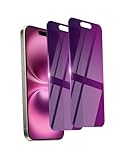
- Briliant Purple Color: Make your phone stand out with a brilliant violet purple color that changes under different lighting and angles. The stronger light indoor or outdoor, the brighter private screen protector color will present. Fully embellishing your phone to showcase your personality!
- 28° Privacy Screen: Use the most appropriate color depth for the 28° anti-peep coating, it is only visible to persons directly in front of screen, while satisfying privacy and visual comfort. Protecting your privacy and sensitive information well in malls, buses, metro, restaurant or other public area.
- Anti Blue Light Protection: The protective privacy glass is combined with EVA multi-coating technology and filter technology, but still allows non-harmful light through the screen, prevent sleep disorders and eye strain.
- 9H Hardness: The screen saver is made from 9H multiple tempered glass layer which provide shatterproof protection from high impact drop and preventing your phone from any scratch. The screen protector will self-expel air bubble when automatically bonding with the screen.
- Package Include: Inside the package, it comes with 2 x iPhone 16 privacy screen protector glass, 1 x easy apply components pack, 1 x installation framework.
How to recognize an unofficial or risky listing
A marketplace listing that includes “OnlyFans” in its title is not automatically an official product. For example, current Google Play results include apps presented as guides or advice tools, and some identify developers that are not the OnlyFans company. Those examples demonstrate marketplace confusion; they do not, by themselves, prove that every third-party listing is malware.
Use the following checks before installing anything:
- Read the description. “Guide,” “viewer,” “downloader,” “search tool,” or “unofficial utility” usually means the app is not the main platform.
- Check the developer. A developer name or contact that does not clearly match OnlyFans is a warning sign.
- Protect your login. Never enter an OnlyFans username or password into an app that sends you somewhere other than onlyfans.com.
- Reject sideloading requests. Be especially cautious if a page requires an APK, configuration profile, developer-certificate trust step, or disabled security protection.
- Ignore unrealistic promises. “Free premium access,” “leaked content,” “anonymous viewing,” and creator-content downloading are common bait.
- Be wary of the delivery method. Pop-ups, unsolicited social-media messages, Telegram channels, shortened links, and random advertisements are poor sources for account software.
- Review permissions. An app that wants unnecessary access to contacts, messages, storage, accessibility controls, or device administration deserves particular scrutiny.
Should you install an OnlyFans APK?
No—not for accessing the main OnlyFans service. There is no need to sideload an APK when the service is available through the official website. Installing an APK from an unknown source can expose credentials and personal information, introduce unwanted software, or create device and data-recovery problems.
Do not disable Android security protections, bypass store safeguards, or install a package simply because a page claims that the “real” app is unavailable in your country. If you have already installed a suspicious APK, do not sign in. Uninstall it, run the device’s built-in security scan, review recently granted permissions, change any password entered into the app from a trusted browser, and monitor the account for unusual activity.
Best Value

- PRECISE COMPATIBILITY: Designed exclusively for iPhone 16 6.1" and iPhone 15 6.1". Not compatible with iPhone 15 Pro, 15 Plus, 15 Pro Max, iPhone 16 Pro, 16 Plus or 16 Pro Max. Please check the exact model of your smartphone before purchase. European/global model: A3287.
- 28° PRIVACY ANTI-SPY FILTER: The privacy filter limits side-angle screen visibility. When viewed directly from the front, the content remains visible, while from the side the screen gradually appears darker, helping to protect your personal information.
- 3 TEMPERED GLASS PROTECTORS + INSTALLATION KIT: The pack includes 3 tempered glass screen protectors and a handy installation tool to ensure the protector is positioned correctly on the screen.
- 9H TEMPERED GLASS: Made from durable 9H-hardness tempered glass, it helps protect the screen against everyday scratches and impacts. The oleophobic coating reduces fingerprints, smudges, and residue, making the screen easier to clean.
- CASE-FRIENDLY DESIGN: The protector is designed with a small margin around the screen edges to ensure compatibility with most cases. This is not a sizing error; the gap prevents the case from lifting the tempered glass.
What not to download
You do not need a desktop executable, browser extension, content downloader, “private viewer,” or special APK to use the main OnlyFans website. Tools advertised as ways to copy, save, or redistribute creators’ paid material can create security, privacy, copyright, and account-enforcement risks. The safest approach is to use the website in a current browser and keep the browser and operating system updated.
A discreet-access checklist
- Use the official domain: onlyfans.com.
- Check the address bar before signing in.
- Use a device passcode, especially on a phone that others may handle.
- Do not save credentials on shared phones, tablets, or computers.
- Review browser notification permissions and block unwanted notifications.
- Sign out of shared or public hardware.
- Remember that a home-screen icon can reveal the service name.
- Never treat a shortcut or web app as a special OnlyFans security feature.
These steps improve ordinary device discretion; they do not bypass age checks, regional requirements, account controls, or content-access restrictions.
Frequently Asked Questions
Is there an official OnlyFans app in the App Store or Google Play?
For the main OnlyFans subscription service, the evidence used for this guide identifies OnlyFans as a web-only platform. Do not treat an app-store listing containing “OnlyFans” as official unless a current official OnlyFans source clearly verifies it.
Can I put OnlyFans on my phone’s home screen?
Yes. On iPhone or iPad, use Safari’s Share > Add to Home Screen and optionally enable Open as Web App. On Android, use Chrome’s More > Add to home screen > Create shortcut. This creates a website shortcut or browser web app, not a native OnlyFans app.
Is OFTV the same as OnlyFans?
No. OFTV has been described as a separate, safer-for-work video product. Historical references to an OFTV app should not be taken to mean that it provides the main OnlyFans subscription service.
Should I download an OnlyFans APK?
No. There is no need to sideload an APK to access the service, and unknown-source downloads can expose personal information, damage a device, or cause data loss. Use the official website in a current browser instead.
The Bottom Line
There is nothing you need to download. Open onlyfans.com directly in Safari, Chrome, or another current browser. If you want app-like convenience, add the site to your home screen—but avoid APKs, unofficial guides, downloaders, and any app that asks for your OnlyFans credentials outside the official domain.
Quick Recap
Product prices and availability are accurate as of the date/time indicated and are subject to change. Any price and availability information displayed on Amazon at the time of purchase will apply.
Do these 3 things before closing this tab:
1Repair Windows errors before they cause bigger problems2Fix the driver behind crashes, sound loss and screen glitches3Clear out junk files and repair common Windows errors



