There is currently no native Shazam Windows desktop app or Microsoft Store package offered by Shazam or Apple. On a Windows PC, the supported installation-like option is Shazam’s browser extension for Chromium browsers. You can also use Shazam.com without installing anything.
Use the extension when the song is playing in a browser tab—for example, YouTube, Netflix, SoundCloud, or Twitch. Use Shazam.com’s microphone-based button when the music is playing nearby through speakers, a phone, television, or another device.
Is there a Shazam app for Windows?
Not currently. Shazam’s official apps page lists downloadable apps for iOS and Android, along with browser-based options, but it does not list a Windows desktop installer or Microsoft Store app. The current official Windows-PC options are:
- Shazam browser extension: identifies music playing inside a browser tab.
- Shazam.com: uses your PC’s microphone to identify music playing nearby.
- Shazam account access: lets you view previous Shazams at shazam.com/myshazam when those results are associated with your account, but this is not a Windows application.
Be cautious with guides that tell you to download “Shazam for Windows” from the Microsoft Store. That advice is outdated according to Shazam’s current distribution page: shazam.com/apps.
Outdated Drivers Are Slowing You Down
One free scan finds every outdated or missing driver and matches the right update for your exact hardware.Free scan · exact hardware matchPC Slower Than It Used to Be?
A free scan shows the junk files, broken settings and background clutter dragging Windows down - then fixes them in one click.Free scan · Windows 10 & 11#1 Best Overall
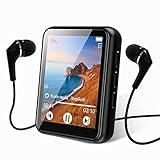
- 【Full Screen Touch MP3 Player】: mp3 player with mini compact design Using 1.8-inch touch screen, mirror and zinc alloy molding, equipped with bluetooth 5.3 allows bluetooth headphones, speakers Signal is more smooth and stable,,,...
- 【Wireless Bluetooth 5.3 technology】:Bluetooth 5.3means faster transmission speed, stable performance and higher anti-interference ability. You can play music through Bluetooth speakers or Bluetooth headphones. [Please note]: This MP3 is a Bluetooth transmitter, not a receiver, and cannot be paired with a mobile phone.
- 【HiFi Lossless Sound Quality】: This Bluetooth MP3 player uses a professional intelligent digital noise reduction chip to ensure a high-quality audio experience. Enhance your music experience and create your own custom equalizer settings, or choose from several preset options: rock, funk, hip hop, jazz, classical. Support popular audio formats: MP3 / WMA / APE / FLAC / WAV / ACELP
- 【Multifunctional MP3 Player】: Not only supports Bluetooth connection but also supports FM radio, recording, picture browsing, video playback, file browsing, e-book reading (only supports txt format), built-in pedometer function, very suitable for sports running, Travel, with built-in speaker, you can enjoy music without headphones, it is a good gift for children, elderly and husband, wife
Option 1: Install the Shazam browser extension in Chrome
The browser extension is the most convenient Windows option when the audio is coming from a webpage. Apple’s current instructions support Chromium browsers on a Mac or PC. The current Chrome Web Store listing is named “Shazam: Find song names from your browser” and identifies its developer as Apple, Inc. The listing currently shows version 2.5.0, a last listed update of June 29, 2025, a size of 528 KiB, and more than 5,000,000 users. Store details can change, so check the live listing before installing.
Chrome installation steps
- Open Google Chrome on your Windows PC.
- Open the official Shazam Chrome Web Store listing.
- On the current store page, click Add to Desktop.
- When Chrome displays the confirmation dialog, click Add extension.
After installation, Chrome adds Shazam to its extensions list. The extension does not install a conventional standalone Windows program; it operates inside the browser.
Pin Shazam to the Chrome toolbar
Pinning it makes identification a one-click action:
- Click Chrome’s Extensions button in the browser toolbar.
- Find Shazam in the list.
- Click the pin icon next to Shazam.
The Shazam icon now appears directly in the Chrome toolbar.
Do these 3 things before closing this tab:
1Scan for outdated or missing drivers - takes under a minute2Clear out junk files and repair common Windows errors3Fix the driver behind crashes, sound loss and screen glitchesHow to identify a song playing in a browser tab
Once the extension is installed and pinned:
- Open the webpage playing the music.
- Start the song, soundtrack, stream, or video.
- Click the Shazam icon in Chrome’s toolbar.
- Wait while Shazam analyzes the audio from that browser tab.
The extension is designed for music playing in the browser. Its current store description specifically mentions services such as Netflix, YouTube, SoundCloud, and Twitch. It is therefore the better choice when the unidentified track is coming from a video, livestream, or streaming service open in Chrome.
Rank #2

- 【64GB Large Capacity Storage】This portable MP3 player comes with a 64GB micro SD card. It could store all of your favorite music files. Support multiple audio formats: MP3, WMA, APE, FLAC, WAV, AAC. Tip: The micro SD card has been inserted into the player before shipping, in case of missing.
- 【HIFI Lossless Sound Quality】Adopts professional intelligent digital noise reduction chip and superb circuit optimization technology to reduce noise, ensuring high-quality sound effect. With earphones and built-in speaker, enjoy your music anytime anywhere.
- 【Super Long Battery Life】This MP3 player is suitable for using while jogging, running, doing yoga, or taking a bus or a train. It allows you enjoy real lossless music up to 10 hours(under using the earphones' circumstances). And it's fully charged within 3-4 hours.
- 【Portable & Lightweight】This portable and lightweight music player is easy to carry, so you could easily put it into your pocket or backpack. Simple button operation, succinct main interface, compact and multi-functional.
- 【1-Year Warranty】Hassle-free Shopping. Always providing the best after-sales customer service to help you solve any issue. If encounters any problem, please feel free to contact us directly, you will get a quick response and a satisfactory solution.
If the page is paused, muted, blocked by a browser restriction, or playing audio too quietly or with substantial speech over it, identification may fail. Start the relevant section of the video again and try Shazam while the music is clearly audible.
How to view songs identified by the extension
To see songs previously identified through the browser extension, open the Shazam extension and click the down arrow in its interface. This displays the extension’s own identification history.
That list is separate from your mobile Shazams and from songs identified at Shazam.com. In particular, songs identified in the Shazam mobile app or on Shazam.com do not automatically appear in the extension’s history list. This distinction is important if you expect every Shazam result to be combined in one browser menu.
Option 2: Use Shazam.com without installing anything
If the music is playing in the room rather than inside a browser tab, use the Shazam website’s microphone-based tool. This is suitable for music coming from a phone, television, radio, another computer, speakers, or a live source near the PC.
Steps for the web version
- Open a browser such as Google Chrome or Firefox and go to shazam.com.
- Click the Shazam button in the lower-right corner of the page.
- When the browser asks for permission, allow Shazam to use the PC’s microphone.
- Play the music clearly near the microphone and wait for the result.
When successful, the website can display the identified song along with available lyrics, video, and concert information.
Rank #3

- 【Mini Portable Media player】-- Fits into the palm of your hand, It is a perfect travel partner for those short on space and sockets. Also compact and easy multifunction HD media player for office work and home entertainment;Made of aluminum alloy, it has better protection during carrying
- 【1080P MP4 Player】-- Full HD 1080p supports most video decoding formats: RM, RMVB, AVI, DIVX, MKV, MOV, HD MOV, MP4, M4V, PMP, AVC, FLV, VOB, MPG, DAT, MPEG, TS, TP, M2TS, WMV, (H.264,H.263,WMV9/VC-1,MPEG1/2/4),Not support VPR files. Note: Please use our 4K player to play some videos taken with smart phones, ASIN: B07WPY8VKL
- 【HDMI or AV Output】-- Supports 1080p HDMI output, allowing you to transmit crisp, clear video and audio in a pure digital format to an HDTV; it also supports composite AV output for use with analog TVs. An analog AV cable is included. While using HDMI video output, you can also connect external speakers via the AV output. However, video cannot be output via both AV and HDMI at the same time.
- 【USB 2.0/3.0 Compability】-- Drive external USB 2.0/3.0 storage devices such as SD card(up to 128G)/USB flash(up to 512G) and hard drive(partition should be MBR, up to 8TB), you can also delete or copy files in the USB drive(FAT or FA32) directly, Also plays subtitle files as well as loop videos
- 【Support Multiple Formats of Files and Playback Modes&Multi-functional Remote Control】-- Supports most video, audio, and image formats on the market, supports random playback of video and image modes, and supports loop playback. Supports repeat, zoom, fast forward, fast rewind, rotation, breakpoint playback method, start from scratch playback method and time selection playback method. It is also equipped with a convenient remote control for easy navigation of menu screens (ASIN: B0C9PZPFL8)
What if microphone permission was denied?
The web method cannot identify nearby audio unless the browser can access a microphone. If you previously selected Block, open the browser’s site-permission controls for shazam.com, change Microphone to Allow, and reload the page. The exact appearance of the permission control varies by browser and version.
Also check that Windows has a working microphone selected and that another application has not exclusively occupied it. Move the sound source closer to the microphone, reduce competing noise, and try again. These steps address the microphone-based website method; they are not required for the browser extension’s tab-audio workflow.
What’s actually slowing this PC down?
Pick the symptom - the matching free tool is one click away.
Which Windows method should you use?
| Where the music is playing | Best option | Why |
|---|---|---|
| YouTube, Netflix, SoundCloud, Twitch, or another browser tab | Shazam browser extension | It analyzes music playing in the webpage. |
| A phone, TV, radio, speakers, or another nearby device | Shazam.com | It listens through the PC microphone. |
| You want to check previous account-linked Shazams | shazam.com/myshazam | It provides website access to previous Shazams when you sign in with the same Shazam account. |
| You want a standalone Windows program | Not currently available from the official Shazam distribution channels | Shazam does not currently list a native Windows desktop app or Microsoft Store package. |
Can the Chrome extension listen to music outside the browser?
The extension is intended to identify music playing in a browser tab. It is not the correct tool for music playing only in the room or through a separate device. For that situation, Apple directs users to Shazam.com and its microphone-based Shazam button.
Conversely, the website’s microphone tool is not a replacement for the extension when you want to identify audio directly from a browser tab. It may work if the PC microphone can hear the speakers, but that introduces room noise and is generally less direct than using the extension.
Account access, history, and playback limitations
Apple’s support documentation says that you can access previous Shazams on a PC by signing in at shazam.com/myshazam with the same Shazam account. This is account access through the website, not evidence that a Windows app has been installed.
Rank #4

- THE ORIGINAL POCKET SYNTHESIZER - Used by everyone from David Bowie to The White Stripes, this musical instrument is a great addition to your collection. A great gift for experienced musicians and beginners alike!
- ICONIC SOUND - The Stylophone original pocket operator features the same iconic, analog sound as the original, first released in 1968. The Stylophone is an iconic mini synth, known for its super-fun stylus, compact design, and unique retro sound with 3 Octaves and optional vibrato effect,
- EASY TO PLAY - This electronic keyboard operated synthesizer is played by tapping and sliding the connected stylus along the touch-sensitive metal surface. Each segment on the surface plays a different note. It’s easy to play, perfect for beginners and experienced musicians!
- PORTABLE & BATTERY-POWERED - At less than 12cm wide, the Stylophone synthesizer will fit right in your coat pocket. It runs on 3 x AA batteries, and features a built-in speaker and headphone socket – so you can play it everywhere you go.
- CONNECTIVITY - Connect the Stylophone to your computer and other gear to enhance your sound & music possibilities! Use a 3.5mm Stereo cable to connect into the line input on your PC, and use your preferred software to record and manipulate your Stylophone sounds.
There is also a distinction between web results and saved app results: Apple states that songs identified directly on Shazam.com are not saved to the Shazam app. Do not assume that using the website automatically transfers every result into the mobile app.
On the website, selecting Connect to Apple Music enables the available Apple Music-related playback and library actions. Apple states that full-song playback and full-video viewing require an Apple Music subscription. Shazam can identify a track without that subscription, but identification does not necessarily provide unrestricted full-length playback.
Independent reader supportYour contribution helps us test, update, and keep practical guides available for everyone.Troubleshooting checklist
The Shazam button is not visible in Chrome
- Open Chrome’s Extensions menu and check that Shazam is installed.
- Use the pin icon to place it on the toolbar.
- Make sure you installed the listing published by Apple, Inc., rather than an unrelated extension with a similar name.
Shazam cannot identify the browser audio
- Confirm that the correct browser tab is actively playing music.
- Restart the song or replay the section with the clearest music.
- Check that the page is not muted and that the audio is not overwhelmed by dialogue or effects.
- Try again after temporarily closing or pausing other media playback.
Shazam.com cannot hear the music
- Allow microphone access when the browser prompts you.
- If permission was blocked earlier, change the microphone permission for shazam.com and reload the page.
- Check Windows microphone settings and select the intended input device.
- Move the speakers closer to the microphone and reduce background noise.
A previous song is missing from the extension history
Check where the song was identified. The extension maintains a separate history from the Shazam mobile app and Shazam.com. A song identified on one of those other services will not necessarily appear in the extension’s list.
Bottom line
You cannot currently download an official native Shazam Windows application from Shazam or the Microsoft Store. For music inside a browser tab, install Apple’s Shazam browser extension in Chrome and click its toolbar icon. For music playing nearby, go to Shazam.com, click the lower-right Shazam button, and allow microphone access.
Frequently Asked Questions
Can I download Shazam from the Microsoft Store on Windows?
Shazam’s current official apps page does not list a native Windows app or Microsoft Store package. Use the official browser extension for Chromium browsers or Shazam.com instead.
The Tool Desk
Outbyte PC Repair FREEClear out junk files and repair common Windows errorsFree Scan →Outbyte Driver Updater FREEFix the driver behind crashes, sound loss and screen glitchesFind Drivers →Best Value

- 【HIFI Lossless Sound Quality】Adopts professional intelligent digital noise reduction chip and superb circuit optimization technology to reduce noise, ensuring high-quality sound effect. With earphones and built-in speaker, enjoy your music anytime anywhere.
- 【Super Long Battery Life】This MP3 player is suitable for using while jogging, running, doing yoga, or taking a bus or a train. It allows you enjoy real lossless music up to 10 hours(under using the earphones' circumstances). And it's fully charged within 3-4 hours.
- 【64GB Large Capacity Storage】This portable MP3 player comes with a 64GB micro SD card. It could store all of your favorite music files. Support multiple audio formats: MP3, WMA, APE, FLAC, WAV, AAC. Tip: The micro SD card has been inserted into the player before shipping, in case of missing.
- 【Portable & Lightweight】This portable and lightweight music player is easy to carry, so you could easily put it into your pocket or backpack. Simple button operation, succinct main interface, compact and multi-functional.
- 【1-Year Warranty】Hassle-free Shopping. Always providing the best after-sales customer service to help you solve any issue. If encounters any problem, please feel free to contact us directly, you will get a quick response and a satisfactory solution.
Does the Shazam Chrome extension identify music from YouTube?
Yes. The extension is intended to identify music playing in a browser tab, and its current Chrome Web Store description includes YouTube among the supported examples.
Can the browser extension identify music playing through my PC speakers?
The extension is designed for music playing in a browser tab. For music playing nearby through speakers or another device, use Shazam.com’s microphone-based button.
Will songs identified by the extension appear in my mobile Shazam history?
Not automatically. Apple states that the extension has a separate history, and songs identified in the mobile app or on Shazam.com do not appear in the extension’s list.
Do I need an Apple Music subscription to use Shazam on Windows?
No subscription is required simply to identify a song. However, Apple states that full-song playback and full-video viewing on the website require an Apple Music subscription.
Quick Recap
Product prices and availability are accurate as of the date/time indicated and are subject to change. Any price and availability information displayed on Amazon at the time of purchase will apply.




