The Tool Desk
Outbyte PC Repair FREERepair Windows errors before they cause bigger problemsFix Now →Outbyte Driver Updater FREEScan for outdated or missing drivers - takes under a minuteDriver Scan →Some links on this page are affiliate links: if you buy through them we may earn a commission, at no extra cost to you.
The right method depends on what “download” means. For offline listening, use YouTube Music Premium or YouTube Premium. If you need an ordinary MP3 file, use the YouTube Audio Library, an eligible Creator Music license, or download a video you uploaded yourself. YouTube does not provide an official MP3-extraction button for arbitrary copyrighted music videos.
Premium downloads are for playback inside YouTube or YouTube Music, not files you can move to another music player. YouTube’s Terms of Service also restrict downloading or reproducing content unless YouTube expressly authorizes it or the relevant rights holders give permission.
Current guidance: The features and labels below reflect YouTube’s documented behavior as of August 10, 2026. Availability, device support, licensing terms, and menu names can vary by country, account, app version, and billing channel.
Choose the method that matches your goal
| Your goal | Best route | Ordinary MP3 or video file? | Main limitation |
|---|---|---|---|
| Listen to songs offline on a phone | YouTube Music Premium | No | Playback is tied to the app, account, and device. |
| Watch a music video offline | YouTube Premium | No | The download is app-managed and cannot be exported as an MP3. |
| Get downloadable music for a documentary, podcast, or presentation | YouTube Audio Library | Yes—MP3 | Individual tracks may require attribution or have other displayed terms. |
| Use commercial music in a YouTube upload | Creator Music | Often, for licensable tracks | Access and rights depend on YPP eligibility and track-specific licensing. |
| Recover a song, performance, or video you uploaded | YouTube Studio or Google Takeout | Yes—usually a video file | The exported file may be processed or lower-quality than the original master. |
1. Use YouTube Music Premium for offline listening
Best for: saving songs, albums, playlists, and music videos for listening without an internet connection on a phone, tablet, compatible smartwatch, or other supported device.
#1 Best Overall

- Universal Compatibility: Perfectly compatible with any devices with a 3. 5mm aux port. Such as Apple iPhone, iPod, iPad, Headphones, Hi-Fi, Car Stereos, Tablet, Laptop, Smartphones, MP3 Player, Speaker and any other audio-playing devices. (ATTENTION: Incompatible with Life proof Cases And Otter Box cases)
- Unparalleled Sound Quality: Polished 24K gold-plated connectors ensure reliability and eliminate signal loss and noise possible, offer clear and stereo sound to your devices.
- Ultra Durable And Tangle-Free: With an 15000+ ultra-durable bend lifespan several times longer than original audio cables. You can wind it without having to worry about knots or kinks.
- Easy Carrying And Storage: Double shielding significantly enhances protection against interference, and with the specially designed organizer, no messy or tangled cable any more.
- What You Get - Sync wire 3.3 ft. Nylon Braided Aux Cable, 3 Years Free Card, User Guide and Customer Service
YouTube Music Premium is the most straightforward official option when you only want to listen offline and do not need a transferable music file.
How to download music in the YouTube Music app
- Open the YouTube Music app and sign in to the account that has YouTube Music Premium.
- Open the song, album, or playlist.
- Tap the Menu button or the Download arrow.
- To play saved content, open your profile menu and select Downloads.
For automatically refreshed recommendations, open Profile picture → Settings → Downloads & storage, then enable Smart Downloads where the option is available. YouTube documents the feature and its settings in the YouTube Music offline-download help page.
What you actually receive
- Offline playback inside YouTube Music.
- No ordinary MP3, M4A, or WAV file.
- Access linked to your YouTube account, Premium membership, app, and device.
- Storage usage determined partly by how much content you save and the selected audio or video quality.
YouTube generally requires the app to reconnect to the internet at least once every 30 days so it can verify the membership and check content availability. Downloaded playlists may also refresh in the background while connected to Wi-Fi. If your membership ends, or a rights holder removes or restricts the content, the offline benefit may no longer be available. See YouTube’s YouTube Music Premium benefits guidance for the current limitations.
Recommended Free Tools
Desktop caveat: YouTube’s documented YouTube Music download workflow is primarily for mobile and supported devices. Do not assume that the YouTube Music web player exports songs as downloadable files to your computer.
If a YouTube Music download is missing
- Confirm that you are signed in to the paid account, rather than another Google account.
- Check available storage and the settings under Settings → Downloads & storage.
- Reconnect to Wi-Fi or mobile data and allow the app to refresh.
- If a playlist is stale, remove its download and download it again.
- Do not search the phone’s file manager for an MP3. The saved copy is managed for playback by the app.
2. Use YouTube Premium to save a music video for offline playback
Best for: downloading a particular music video, concert, performance, documentary, or other YouTube upload so you can watch it without an internet connection.
YouTube Premium and YouTube Music Premium are related but serve different primary purposes. YouTube Music Premium is centered on songs and music listening; YouTube Premium covers general YouTube videos, including music videos.
Computer instructions
- Sign in to YouTube with an active YouTube Premium membership.
- Open the video’s watch page.
- Click Download below the video.
- Open Downloads in YouTube’s left-hand menu to view it.
- To change the default quality, open Settings → Downloads → Download quality.
YouTube currently documents computer downloads in Chrome, Edge, Firefox, and Opera. The official computer-download instructions should be checked if the control is absent or the browser behaves differently.
Phone and tablet instructions
- Open the YouTube app.
- Open the music video or other video.
- Tap Download below the player, or open the video menu and choose the download option.
- Select a quality if YouTube prompts you to do so.
- Find the saved video under Profile picture → Downloads.
What Premium does—and does not—download
You receive offline viewing inside YouTube, not a portable MP3 or ordinary video file. YouTube says downloaded videos are stored in an encrypted form on the device and can be watched only in the YouTube app. Downloads can generally be played offline for up to 29 days; some countries or regions use a shorter 48-hour period. The applicable rules are described in YouTube’s offline-download FAQ.
Premium offline features can be used on up to 10 devices at once. YouTube says users can make up to four device swaps in one year; deleting and reinstalling the app can count as a new device registration. Details are listed in YouTube’s device-limit documentation.
Rank #2

- ELIMINATE CABLE BENDING IN TIGHT SPACES: Our 90-degree right-angle design prevents stress and damage. Perfect for cramped car AUX connections or resting a gaming controller comfortably against your body without bulky, annoying interference.
- PRISTINE HI-FI STEREO SOUND WITHOUT STATIC: Engineered with pure copper cores and triple shielding for lossless audio. Enjoy your music or immersive gaming without lag, distortion, or the frustrating crackling background noise of standard cords.
- HEAVY-DUTY NYLON BRAIDING FOR MAXIMUM LIFESPAN: Built to withstand heavy daily use. This robust, tangle-free 3.5mm auxiliary cable features reinforced connectors tested for 20000+ bends, completely preventing fraying and unexpected breaks.
- FAILSAFE UNIVERSAL 3.5MM PLUG & PLAY: Seamlessly links to standard audio jacks. Instant, zero-driver setup for Car Stereos, PS5/PS4/Xbox Controllers, Home Speakers, Headphones, PCs, and Tablets. Upgrade your current audio setup effortlessly.
- CRUCIAL COMPATIBILITY NOTE & 24-MONTH SUPPORT: Designed for native 3.5mm ports. Modern devices without a jack require a separate adapter (not included). Nanxudyj stands by your purchase with 24-month dedicated support for a flawless experience.
Saving YouTube downloads to an Android SD card
On supported Android devices, future YouTube downloads can be directed to an SD card through:
YouTube app → Profile picture → Settings → Background & downloads → Use SD card
Existing downloads cannot simply be moved between internal storage and the SD card. YouTube says they must be deleted and downloaded again. See the SD-card instructions.
3. Download an MP3 from the YouTube Audio Library
Best for: documentary videos, podcasts, presentations, livestreams, social videos, and other projects that need a normal music or sound-effect file with clearly displayed usage information.
The YouTube Audio Library is the clearest official route to a downloadable MP3 for creator work. It contains music and sound effects that YouTube identifies as copyright-safe under the conditions shown for each track.
How to download a track
- Sign in to YouTube Studio.
- Open Audio library from the left-hand menu.
- Search or filter by title, artist, keyword, genre, mood, attribution requirement, or duration.
- Preview a track.
- Hover over the track row or date and click Download.
- Save the resulting MP3 to your computer.
These steps and the current attribution controls are covered in YouTube’s Audio Library help page.
Free tools Windows power users keep installed
One-click scans. No signup required.
Check the license before publishing
- Tracks marked as requiring attribution must be credited using the attribution text supplied by YouTube.
- Tracks marked Attribution not required do not require that credit under the displayed Audio Library terms.
- Keep a copy of the track information, license details, and attribution text with your project records.
- Monetization is allowed for videos using Audio Library music when the other monetization requirements are met.
“Royalty-free,” “no copyright,” and “free to download” are not interchangeable terms. A track downloaded from an unrelated YouTube channel may be described as “free,” but that description is not the same as a verified license. YouTube says only music and sound effects from its own Audio Library are known to YouTube as copyright-safe; it does not make that guarantee for music uploaded by unrelated channels.
4. Use Creator Music for licensed tracks
Best for: YouTube creators who need recognized music for videos they plan to publish and want to use a track under a license or a documented revenue-sharing arrangement.
Creator Music is not a general-purpose free music catalog. It offers track-specific terms that can include an upfront license fee, revenue sharing with rights holders, usage restrictions, or limits on where and how a song can be used.
Rank #3

- 【Hi-Fi Sound Quality】: 24k gold-plated connector, Enameled wire core, which ensure seamlessly transmit stereo audio for premium sound experience.
- 【Copper connector】: Pure copper shell of this stereo aux cable provides reliable performance and reducing signal loss.
- 【Incredibly Durable】: 20000+ bend lifespan & double-braided nylon exterior make audio cables adding to the durability and tangle free.
- 【Universal Compatibility】: Our AUX cord works perfectly with any device with a 3.5mm aux port. Such as car stereos, speaker, iPod, headphones, etc.
- 【Plug and Play】: Tangle free design makes our 3.5mm audio cable more convienient to carry and storage. You can enjoy your music anytime and anywhere while commuting. Let the fun begin.
How to find and download a licensable track
- Sign in to YouTube Studio in a web browser.
- Open Creator Music.
- Search or filter by artist, genre, mood, licensing availability, or revenue-sharing eligibility.
- Open the track’s usage details and read the restrictions.
- For a licensable track, select More actions → Download track.
- Buy the license when required, or follow the track’s revenue-sharing rules.
- Retain the license information and follow any limits on duration, territory, platform, editing, or monetization.
See YouTube’s Creator Music search and download instructions before using the feature.
Do these 3 things before closing this tab:
1Repair Windows errors before they cause bigger problems2Fix the driver behind crashes, sound loss and screen glitches3Clear out junk files and repair common Windows errorsImportant Creator Music limitations
Not every track can be downloaded. YouTube says revenue-share-eligible tracks may require the creator to obtain the audio outside Creator Music, while licensable tracks can be downloaded for use under their displayed terms. The absence of a download button does not authorize extracting the song from the YouTube video.
As currently documented, Creator Music is being rolled out to YouTube Partner Program creators in the United States, with expansion outside the U.S. pending. Only eligible YPP creators can currently purchase licenses, and Creator Music does not currently support licensing for live content. Availability can change, so check the current Creator Music eligibility and licensing page.
If a desired song is absent from Creator Music, that does not mean it is free to use. YouTube warns that using an unavailable track can lead to a Content ID claim or a copyright removal request.
5. Download music you uploaded yourself
Best for: recovering your own song, music video, performance, demo, archive, or other upload before editing, deleting, or moving it elsewhere.
PC Slower Than It Used to Be?
A free scan shows the junk files, broken settings and background clutter dragging Windows down - then fixes them in one click.Free scan · Windows 10 & 11Crashes, No Sound, or Screen Glitches?
Random freezes, missing sound and display glitches usually trace back to one bad driver. Find and replace yours safely.Free scan · under a minuteThis route is appropriate when you own or control the necessary rights. It is also the only method in this guide intended to recover content from your own YouTube channel rather than provide access to someone else’s recording.
Download one upload through YouTube Studio
- Sign in to YouTube Studio.
- Select Content.
- Find the video.
- Open its menu.
- Select Download.
YouTube says Studio downloads are MP4 files in either 720p or 360p, depending on the video. The direct-download option may be unavailable when:
- the video was removed;
- the video has a copyright strike or Community Guidelines strike;
- the video uses a preapproved audio track; or
- the individual video has already been downloaded five times in the previous 24 hours.
Consult YouTube’s download-your-own-videos help page if the menu item is missing.
Export channel content with Google Takeout
- Sign in to the Google Account associated with the channel.
- Open Google Takeout.
- Select YouTube data and deselect products you do not need.
- Choose Next step.
- Select a delivery method, archive type, and archive size.
- Select Create export.
- Download the archive when Google sends the link or places it in the selected storage service.
- Extract the video files locally.
Google says YouTube videos exported through Takeout may be provided in their original format or as MP4 files using H.264 video and AAC audio. The Google Takeout instructions also explain how to handle channel and account selection.
What’s actually slowing this PC down?
Pick the symptom - the matching free tool is one click away.
Rank #4

- NO MORE DETACHED SHELLS: Glued connectors fail. We use a mechanical screw-lock design instead. The aluminum housing threads directly onto the core, ensuring it never slides off when yanked from tight car stereos or heavy audio gear.
- ELIMINATE STATIC & BUZZING: Tired of crackling audio when moving the wire? We pair 24K gold contacts, a pure copper core, and dual shielding to block interference, delivering crisp, uninterrupted stereo sound to your car or headphones.
- STAIN & ODOR FREE: Sick of cords absorbing sweat and stinking, or turning into a fuzzy mess in your bag? Our hydrophobic braid repels liquids—coffee simply beads up. Wipe it instantly clean. Zero pilling, and easily survives 20,000+ bends.
- FIT WITH BULKY CASES: Stop removing thick phone covers to plug in. We engineered a remarkably slim aluminum housing. It slides straight through the tightest protective cutouts, securing a flush connection every time without the daily hassle.
- SEAMLESS 3.5MM FIT (AUDIO ONLY): Connects perfectly to car stereos, headphones, and home speakers. Note: This 3-pole TRS cord strictly transmits audio. It lacks mic or inline volume controls. Backed by our 3-year brand support.
If videos are missing from the export, you may need to switch to the Brand Account that owns the channel and repeat the export.
Extracting the audio from your own video
Studio and Takeout normally give you a video file, not necessarily a standalone audio file. If you own or control the recording, open the downloaded file in a trusted local video editor or audio/video transcoder and export the audio in the format you need.
Do not assume that the result is the original master recording. Studio may provide a processed MP4, while Takeout may provide the original or a processed version depending on the export. If you need the original WAV, FLAC, multitrack session, or master-quality file, look first for the local backup or production-session files.
What about YouTube-to-MP3 websites and ripping apps?
These are not a sixth official method. Third-party converter websites and stream-ripping applications may conflict with YouTube’s Terms of Service, may create copyright problems, and may expose you to deceptive advertising, malicious downloads, phishing, or unwanted software.
Quick wins for a faster PC:
Fix the driver behind crashes, sound loss and screen glitchesFind Drivers →Repair Windows errors before they cause bigger problemsFix Now →Scan for outdated or missing drivers - takes under a minuteDriver Scan →YouTube’s terms prohibit downloading or reproducing content except where the service expressly authorizes it or the relevant rights holders give permission. They also prohibit circumventing technical features that restrict copying or other use. A tool’s existence does not prove that YouTube authorizes it or that you have permission to copy the recording.
Do not enter your Google password into a converter website. If a page asks you to install an extension, run a command, disable security software, or complete a suspicious CAPTCHA, stop and close it. The Federal Trade Commission’s download-safety guidance warns that free downloads can conceal malware, and its fake CAPTCHA warning explains how malicious prompts can trick users into executing commands.
For a popular commercial song that you want as a normal MP3, use an authorized music store, the artist’s official download source, or another service that clearly grants the required rights. Premium offline playback is not a substitute for purchasing or licensing a transferable music file.
Independent reader supportYour contribution helps us test, update, and keep practical guides available for everyone.Copyright: “personal use” is not blanket permission
Downloading a song only for yourself does not automatically make the copy authorized. YouTube’s contractual rules and copyright law are separate questions, and both can matter.
The U.S. Copyright Office says that downloading or uploading copyrighted works without authorization can infringe copyright. Its fair-use guidance treats fair use as a fact-specific analysis, not an automatic exception for anything described as “personal use.” Read the Copyright Office fair-use FAQ and its fair-use overview rather than relying on the common claim that private enjoyment makes copying lawful.
Best Value
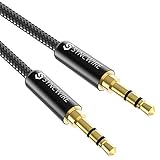
- Ultra Durable & tangle-free - with an 15000+ ultra-durable bend lifespan several times longer than original audio cables. You can wind It without having to worry about knots or kinks.
- Universal compatibility- Works with any Device equipped with standard 3. 5mm audio jack or aux-in port, connects smartphone, MP3 player, or tablet to car stereo or portable speakers
- Fit - Syncwire aux cable is designed to fit almost all aftermarket cases, excluding life proof cases & OtterBox cases.
- Unparalleled sound quality - polished Gold-plated connectors ensure reliability and eliminate signal loss and Noise possible.
- What you get - Syncwire 6. 5 ft Nylon braided aux cable, 3 years free card, user guide and customer service
What Creative Commons does—and does not—mean
YouTube allows eligible uploads to be marked with a Creative Commons Attribution license. Reuse generally requires attribution, and the uploader must actually have the rights needed to offer the work under that license.
A Creative Commons label does not guarantee that every element in a video, particularly embedded music, has been cleared. The license describes reuse rights; it should not automatically be treated as permission to bypass YouTube’s technical or contractual restrictions. The safest options are a creator-provided download link, direct permission, or an authorized source. YouTube explains the system in its Creative Commons help documentation.
Troubleshooting common download problems
There is no Download button
- Confirm that you are signed in to the correct Premium account.
- Check whether the content and feature are available in your country or region.
- On a computer, confirm that you are using a supported browser: Chrome, Edge, Firefox, or Opera.
- Check whether the video is restricted, removed, or unavailable for offline playback.
- Update or restart the YouTube or YouTube Music app, or restart the browser.
- Check available device storage and the download-quality settings.
YouTube’s troubleshooting pages recommend checking the account, membership status, device, connection, and download settings. See the guidance for YouTube Premium download problems and offline-video issues.
The download is not in the phone’s music folder
That is expected for YouTube and YouTube Music Premium downloads. They are app-managed offline copies intended for playback in the official app, not ordinary music files that can be opened in another player.
The download disappeared
Possible causes include failing to reconnect within the required offline period, an ended Premium membership, content becoming unavailable, changing devices, or the app losing account authorization. Downloads are device-specific and must be downloaded again on a new device.
An Audio Library track received a copyright claim
Check that:
- the track came from the official YouTube Audio Library;
- you added the correct attribution when required;
- the video did not also contain unrelated copyrighted music; and
- you kept the track’s license and usage information.
YouTube’s assurance applies to tracks and sound effects from its Audio Library, not to music merely described as “free” on another channel. If the claim appears inconsistent with the displayed Audio Library terms, use YouTube’s documented dispute or support process and provide your saved license information.
Final recommendation by use case
- Just want to listen offline: choose YouTube Music Premium.
- Want to watch a music video offline: choose YouTube Premium.
- Need a normal MP3 for a documentary or other project: start with the YouTube Audio Library and follow the track’s attribution terms.
- Need commercially usable music for a YouTube upload: check Creator Music if you are eligible, or use another provider that clearly grants the necessary license.
- Need your own song or performance back: use YouTube Studio or Google Takeout, then extract the audio locally if necessary.
- Need a popular commercial song as an MP3: obtain it from an authorized music store or the artist’s official download source rather than extracting it from YouTube.
There is no single YouTube download button that satisfies all five goals. The important distinction is whether you want offline access inside an app, a portable file, a license to reuse the music, or a copy of content you own.
What’s actually slowing this PC down?
Pick the symptom - the matching free tool is one click away.
Frequently Asked Questions
Can YouTube Premium download a song as an MP3?
No. YouTube Premium and YouTube Music Premium provide offline playback inside their official apps or supported YouTube experiences. They do not provide an MP3, M4A, or WAV export for arbitrary music videos.
Is downloading a YouTube song for personal use automatically legal?
No. Personal use is not a blanket copyright exception. YouTube’s Terms of Service restrict downloading unless the service authorizes it or the rights holder gives permission, and copyright questions depend on the specific work and circumstances.
Why can I download some Creator Music tracks but not others?
Creator Music uses track-specific terms. Licensable tracks may offer a download after the displayed licensing steps, while revenue-share tracks may require you to obtain the audio elsewhere. A missing download option does not mean the song is free to use.
The Bottom Line
Bottom line: Use YouTube Music Premium or YouTube Premium for app-only offline playback. Use Audio Library or Creator Music when you need music for a project, and use Studio or Google Takeout for your own uploads. Avoid treating third-party YouTube-to-MP3 converters as official, risk-free, or automatically lawful.
Quick wins for a faster PC:
Repair Windows errors before they cause bigger problemsFix Now →Scan for outdated or missing drivers - takes under a minuteDriver Scan →Quick Recap
Product prices and availability are accurate as of the date/time indicated and are subject to change. Any price and availability information displayed on Amazon at the time of purchase will apply.

