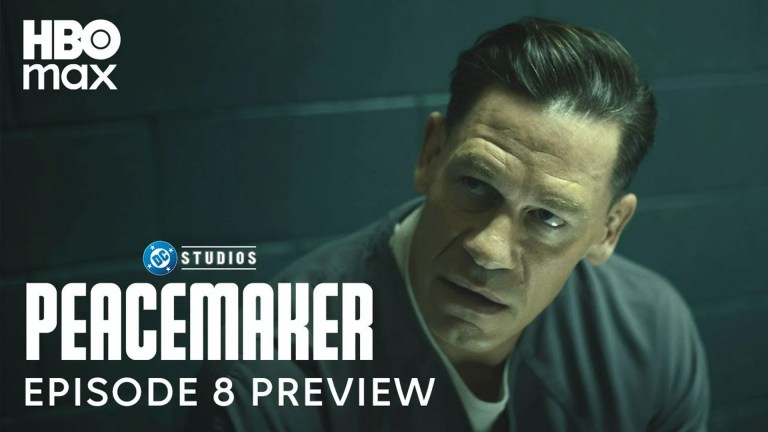
Peacemaker Season 2’s finale, episode 8, “Full Nelson,” premiered Thursday, October 9, 2025, at 9:00 p.m. ET / 6:00 p.m. PT on Max (then branded HBO Max in official promotional materials). The full season is now available to stream.
When did the Peacemaker Season 2 finale come out?
The eight-episode season concluded on Thursday, October 9, 2025. Warner Bros. Discovery’s schedule lists the finale as “10/9” and says episodes debuted weekly at 9:00 p.m. ET. The final episode is Season 2, Episode 8, titled “Full Nelson.” Warner Bros. Discovery’s schedule confirms the episode count and rollout.
What time was the finale available?
The scheduled release was 9:00 p.m. Eastern Time, or 6:00 p.m. Pacific Time. HBO Max’s official preview also announced the finale for 9 p.m. HBO Max’s preview used the wording, “Stream the Season 2 finale of #Peacemaker next Thursday at 9pm on HBO Max.”
The official schedule gives ET/PT timing, not a country-by-country timetable. If you’re outside the United States, check the episode listing in your local Max app for availability and local release time.
Free tools Windows power users keep installed
One-click scans. No signup required.
#1 Best Overall

- HD streaming made simple: With America’s number 1 TV streaming platform,* exploring popular apps—plus tons of free movies, shows, and live TV—is as easy as it is fun. *Based on hours streamed—Hypothesis Group
- Compact without compromises: The sleek design of Roku Streaming Stick won’t block neighboring HDMI ports, and it even powers from your TV alone, plugging into the back and staying out of sight. No wall outlet, no extra cords, no clutter.
- No more juggling remotes: Power up your TV, adjust the volume, and control your Roku device with one remote. Use your voice to quickly search, play entertainment, and more.
- Shows on the go: Take your TV to-go when traveling—without needing to log into someone else’s device.
- TV, simplified: With setup that only takes minutes, a simple-to-navigate Home Screen, and an uncluttered remote control that does all you need—Roku makes it easier to watch the TV you love.
Where can you stream it now?
The finale is on Max/HBO Max, and the complete second season is now available to stream. The platform was promoted as HBO Max in the 2025 release announcement; branding and availability can vary by region.
Should you start with episode 1 or watch only the finale?
If you want the season’s full story, begin with Season 2, Episode 1 and continue through “Full Nelson.” If you only need the closing episode, look for Season 2, Episode 8. The season has eight episodes in total.
Quick Recap
Best Value

- 【NO volume control. NO power button. NO headphone jack. NO pairing button. NO voice search. 】If your original remote has pairing button, please do NOT buy it. It does NOT have the headphone jack to plug in your earphone
- 【 NOT for any Ro-ku Stick or TV】This remote is Only compatible with Roku Box, for Roku Express, for Roku Player, for Roku Premiere, for Roku 1 2 3 4
- 【 4 Shortcuts】It is a IR replacement remote which features 4 shortcut buttons to popular streaming channels - Netflx, sling, hulu, Disny+
- 【 Work out of Box】Without any programming, just insert batteries(2* AAA) and it is all good to go
- 【 Package】Coming with 2x remotes and 1x user manual. Long distances transmitting(8m/26ft), respond in 0.2s to your tvs.
Rank #4

- NO PROGRAMMING REQUIRED FOR SIX TV BRANDS — Preprogrammed buttons instantly control Samsung, LG, Sony, Vizio, Fire TVs and Roku TVs (some Sharp and Insignia Roku TVs may require programming); requires two AAA batteries (not included)
- STREAMING APP HOTKEYS — Dedicated buttons provide direct access to Netflix, Prime Video, Disney+ and YouTube when installed by the TV manufacturer; support for user-installed apps may vary
- FULLY BACKLIT KEYPAD — Illuminated buttons improve visibility and navigation in dark rooms, bedrooms, media rooms and other low-light environments
- DESIGNED FOR SMART TVs — Convenient replacement remote for compatible Samsung, LG, Sony, Vizio, Fire TV and Roku TV models throughout your home
- EASY SETUP AND CONTROL — Simply insert two AAA batteries and select your TV brand; no programming required for supported TVs
Rank #3

- Easy voice search & control: Quickly search across thousands of top channels, play entertainment, control your streaming, and more with your voice
- No more juggling remotes: Power up your TV, adjust the volume, control your Roku device, switch inputs on your Roku TV, and more—all in a tap
- Pre-set channel shortcuts: Pre-set channel shortcuts let you launch popular streaming channels with the push of a button, all without having to scroll
- Simple setup: Simply turn on your Roku device and pull the battery tab on the back of the remote and it should pair automatically
- Works with your Roku device: Roku Voice Remote works with all Roku TV models, Roku audio products, and most Roku players*
Rank #2

- 4K streaming made simple:With America’s number 1 TV streaming platform,* exploring popular apps—plus tons of free movies, shows, and live TV—is as easy as it is fun. *Based on hours streamed—Hypothesis Group
- 4K picture quality: With Roku Streaming Stick Plus, watch your favorites with brilliant 4K picture and vivid HDR color.
- Compact without compromises: Our sleek design won’t block neighboring HDMI ports, and it even powers from your TV alone, plugging into the back and staying out of sight. No wall outlet, no extra cords, no clutter.
- No more juggling remotes: Power up your TV, adjust the volume, and control your Roku device with one remote. Use your voice to quickly search, play entertainment, and more.
- Shows on the go: Take your TV to-go when traveling—without needing to log into someone else’s device.
Product prices and availability are accurate as of the date/time indicated and are subject to change. Any price and availability information displayed on Amazon at the time of purchase will apply.
Independent reader supportYour contribution helps us test, update, and keep practical guides available for everyone.