Spoilers for the 2025 film. Superman has two credits scenes: a quiet moment with Superman and Krypto on the moon, and a closing joke between Superman and Mister Terrific in Metropolis. They work as character-focused codas, not teasers for the next DCU project. That is an interpretation of what the scenes accomplish; no direct explanation from James Gunn about his specific design choice is established in the available reporting.
How many credits scenes does Superman have?
There are two: one midway through the credits and one at the very end. Their tone is playful and reflective rather than suspenseful. Neither is reported as setting up a future DCU film or appearance. Den of Geek’s scene coverage and TIME’s analysis describe them as character moments, not plot hooks.
What happens in each scene?
Mid-credits: Superman and Krypto look at Earth
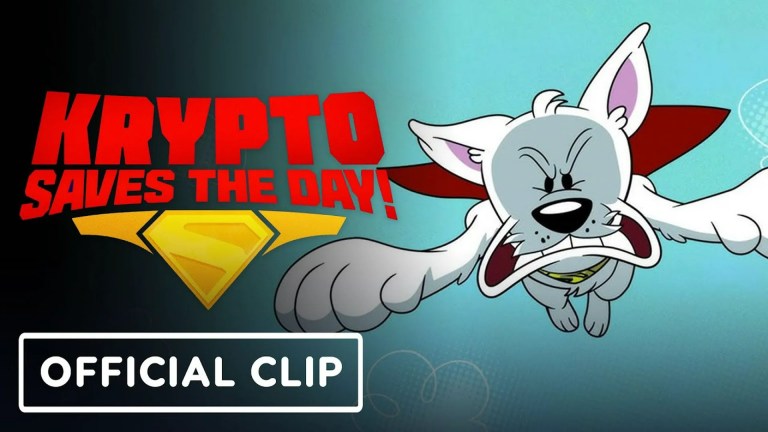
Superman and Krypto sit together on the moon, looking toward Earth. The stillness gives the film a pause after its conflicts: Superman has a moment to rest and take in the planet and people he cares about. That reading comes from the scene’s effect, not a confirmed statement of Gunn’s intent. Den of Geek describes the image and reads it as a quiet reward after the film’s tension.
At the end: Mister Terrific’s repair is not quite straight
Superman and Mister Terrific look at a Metropolis building that Mister Terrific repaired after it was damaged during Lex Luthor’s attack. Superman spots that the sides do not align perfectly. Mister Terrific takes the observation badly; Superman later admits he can be a jerk. The brief exchange turns a building repair into a character joke: Clark is earnest but can be tactless, while Mister Terrific cares deeply about the quality of his work. Den of Geek reports the scene and its character-focused effect.
The Tool Desk
Outbyte Driver Updater FREEScan for outdated or missing drivers - takes under a minuteDriver Scan →Outbyte PC Repair FREEClear out junk files and repair common Windows errorsFree Scan →#1 Best Overall

- Read Before You Buy — No Video Output: These adapters support charging and USB 2.0 data transfer, but cannot transmit video signals. Except for standard USB webcams (which use USB data only), they are not compatible with HDMI/DisplayPort cables, video-capable USB-C hubs, or docking stations with video output.
- Convert USB-A Ports to USB-C: Designed to connect USB-C earphones, cables, flash drives, card readers, and other USB-C accessories to standard USB-A ports. Plug-and-play with no drivers or software required.
- Aluminum Alloy Housing: Built with a sturdy aluminum alloy shell that aids in heat dissipation and protects against daily wear and scratches. Designed to maintain a stable and secure connection.
- Compact & Travel-Friendly: The ultra-compact design allows the adapter to stay plugged into your device without blocking adjacent ports or adding bulk, reducing wear and tear on your original USB ports.
- 12-Month Warranty: Backed by a 12-month manufacturer warranty for peace of mind. Designed to meet strict quality control standards for reliable everyday performance.
What do the scenes mean for the DCU?
They do not point to a specific next project, reveal a future plot, or announce another character’s arrival. Instead, each gives the finished story one last character beat: the moon scene offers calm and affection, while the Mister Terrific scene ends on a small joke about rebuilding the city. TIME calls them funny diversions without a hint about the future of Superman or his associates; Den of Geek likewise says neither sets up the next DCU movie. This is what the scenes support, not evidence that every future DC Studios credits scene will follow the same approach.
The distinction is between a story hook, which promises a particular future event or appearance, and a character coda, which adds a final moment to the people or themes of the film just completed. These two scenes function as codas.
Rank #2

- 5-in-1 USB-C Hub: Experience comprehensive connectivity featuring a Power Delivery input, two USB-A 2.0 ports, a USB-A 3.0 port, and an HDMI port. (Note: The USB-C power delivery input port is only for connecting an external wall charger to power your laptop and cannot power peripheral devices.)
- 90W Pass-Through Charging: Achieve optimal charging with 90W pass-through power to your laptop, supported by a total input of 100W, with the hub reserving 10W for operational efficiency. (Note: Wall charger not included.)
- Quick Data Transfers: Accelerate your productivity with rapid data transfers using a high-speed 5Gbps USB 3.0 port and two 480Mbps USB 2.0 ports.
- 4K HDMI Display: Enhance your visual experience with a hub capable of delivering 4K resolution at 30Hz in both mirror and extend modes. Please note that this hub is compatible with MacBook (macOS 12 and newer), Windows 10 and 11, ChromeOS, and laptops equipped with DP Alt Mode and Power Delivery. Note: This device is not compatible with Linux.
- What You Get: Anker USB-C Hub (5-in-1, 4K HDMI), welcome guide, 18-month warranty, and our friendly customer service.
Is Supergirl in a credits scene?
No. Supergirl appears in the film’s final scene before the credits, not in either of the two credits scenes. DC’s official Easter-egg guide identifies the cameo as Milly Alcock’s Kara Zor-El and connects the portrayal to the comic Supergirl: Woman of Tomorrow. Her appearance is part of the film itself, so it should not be counted as a post-credits tease.
Why was the Mister Terrific scene placed after the credits?
Edi Gathegi, who plays Mister Terrific, said the scene was originally in the movie: “That was originally in the movie.” He also said he was not involved in the decision-making, so his account does not explain why it was moved into the credits. He described the placement as personally exciting, but that reaction is not confirmation of the filmmakers’ rationale. GamesRadar+’s interview account includes both points.
Free tools Windows power users keep installed
One-click scans. No signup required.
Rank #3

- Sleek 7-in-1 USB-C Hub: Features an HDMI port, two USB-A 3.0 ports, and a USB-C data port, each providing 5Gbps transfer speeds. It also includes a USB-C PD input port for charging up to 100W and dual SD and TF card slots, all in a compact design.
- Flawless 4K@60Hz Video with HDMI: Delivers exceptional clarity and smoothness with its 4K@60Hz HDMI port, making it ideal for high-definition presentations and entertainment. (Note: Only the HDMI port supports video projection; the USB-C port is for data transfer only.)
- Double Up on Efficiency: The two USB-A 3.0 ports and a USB-C port support a fast 5Gbps data rate, significantly boosting your transfer speeds and improving productivity.
- Fast and Reliable 85W Charging: Offers high-capacity, speedy charging for laptops up to 85W, so you spend less time tethered to an outlet and more time being productive.
- What You Get: Anker USB-C Hub (7-in-1), welcome guide, 18-month warranty, and our friendly customer service.
What James Gunn has—and has not—explained
The scenes can be read as designed to leave audiences with warmth, humor, and a final glimpse of how these characters relate to one another. But that is an interpretation grounded in what appears onscreen and in the cited scene coverage. No direct statement from Gunn explaining why he chose these particular credits scenes is established here, so the article cannot attribute that rationale to him.
Quick Recap
Best Value

- 5-in-1 Connectivity: Equipped with a 4K HDMI port, a 5 Gbps USB-C data port, two 5 Gbps USB-A ports, and a USB C 100W PD-IN port. Note: The USB C 100W PD-IN port supports only charging and does not support data transfer devices such as headphones or speakers.
- Powerful Pass-Through Charging: Supports up to 85W pass-through charging so you can power up your laptop while you use the hub. Note: Pass-through charging requires a charger (not included). Note: To achieve full power for iPad, we recommend using a 45W wall charger.
- Transfer Files in Seconds: Move files to and from your laptop at speeds of up to 5 Gbps via the USB-C and USB-A data ports. Note: The USB C 5Gbps Data port does not support video output.
- HD Display: Connect to the HDMI port to stream or mirror content to an external monitor in resolutions of up to 4K@30Hz. Note: The USB-C ports do not support video output.
- What You Get: Anker 332 USB-C Hub (5-in-1), welcome guide, our worry-free 18-month warranty, and friendly customer service.
Rank #4

- Dual Converters, Infinite Potential:Includes 2× USB C male to USB A female adapters and 2× USB A male to USB C female adapters. Perfect for a wide range of uses—tablets with Bluetooth keyboards, expand USB ports on macbook, and more. Two different converters for all your daily needs
- Next-Level 10Gbps & 3A Charging: No more slow 480Mbps, this usb to usb c adapter has a transfer speed of up to 10Gbps, allowing you to do more transferring in less time. This usb adapter fits both USB A and USB C charger, supporting up to 3A fast charging
- Upgraded Exquisite Craftsmanship: With an aluminum alloy housing and metal connector, the usbc to usb adapter is extremely durable and sturdy. Rigorously tested to withstand more than 10,000 times of plugging and unplugging, ensuring long-lasting performance
- Broad Compatible: The usb c to usb adapter widely supports all USB C/ USB A devices like laptops, tablets, cellphones, car chargers, and phone chargers. Such as compatible with MacBook Pro/Air 2023/2022, Thunderbolt 4/3 Devices,Apple MagSafe Watch 9/8/7/SE/Ultra, iPad Pro 2022/2021, Samsung Galaxy S23/S20/S10, and iPhone 17/16/15 Pro. Plug and play
- Please Note: To reach 10Gbps speed, keep the cable under 3.3 ft. For USB A Male to USB C adapters, try flipping the USB C connector. USB C Male to USB A adapters support bidirectional 10Gbps transfer within 3.3 ft
Product prices and availability are accurate as of the date/time indicated and are subject to change. Any price and availability information displayed on Amazon at the time of purchase will apply.