Free tools Windows power users keep installed
One-click scans. No signup required.
Short answer: MP3Juice is not a dependable or verified-safe source for mainstream copyrighted songs. Current search results show multiple domains using the MP3Juice name, with no authoritative canonical domain established by the available evidence. Download pages that offer a song for free do not prove that the uploader has permission to distribute it, and reports about lookalike domains, redirects, fake buttons, and misleading files add security concerns.[C005][C006]
If you want free or offline music, use a source that identifies the uploader and gives you a track-level license or an official download control. SoundCloud creator-enabled downloads, Free Music Archive, Jamendo, YouTube Audio Library, public-domain recordings, and artist-authorized downloads are safer starting points. If you only need offline playback inside an app, use the service’s own offline feature rather than looking for an MP3 converter.
Why the MP3Juice name is a warning sign
MP3Juice is best treated as an unverified search term, not as a single established music service. Search results currently surface multiple sites using the same or similar branding. Some publish copyright-policy or takedown language, but a site’s own policy page is only a claim about its policy; it does not prove that every recording offered through the site is authorized by the relevant copyright owners.[C005][C006]
Independent reporting has also described MP3Juice lookalikes associated with aggressive advertising, unexpected redirects, fake download controls, and files presented with misleading extensions. That reporting is not a controlled malware test of every domain, so it would be inaccurate to label every MP3Juice-branded page malicious. It is equally inaccurate to call a particular mirror official, virus-free, or safe without current primary verification.
#1 Best Overall

- Plug and Play! Ultra portable and light weight design at just 3 ounces. The speaker is ultra small & portable and yet able to exert high quality sound. Color available in Black
- Engineered for exceptional clarity of sound. Built-in amplifier for a surprisingly Loud Volume - 3 Watt Output. Audio with High Fidelity
- High-capacity Rechargeable Built-in Lithium battery for up to 10 hours continuous playback time (medium volume, random music)
- Compatible with all audio players with a 3.5mm audio socket/stereo headset jack, including Apple iPod Touch, iPhone, iPad, MP3/4 Players, Laptops, MacBook, Samsung and PC Computer. The portable mini speaker charges using our included standard USB cable, which connects to a PC, laptop, usb power adapter or standard USB port.
- 3 Year Manufacturer Warranty Included with the AYL Speaker! Please contact us via email if you have any questions.
Do not rely on mirror lists, APK files, browser extensions, converter scripts, or instructions that claim to bypass a platform’s download restrictions. They solve neither of the two central problems: whether you have permission to copy the recording and whether the file or page is trustworthy.
Is downloading songs from MP3Juice legal?
This section is general U.S.-focused information, not legal advice. Copyright rules vary by country, and the answer depends on the specific song, recording, license, and intended use.
In the United States, the Copyright Office explains that downloading or uploading copyrighted works without the copyright owner’s authority may infringe exclusive reproduction and distribution rights.[C001] In plain language, free to access is not automatically free to copy. An intermediary’s download button cannot grant rights that the copyright owner did not provide.
Music also involves more than one copyrighted work. The melody and lyrics are the musical composition; a particular artist’s performance is a separate sound recording. A composition can be old or public domain while a modern recording of it remains protected.[C012] Older music is therefore not automatically free to download or reuse. U.S. rules also treat pre-1972 sound recordings differently, so a public-domain conclusion requires checking the relevant history and jurisdiction.
When a download can be authorized
| Situation | Why it may be permitted | What to verify |
|---|---|---|
| You created or purchased the file | You may have the right to store and play it under the purchase or creation terms. | Whether the store supplies a portable file and whether copying is restricted. |
| The artist, label, or uploader enabled the download | The rights holder may have authorized that specific file. | The page’s download control, uploader identity, and license. |
| The work and recording are genuinely public domain | Public-domain material is not protected by copyright in the relevant jurisdiction. | Both the underlying composition and the particular recording. |
| A license permits the intended use | Creative Commons and custom licenses can authorize downloading and specified reuse. | Attribution, commercial-use, derivative-work, territory, and other conditions. |
| A streaming app offers offline playback | The service may permit temporary cached listening under its subscription terms. | Whether the feature is app-only rather than a portable MP3 download. |
By contrast, finding a current commercial song through a search box does not establish that the person or site offering it has permission to distribute it. Neither an MP3 extension, HTTPS, an ad blocker, a VPN, nor a successful download changes that copyright analysis.
How to recognize the risky download pattern
The most dangerous part of an unverified download page is often not the audio file itself but the surrounding deception. The Federal Trade Commission warns that unfamiliar free-download sites can expose visitors to malware, pop-up advertising, unwanted redirects, fake security warnings, and unwanted software.[C002][C003] Google’s Safe Browsing guidance similarly covers phishing, malicious or intrusive advertising, social engineering, and unwanted software, and recommends taking browser warnings seriously rather than disabling them.[C003][C004]
Stop immediately if a page:
- shows several competing buttons labeled Download, Start, or Play;
- opens unexpected tabs or redirects you to unrelated sites;
- asks you to allow browser notifications before revealing a file;
- claims that your device is infected and tells you to call a number or install remote-access software;
- asks you to install an APK, EXE, browser extension, codec, downloader, or special player to obtain an MP3;
- instructs you to disable Safe Browsing, antivirus software, or browser warnings;
- delivers a script, installer, archive, or unfamiliar file instead of the authorized audio format.
Safety checklist for any authorized music download
- Identify the source. Prefer a page that clearly identifies the artist, uploader, label, library, or other rights holder.
- Read the track-level permission. Confirm that the license covers downloading and, if relevant, personal use, commercial use, video, podcasts, public performance, or livestreaming.
- Use the site’s own download control. Do not replace a missing official button with a third-party converter, mirror, or browser extension.
- Keep browser protection enabled. Do not bypass a Safe Browsing or antivirus warning simply because a page insists that the warning is a mistake.
- Reject installers and notification requests. An ordinary audio file should not require a system installer, codec, browser extension, or notification permission to play.
- Inspect the file before opening it. Check its name, location, and actual extension. Turn on your operating system’s option to display file extensions if they are hidden. A file presented as a song but ending in .exe, .msi, .apk, .js, .bat, or an unexpected archive should be canceled or deleted.
- Scan the file. In Windows, use Windows Security to scan a specific file, and use a full scan or Microsoft Defender Offline scan if unwanted software is suspected.[C014]
- Preserve the license. Keep the license page, attribution text, and download details alongside the music file. This is particularly important for Creative Commons tracks used in a project.
What to do if you clicked a fake download
If you only visited the page, close the tab, deny notification permission, and remove any notification permission that the site may already have been granted in your browser settings. Update the browser and run a security check if the page behaved suspiciously.
If you downloaded a file but did not open it, do not double-click it. Delete it, empty the recycle bin if appropriate, and scan the device. If you opened an installer, allowed remote access, or suspect that unwanted software was installed, stop entering passwords or using banking accounts on that device. Update your security software, run a full or offline scan, change exposed passwords from a clean device, and enable two-factor authentication. The FTC recommends this general sequence for suspected malware exposure.[C013] Contact your financial institution promptly if payment information may have been exposed.
Start with Windows Security or the reputable antivirus already installed on your computer. Do not install a cleanup product from a pop-up claiming that your device is infected. A third-party utility is not a substitute for antivirus protection, and the name of a security product alone is not proof that it is appropriate for your situation.
Rank #2

- IMPORTANT UPDATE NOTICE: Based on extensive customer advises, we’ve rolled out two major upgrades to this desktop speaker. First, volume control buttons have been added. Second, we increased the product thickness for a larger sound cavity, bringing moderate improvements in sound quality and volume.
- HIGH-QUALITY SOUND: This laptop speaker is equipped with Dual 3W High-Excursion Drivers & Passive Radiator, delivering louder sound, wider dynamic range, enhanced bass and reduced distortion.
- ONE CABLE FOR BOTH AUDIO & POWER: No 3.5mm AUX jack needed. Just one USB cable delivers both audio signal and power for the computer speaker to cut down cable clutter.
- WIDE SYSTEM COMPATIBILITY: This upgraded PC speaker works with Windows, macOS, Linux and ChromeOS laptops & PCs, compatible with HP, Lenovo, ThinkPad, ASUS, Dell, Samsung, Acer, LG and more. Simply install the latest audio driver for smooth audio playback.
- PLUG-N-PLAY FOR SIMPLE SETUP: For Windows PCs: Plug the speaker into your computer’s USB port, click the taskbar “Speaker” icon, then select “USB Speakers” as your playback device, and you’re ready.
Legitimate ways to get free or authorized MP3 files
SoundCloud: use the creator-enabled download button
SoundCloud allows a listener to download an individual track only when the uploader has enabled downloads. When available, the official Download file button appears beneath the track’s waveform. Not every track has one, and SoundCloud does not provide a whole-playlist download through that control.[C007]
If the button is missing, treat that as a permission boundary. Do not use a third-party converter to extract the track. Also read any description or license information before using the file in a video or other public project.
Free Music Archive: free does not mean unrestricted
Free Music Archive describes its catalog as free, open-licensed original music from independent artists. Its terms indicate that downloadable works may be covered by Creative Commons, U.S. public-domain, or customized licenses. The license attached to the individual song or album page controls what you may do.[C008][C019]
Recommended Free Tools
A download may require attribution, prohibit commercial use, prohibit adaptations, or allow only personal and noncommercial use. Save the license information with the file and do not assume that every track in the catalog has the same permissions.
Jamendo: check the individual Creative Commons terms
Jamendo’s artist-support material says tracks on Jamendo Music are, by default, available for free download under Creative Commons licenses unless the artist disables downloads. The exact Creative Commons combination still matters: some licenses require attribution, while others restrict commercial use or derivative works.[C009]
Jamendo Music’s consumer download and Jamendo Licensing are not interchangeable. Jamendo Licensing separately offers paid options for commercial, video, advertising, livestream, and other uses.[C020] A track that is free to download for personal listening may not be cleared for a documentary, podcast, advertisement, public broadcast, or monetized YouTube video.
YouTube Audio Library: useful for projects, not commercial hit-song collecting
YouTube’s official Audio Library is available inside YouTube Studio and provides production music and sound effects. Eligible tracks can be downloaded as MP3 files. Tracks marked with a Creative Commons license require the attribution specified by the library.[C010]
Quick wins for a faster PC:
Repair Windows errors before they cause bigger problemsFix Now →Scan for outdated or missing drivers - takes under a minuteDriver Scan →This is particularly useful for documentaries, presentations, podcasts, videos, livestreams, and other productions that need background music or sound effects. It is not a general-purpose way to obtain portable copies of commercial songs that happen to appear on YouTube.
Artist-direct and authorized store downloads
Artists and labels sometimes offer downloads through their own websites, promotional pages, or a clearly identified digital music store. Look for an explicit statement about the file format, the purchaser’s rights, and any restrictions. An artist-direct music download can be a good option when the page is controlled by the artist or label and the terms are clear.
Rank #3

- Wide Compatibility: The 1Mii Computer Speakers can work with any devices that has a standard 3.5mm AUX audio out jack, any brands or models of Windows(7/8/10/11) or Linux PCs, MacOS laptops, desktop monitors, laptops.
- Enhanced Stereo Sound: Built-in dual 3W stereo speakers of the desktop speakers can deliver you loud, clear vocals and all the details you want to hear clearly, providing immersive Hi-Fi audio listening and immersive gaming experience. The 3.5mm wired speaker is perfect for you to enjoy wonderful movies, videos, music and games. For best audio quality, use a USB power adapter to reduce static.
- Rotary Volume Control Knob: With the front rotary knob of the PC speakers, you can steplessly adjust the volume level as you wish. No matter loud and immersive action movie or quiet and peaceful music, the desk speakers can always satisfy your needs. No need to find out the volume setting on your device and no complicate operations, just rotate and enjoy.
- Mini and Space-saving for Desk: The PC speaker size is only 26 x 6 x 6.3 cm/ 10.2 x 2.4 x 2.5 in, it can fit into any corner on your desk, table, shelf or other narrow space under your desktop monitor or PC. Under the laptop speakers are anti-slip silicone pads to prevent unwanted scratches from your furniture or electronics. Elegant and delicate design, simple but classic to match your room style.
- Plug and Play: Just connect the speaker with your powered device or DC power adapter via USB-A cable, then plug the 3.5mm audio cable into the 3.5mm AUX out jack, rotate the volume knob to moderate volume level. For some device you might need to switch the audio output to the speaker. Then the computer speakers for desktop pc are ready to play stereo music for you. The USB-A and AUX audio cables are connected as one for neat organization, also you can divide them as you like. Warm Tips: The speaker is not compatible with some products, please check whether your device has an AUX outport before purchase. The USB charging cable and 3.5mm audio cable must be inserted at the same time to work.
Do not assume that buying a track grants unlimited redistribution, public performance, synchronization, or commercial rights. A purchase commonly addresses personal listening; project and business uses may require additional permission.
Public-domain recordings
Public-domain sources can provide genuinely free music, but verify the status of both the composition and the specific recording. A modern orchestra, singer, or label may own rights in its recording even when the underlying melody or lyrics are old.[C012] Keep a record of the source’s public-domain explanation, especially if the recording will appear in a published documentary or commercial project.
What’s actually slowing this PC down?
Pick the symptom - the matching free tool is one click away.
Creative Commons: a quick permission guide
Creative Commons is a family of licenses, not a single blanket permission. Before downloading or publishing a track, read the license attached to that exact work.
- Attribution, or BY
- Credit the creator in the manner the license requires.
- NonCommercial, or NC
- Do not use the work for a commercial purpose under that license.
- NoDerivatives, or ND
- Do not distribute an adapted version. Editing a track into a documentary soundtrack may raise a derivatives issue, so check the license and obtain permission when uncertain.
- ShareAlike, or SA
- Adapted versions may need to be distributed under the same or a compatible license.
These conditions can appear in combinations. A track labeled Creative Commons is not automatically cleared for monetized videos, advertising, public performance, or commercial synchronization.
Offline streaming is not the same as owning an MP3
Many readers use the word download to mean offline listening. That is different from receiving a portable audio file.
| Type | What you receive | Where it works |
|---|---|---|
| Portable file download | An authorized MP3 or another audio file saved to your storage. | Compatible players and applications, subject to the license. |
| Offline streaming download | Cached content controlled by a service, account, subscription, and app terms. | Usually inside that service’s official app. |
| Stream ripping | An extracted copy made outside the platform’s authorized download mechanism. | Not recommended; it may violate platform terms and copyright law. |
For example, YouTube Music says Premium members can download music for offline listening in the app and must reconnect at least once every 30 days to maintain those downloads.[C011] That feature does not promise a portable MP3 file that can be copied to any player. Use the service’s own offline option rather than a ripping tool.
The Tool Desk
Outbyte PC Repair FREERepair Windows errors before they cause bigger problemsFix Now →Outbyte Driver Updater FREEScan for outdated or missing drivers - takes under a minuteDriver Scan →A safe workflow for authorized MP3 downloads
- Find the rights holder or authorized uploader. Record the artist, label, library, or platform page.
- Read the permission before pressing Download. Confirm the file is authorized and note attribution or usage restrictions.
- Use the official control on that page. If the download control is absent, stop instead of searching for a converter.
- Keep security protections active. Reject unexpected tabs, browser warnings, CAPTCHA instructions that require an installation, and fake virus alerts.
- Check the resulting file. Verify its extension and location. Cancel if the result is an installer, script, archive, or another unexpected type.
- Scan before opening. Use your operating system’s security tools, particularly if the source was unfamiliar.
- Store the file with its paperwork. Keep the license and required attribution in the same folder.
- Recheck the use case. A file suitable for personal listening may not be suitable for a documentary, commercial, livestream, public playback, or monetized video.
Playing authorized files on a dedicated MP3 player
If your goal is phone-free offline listening, a portable MP3 player is a legitimate destination for files you are authorized to possess. Sony’s current NW-A306 documentation, for example, lists MP3 support along with other audio formats and includes a microSD card slot for expandable storage.[C017] A compatible microSD card can therefore be useful when the selected player supports expandable storage and the card’s capacity and format meet the manufacturer’s requirements.
Hardware does not grant permission to copy music. It only plays files that you obtained lawfully.
Generic transfer steps
- Confirm that the player supports the file format and bitrate you plan to use.
- Connect the player to the computer with its USB cable and unlock or authorize the device if prompted.
- Open the player’s storage, usually through the computer’s file manager.
- Copy the authorized files into the manufacturer-recommended Music folder or another folder the player indexes.
- Copy the saved license or attribution notes as a separate text or document file if useful.
- Eject the player safely before disconnecting it.
- Use the player’s library refresh or rescan function if the tracks do not appear immediately.
If a track does not play, check the file format, storage space, folder structure, and the player’s manual. Do not solve a compatibility problem by downloading an unknown codec or installer from a pop-up page.
For creators: licensing is separate from downloading
Documentarians, podcasters, advertisers, livestreamers, and video makers need to think beyond whether a file can be saved. They need permission for the final use, including synchronization with images, public communication, monetization, and sometimes territory or duration.
Rank #4
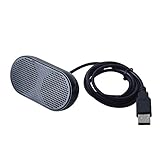
- Product Size:3.14x1.2x1.78inch,mini size USB Speaker,saving place,provide you a tidy desk.
- 47inch USB cable for power to contect your notebook or computer,plug and play;Weight is 90G,lightweight and portable to carry anywhere you like
- It is compatible with the USB1.1,USB2.0.Just plug the USB cable into your computer and do not need a 3.5mm connection.Two stereo speakers can reach a balance sound effect,pure and stereo,and joint together to stand on desk.
- Immerse yourself in the rich sound of music, movies, and games as this speaker is integrated with dual speaker units that deliver the mind blowing stereo sound.Kindly remind:It has no volume control.
- Suitable for your home,your office,school and any other place,also a perfect gift for your friend and your family.
Keep a rights-cleared YouTube music channel live 24/7
StreamNeo helps creators turn an owned or licensed prerecorded video into an always-on YouTube Live stream. Upload the video and paste a YouTube stream key; the stream runs in the cloud while your PC stays off, so an encoder does not need to remain running.
StreamNeo checks stream health every 30 seconds and automatically restarts a dropped stream. That workflow is useful for rights-cleared music, ambience, study, or devotional channels that need dependable continuous broadcasting.
A 24-hour 720p/30fps trial is free with no card at signup. Confirm that every audio and video element is owned or licensed for broadcast, then use the trial to verify the channel setup before committing to a longer-running stream.
Jamendo Licensing describes paid licenses for commercial and audiovisual uses, which is the kind of distinction that matters when a free consumer download does not cover a production.[C020] Creators running a rights-cleared ambience, study, devotional, or music channel can also consider StreamNeo, whose official description covers cloud-based 24/7 YouTube streaming. Any such workflow must use music that the creator owns or is cleared to broadcast; a streaming service is not a source of permission for MP3Juice files.[C016]
What not to rely on
- HTTPS: It can protect the connection to a site, but it does not prove that the operator is trustworthy or that the music is authorized.
- A VPN: It may change how your connection is routed, but it does not make an unauthorized copy lawful.
- An ad blocker: It may reduce some advertising exposure, but it cannot verify copyright ownership or guarantee that a download is safe.
- A virus scan: It can detect some threats, but a clean scan does not prove that you have permission to copy the song.
- A file extension: A filename ending in .mp3 is not proof that the file is genuine, safe, or legally distributed.
- A site’s copyright policy: A takedown statement does not establish authorization for each recording offered through the site.
Sources behind this guide
The copyright explanation is based on U.S. Copyright Office guidance about unauthorized reproduction and distribution and the distinction between musical compositions and sound recordings.[C001][C012] The safety recommendations draw on Federal Trade Commission malware and deceptive-download guidance, Google Safe Browsing information, and Microsoft Windows Security scanning guidance.[C002][C003][C004][C013][C014] Platform and licensing details come from SoundCloud, Free Music Archive, Jamendo, YouTube Audio Library, YouTube Music, Sony, and StreamNeo materials.[C007][C008][C009][C010][C011][C016][C017][C019][C020] Policies and availability can change, so check the current track-level or product-level terms before acting.
Frequently Asked Questions
Can an MP3 file contain malware?
A correctly identified audio file is not normally an installer, but a malicious site can disguise an executable, script, or archive as a song. Malformed media can also pose a risk to unpatched software. Display file extensions, reject unexpected file types, keep your player and operating system updated, and scan the file before opening it.
Does HTTPS make an MP3Juice-style site safe?
No. HTTPS helps encrypt the connection between your browser and a website, but it does not verify the site operator, the copyright status of the recording, the behavior of advertisements, or the safety of every file delivered through the site.
Can I use Creative Commons music commercially?
Sometimes, but not under every Creative Commons license. Check the individual track’s license for NonCommercial, NoDerivatives, Attribution, ShareAlike, and other conditions. A track that is free to download may still require credit or prohibit commercial video, advertising, public playback, or adaptations.
Do these 3 things before closing this tab:
1Fix the driver behind crashes, sound loss and screen glitches2Clear out junk files and repair common Windows errors3Scan for outdated or missing drivers - takes under a minuteWhat should I do after clicking a fake download button?
Close the tab and do not open the downloaded file. Remove any notification permission, delete the file, and run a security scan. If you installed software, granted remote access, or entered sensitive information, stop using the device for passwords and banking, scan it, change passwords from a clean device, enable two-factor authentication, and contact your financial institution if necessary.
Is there an official MP3Juice website I can recommend?
The available research did not establish one authoritative canonical MP3Juice domain. Because multiple sites use the name and their ownership and authorization are unclear, this guide does not recommend a mirror, APK, browser extension, or download page under that branding.
The Bottom Line
Bottom line: Do not treat MP3Juice as a safe or legal shortcut to commercial music. Download only when the artist, rights holder, or license clearly authorizes the file; keep browser and device protections enabled; and use official offline features when you need app-based listening. For portable playback, transfer authorized files to a compatible player—not copies whose permission is unclear.
Quick Recap
Product prices and availability are accurate as of the date/time indicated and are subject to change. Any price and availability information displayed on Amazon at the time of purchase will apply.