Quick wins for a faster PC:
Fix the driver behind crashes, sound loss and screen glitchesFind Drivers →Clear out junk files and repair common Windows errorsFree Scan →Scan for outdated or missing drivers - takes under a minuteDriver Scan →A Samsung One Remote usually does not pair directly with Roku as a Bluetooth accessory. Instead, a compatible Samsung TV registers the Roku player as an HDMI-connected device through its Universal Remote feature, with Anynet+ (Samsung’s name for HDMI-CEC) helping devices exchange commands.
This guide assumes you have a Roku streaming player—such as a Roku Express, Streaming Stick, Ultra or Streambar—connected to a Samsung TV. A Roku TV made by TCL, Hisense, Sharp or another manufacturer is a different setup, and a Samsung remote is not guaranteed to control it.
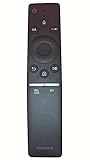
Identify your equipment first
Before troubleshooting, establish which combination you have:
- Samsung TV: note the model number and approximate model year. Menu names differ between generations.
- Samsung remote: a One Remote or Smart Remote has relatively few buttons; a conventional infrared Samsung remote, replacement remote or third-party universal remote may not support the same features.
- Roku device: identify whether it is a Roku player, Streaming Stick, Ultra, Streambar or a Roku TV. The instructions below target an external Roku player connected by HDMI.
Keep the original Roku remote available during setup. It is useful for completing Roku’s initial configuration and for testing functions that Samsung’s remote may not provide.
#1 Best Overall

- 【Wide Compatibility】 This premium voice remote is designed for All 2019–2026 Samsung TVs that support voice control. It is a perfect replacement for All 2019–2026 Samsung voice remotes. If your Samsung TV does not support voice control, that feature on this remote may not work.
- 【Intelligent Voice Control】Simply pair the remote with your TV to activate seamless Bluetooth voice control. The advanced chip ensures fast, accurate voice recognition from up to 40 feet away, allowing you to search, launch apps, and control playback with ease from almost any angle.
- 【Perfect Replacement Remote】It is a perfect replacement for all 2019–2026 Samsung voice remotes, including but not limited to BN59-01385A/B, BN59-01432A/B, BN59-01455A/B/E, BN59-01357A/F, BN59-01388A/B/H, BN59-01480A/B, BN59-01456A, BN59-01391A, BN59-01363A, BN59-01346A, BN59-01330A/B, BN59-01329A, BN59-01312A/G, BN59-01311B, TM2560E, TM2361E, TM2360E, TM2240A, TM2280E, TM2281E, TM2180E, TM2095A, TM1950, TM2050, One Remote, and many others.
- 【2-Year Full Warranty】All purchases are covered by a two-year warranty. With over 30 years of experience, we are committed to providing high-quality, affordable remote controls to millions of American households. If you need any product support, Go to your order > Get product support > Message Now > Product Question > Select the relevant product > Product Details.
- 【Durable & Reliable】This remote is crafted from sustainable ABS materials, making it safe and easy to use for all age groups. Each button is tested to withstand over 100,000 clicks or approximately 9 years of normal use.
What “pairing” means here
Roku voice remotes pair wirelessly with a Roku player. Samsung’s procedure is different: the TV registers an HDMI-connected external device and maps commands from the Samsung remote to functions that the TV and Roku expose.
HDMI-CEC is the control standard involved. Samsung calls its implementation Anynet+ (HDMI-CEC). CEC can pass commands such as input switching or power, but it does not expose every Roku function. Roku documents these limits at its HDMI-CEC guide.
Rank #2

- 【Universal Remote for Samsung TVs】Compatible with Samsung Crystal UHD, Neo QLED, QLED, OLED, Curved, Frame Smart TV Models — A replacement remote for all original Samsung TV remotes (Note: The Disney+ button on this remote may not function with TV models manufactured before 2022.)
- 【Specific compatible TV models - including but not limited to】UHD & Crystal UHD: CU7000, DU7200, AU8000, HU/JU/JS Series (2015), KU/KS Series (2016), MU Series (2017), NU Series (2018), RU Series (2019), TU Series (2020), AU Series (2021), BU Series (2022), CU Series (2023), DU Series (2024), U7900/U8000 Series (2025)—— QLED: Q60, Q70, Q80, Q90 Series —— Neo QLED: QN70, QN800, QN85, QN90, QN900, QN950 Series —— OLED: S85F, S90C, S90D, S90F, S95B, S95C, S95D, S95F —— The Frame: LS03NAK(2018), LS03RA(2019), LS03TA(2020), LS03A (2021), LS03B (2022), LS03C (2023), LS03D (2024), LS03F (2025) etc.
- 【Replacement for Samsung TV remote】for Samsung TV Remotes BN59-01388A / BN59-01388H / TM2240A / BN59-01457A / BN59-01312A / BN59-01312F / BN59-01312D / BN59-01312E / BN59-01312F / BN59-01312G / BN59-01312K / BN59-01312L / BN59-01312M / BN59-01312X / BN59-01312U / BN59-01312T / BN59-01329A / BN59-01329C / BN59-01329F / BN59-01330A / BN59-01330C / BN59-01330H / BN59-01330N / BN59-01330Q / BN59-01330N / BN59-01330M / BN59-01330H / BN59-01312Q etc.
- 【Plug & Play, Easy to Use】This Remote Works right out of the box—simply insert 2 AAA batteries (not included) with no programming/pairing required—and thanks to its ultra-low-power design, enjoys up to 6 months of standby time (depending on usage), eliminating frequent battery replacements and the need to buy a new remote
- 【Durable, High-quality ABS & Ultra-Fast Response】Tested to withstand 200K clicks and made from high-quality ABS for long-lasting durability; provides reliable control up to 45 ft away and a lightning-fast 0.1s response time for seamless operation
Set up the Samsung One Remote for Roku
Prerequisites
- Connect Roku directly to an available HDMI input on the Samsung TV for the initial setup.
- Power on the Roku and finish its first-run setup if it is new.
- Display the HDMI input used by Roku.
- Make sure the Samsung remote operates the TV normally.
Current setup path
- Turn on both devices.
- Press Home on the Samsung remote.
- Choose Source. On some models, press Up while the Source menu is open to reveal the option.
- Select Universal Remote, or Universal Remote Setup on models using that label.
- Choose Start or New Device.
- Select OTT Box/Game console. Samsung places Roku, Apple TV and similar products in this category.
- Select Roku when it appears, or search for the brand.
- Choose the HDMI port where Roku is connected.
- Follow the on-screen tests for directional navigation, selection, playback and any power commands offered.
- Finish with Done. Samsung says the TV remembers the device and its HDMI port after registration. See Samsung’s Universal Remote instructions.
Samsung may present slightly different labels or ordering depending on the TV’s software. If Universal Remote is absent, consult the manual for the exact model rather than assuming the feature is supported.
Enable Anynet+ (HDMI-CEC) when control is incomplete
Turn on Anynet+ if Samsung cannot detect Roku, navigation does not work, input switching fails, or a device will not wake the TV. Samsung’s documented paths include:
Rank #3

- 【Package lncluded】 Pack of 2 remote. Two-pack remote control can solve your home backup remote control needs. Infrared remote no pairing or programming needed. Just Insert 2 Pcs*AAA batteries to get it work(Batteries and manual are not included)
- 【Applicable Type】This infrared replacement remote works with all Samsung Smart TV, LED, LCD, HDTV, 3D, Series TV,Compatible with All Samsung Series TVs. We offer you an authentic details same as we advertised.
- 【Key Features】The universal infrared TV remote features 3 shortcut buttons. It is perfect to replace your old or damaged Samsung TV Remote with the Loutoc remote.
- 【Quick Response】This is the updated infrared remote control for Samsung TVs. An outstanding response between TV and remotes, it will respond quickly in 0.5 seconds, available directly use within 10 meters (32 feet).
- 【After-sale Service】We provide 30 days warranty with no condition return or exchange. If you have any query, please contact us and we will get back to you as soon as possible within 24 hours.
- Newer models: Settings > External Device Manager > Anynet+ (HDMI-CEC).
- Older models: Settings > System > Expert Settings > Anynet+ (HDMI-CEC).
Samsung’s guidance is available at ANS10006946. ARC may be a preferred connection on some Samsung models, but it is not universally required for basic Roku video control.
After enabling Anynet+, restart the TV and Roku, then delete and re-register Roku in Universal Remote if necessary. CEC support is device-specific; enabling it does not guarantee every command.
What the Samsung remote can control
| Function | Typical result | Important qualification |
|---|---|---|
| Roku menu navigation | Often works | Depends on the TV, remote and Roku combination. |
| Select/OK | Often works | Confirm it during Samsung’s on-screen test. |
| Back or Home | May work | Button mapping varies by model. |
| TV input switching | Often available | Requires successful registration and compatible CEC behavior. |
| TV power | May work | CEC implementations differ. |
| Volume and mute | Depends on the audio path | A soundbar or receiver may handle these commands instead of the TV. |
| Roku voice search | Usually unavailable | Use a compatible Roku voice remote or the Roku app. |
| Private listening | Usually unavailable | Requires a suitable Roku remote or app feature. |
| Roku shortcut, replay and pairing controls | May be unavailable | These are not standard One Remote functions. |
Therefore, describe the Samsung remote as a convenient controller, not an automatic full replacement for the Roku remote.
Independent reader supportYour contribution helps us test, update, and keep practical guides available for everyone.Troubleshoot in this order
Universal Remote does not appear
- Connect Roku directly to a Samsung HDMI input and power it on.
- Select that HDMI input, then reopen Home > Source.
- Look for Universal Remote or Universal Remote Setup.
- Enable Anynet+ using the model-appropriate path above.
- Check the TV manual to confirm that the model and remote support Universal Remote.
- Register Roku again. Samsung says an unresponsive registered device may need re-registration.
The TV responds, but Roku does not
- Confirm Roku is connected by HDMI and is powered on; USB power alone does not establish control.
- Verify the selected HDMI port matches the port used by Roku.
- Restart both devices after enabling Anynet+.
- Remove any old Roku entry and run Universal Remote setup again.
- Test Roku directly on the TV, bypassing a soundbar, AV receiver, HDMI switch or splitter.
Navigation works, but power or volume does not
This often indicates a control limitation rather than a failed setup. The Samsung remote may pass navigation commands while the TV or an audio device handles power and volume separately. Roku notes that some televisions support CEC power control but not CEC volume control; see Roku’s troubleshooting page.
Do these 3 things before closing this tab:
1Repair Windows errors before they cause bigger problems2Fix the driver behind crashes, sound loss and screen glitches3Clear out junk files and repair common Windows errorsBest Value
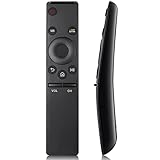
- Compatibility: Universal Smart TV Remote Control for All Samsung Smart TV Curved QLED Frame LED LCD HDTV QLED SUHD UHD HDTV 3D 4K TV
- Compatible with All Samsung TV Remote Models: For Samsung TV Remotes BN59-01259E BN59-01259B BN59-01260A BN59-01241A BN59-01265A BN59-01259D BN59-01266A BN59-01242A BN59-01292A BN59-01312A BN59-01315A BN59-01385A BN59-01199F BN59-01301A AA59-00594A AA59-00666A AA59-00741A AA59-00784C AA59-00666A BN59-01178W and compatible with more samsung tv remotes
- Easy-to-use: Work right out of the box and without any settings. Insert 2 AAA batteries (Not included) to replace your original remote control thoroughly
- Transmission Distance: Using infrared technology, the tested signal can be transmitted over a long distance of up to 33 feet, with a quick response of 0.1 seconds
- Premium after-sale service: We provide 100 days after-sales service. If you have any problems during the use, please contact us directly and we will reply you within 12 hours
Roku is behind the television
Roku voice remotes generally use a wireless connection and do not need aiming. Basic infrared remotes require line of sight to the relevant receiver. Roku distinguishes these designs in its accessory guidance.
Roku is connected through a soundbar or receiver
- Disconnect Roku from the intermediary device temporarily.
- Connect Roku directly to the Samsung TV.
- Complete Universal Remote registration and test it.
- Reconnect the soundbar or receiver.
- Recheck Anynet+, ARC or eARC settings on every device.
Roku recommends a direct TV connection during TV-control setup so the system can identify the television correctly.
Alternative: use a Roku remote to control the Samsung TV
This is the reverse arrangement: the Roku remote operates Roku, while its TV-control feature handles Samsung power and volume.
- Press Home on the Roku remote.
- Go to Settings > Remotes & devices > Remotes.
- Select the voice remote.
- Choose Set up remote for TV control.
- Follow the sound-test prompts.
Roku’s instructions are at Set up TV controls. Compatibility and available functions vary by Samsung model and audio configuration. If setup remains unreliable, enable Anynet+, run the setup again, update Roku through Settings > System > System update > Check now, and temporarily remove audio equipment.
What’s actually slowing this PC down?
Pick the symptom - the matching free tool is one click away.
Which remote should you keep?
- Use the Samsung One Remote when you mainly need basic Roku navigation and want fewer remotes.
- Keep the Roku remote if you use voice search, private listening, Roku shortcuts or replay frequently, or if Samsung control is inconsistent.
- Choose a Roku Voice Remote when voice search and TV power/volume buttons matter. Roku lists it at $19.99 in the U.S. at the time of publication; compatibility covers all Roku TV models, most Roku players and Roku audio devices, but not every older player. Product page: roku.com/products/accessories/roku-voice-remote.
- Choose Voice Remote Pro for rechargeable power, backlit buttons, remote finder and hands-free voice features. Roku listed a $29.99 U.S. price signal in August 2026; current price and stock can change. See Roku accessories.
- Use the Roku mobile app as a no-purchase fallback when the phone and Roku are already on the same network. It cannot reliably discover a Roku that has never joined the network.
Buy a basic replacement only after identifying the Roku type. Roku’s Players Remote is intended for compatible Roku players and audio devices, not Roku TVs or, according to its accessory guidance, Streaming Stick devices: Players Remote. The Roku TV Remote is for Roku TV models, not ordinary players: Roku TV Remote.
Quick Recap
Quick reference
- Samsung remote to Roku: Samsung TV > Source > Universal Remote > OTT Box/Game console.
- Roku remote to Samsung TV: Roku > Settings > Remotes & devices > Remotes > Set up remote for TV control.
- Samsung’s CEC name: Anynet+.
- Best diagnostic step: connect Roku directly to the TV, enable Anynet+, restart both devices and re-register Roku.
Product prices and availability are accurate as of the date/time indicated and are subject to change. Any price and availability information displayed on Amazon at the time of purchase will apply.