What’s actually slowing this PC down?
Pick the symptom - the matching free tool is one click away.
Film has no single megapixel rating. Its usable detail depends on the film stock and the contrast of the subject, as well as the lens, focus, exposure, camera movement, processing and scanning or projection. A commonly cited 35 mm example converts a stated resolving power of 50 line pairs per millimeter into 8.64 megapixels—but that is an idealized comparison, not a universal specification for film.
What “film resolution” measures
Resolution describes how finely an imaging system can distinguish detail. For film, manufacturers commonly report resolving power in lines or line pairs per millimeter. Kodak defines resolving power as an emulsion’s ability to record fine detail; its test uses a graduated target of parallel lines and identifies the finest lines that remain visibly separate under a microscope. The result depends on exposure and target contrast, and to a lesser extent on development. Kodak’s Essential Reference Guide for Filmmakers describes the test and its limitations.
A line pair is one dark line beside one light line. In an ideal digital sampling comparison, at least two pixels across a line pair are needed to represent it. That conversion is a way to compare spatial sampling; it does not mean the film itself contains a fixed grid of pixels. The FBI/SWGIT guideline warns that pixel count alone does not establish how well an imaging device resolves spatial detail: the imaging system must be evaluated. FBI/SWGIT, Resolution Test Target for Digital Camera Systems (2002).
How the 8.64-megapixel 35 mm example works
The FBI/SWGIT guideline gives a worked example for a 36 × 24 mm 35 mm ISO 200 color frame at 50 line pairs/mm. Across the frame, that equals 1,800 line pairs by 1,200 line pairs. At two pixels per pair, the idealized sampling equivalent is 3,600 × 2,400 pixels, or 8.64 megapixels. This is a calculation for that stated example—not a measurement of every 35 mm film stock, every photograph, or the detail a particular scanner will recover.
Do these 3 things before closing this tab:
1Repair Windows errors before they cause bigger problems2Fix the driver behind crashes, sound loss and screen glitches3Clear out junk files and repair common Windows errors#1 Best Overall

- SAVE OLD PHOTO MEMORIES: 1422MP Digital Film Scanner Lets You View, Edit and Convert Your Old Color and BandW Negatives 135, 110, 126mm and 50mm Slides 135, 110, 126mm to Digital Files and Save Directly to SD Card (NOT INCLUDED)
- 5” LCD DISPLAY WITH GALLERY MODE: Features Large, Crystal-Clear Screen with Wide Viewing Angle for Instantly Previewing and Editing Photos | Great for Sharing with Friends and Family or Using as an Elegant Digital Picture Frame in Home or Office
- CONVENIENT EASY-LOAD FILM INSERTS: Quick-Feeding Tray Technology Allows for Continuous Loading Action, Making Scanning Fast and Simple Includes 50mm Slide Holder, Adapters for 135, 110 and 126 Films, Cleaning Brush, USB and HDMI Cables
- EDITING WITH A SINGLE TOUCH: Advanced Capture Software Enhances, Resizes and Converts Photos Via Easy ‘Scan’ Button—No Complex Screens or Settings | Easy Options Let You Choose Film Type, Adjust ColorBrightness and Assign DateTime
- SUPER CHIC. UBER COMPATIBLE: Device Handles All Your Old Slides and Negatives, Supports SD or SDHC Cards Up to 32GB (NOT INCLUDED) and Connects to Any Type-C USB-Enabled Computer | Gorgeous Design Blends Seamlessly w Your Home Décor
Contrast matters. Kodak’s Double-X camera-negative data reports 32 lines/mm at a target contrast of 1.6:1 and 100 lines/mm at 1000:1. Those results came from tungsten-exposed samples developed in D-96 at the recommended control gamma; Kodak says the figures represent tested production samples, not a requirement for every roll. The higher figure comes from a much higher-contrast test and should not be treated as a typical result for ordinary scenes. Kodak Double-X Film data sheet.
Stock type also changes the answer. Kodak’s Fine Grain Duplicating Positive Film 2366 data sheet reports 100 lines/mm at 1.6:1 target contrast and 200 lines/mm at 1000:1. It is a specialty duplicating positive film, not an ordinary camera negative, and its figures are tied to those specified test conditions. Kodak Fine Grain Duplicating Positive Film 2366 data sheet.
Rank #2

- PRESERVE OLD MEMORIES - Quickly and easily converts 35mm/110/126/Super 8 film negatives & 135/126/110 slides into high resolution 24MP digital JPEG files
- MULTIPLE WAYS TO VIEW - Using the stunning 5'' LCD screen, view your film, slides & scanned images directly on the scanner or use an HDMI cable (not included) to view on your TV or monitor
- SAVE IMAGES ON SD CARD - With a convenient SD card slot supporting up to 128GB of expandable memory, this scanner gives you the freedom to conveniently scan, save, and preserve a lifetime of photos (SD card not included)
- NO COMPUTER NEEDED - No complicated or expensive photo-editing software or driver installation required, you can adjust brightness, RGB color correction, flip and mirror directly on the scanner
- FAST & EASY SCANNING - Simple setup for frustration-free operation to effortlessly scan your photos in less than 5 seconds each with the included fast-loading film trays
Why a photograph may resolve less than the film test
A chart test isolates the film under stated conditions; a photograph passes through a complete imaging chain. Kodak notes that practical system resolution is limited by both lens and film and is lower than either component’s resolution alone. Poor focus, camera movement and haze reduce detail further. Scene contrast and lens quality also influence perceived sharpness. A film’s chart result therefore cannot be read as the amount of fine detail every frame will show.
- Film and exposure: stock, exposure and development affect recorded detail.
- Subject contrast: fine detail with weak contrast can be harder to distinguish than bold chart lines.
- Camera and lens: focus errors, movement, haze and lens performance affect the image reaching the film.
- Viewing conditions: perceived sharpness depends on how the image is enlarged, displayed or projected.
Why scan dimensions are not the same as resolved detail
A scan’s pixel dimensions tell you the size of the digital file, not automatically how much optical detail was extracted from the negative. Kodak defines scan resolution as the number of pixels acquired from the original camera negative and lists 1K, 2K and 4K as popular motion-picture scan categories. Those labels describe sampling dimensions, not a guarantee that a scan captures equivalent detail from every source. Kodak’s Essential Reference Guide for Filmmakers.
Rank #3

- Efficient Scanning with Kodak: The Kodak Slide N Scan Max Film and Slide Scanner features a quick-feeding tray that ensures continuous scanning without the need to reposition each frame. Ideal for those digitizing family slides and negatives, it keeps your workflow smooth and efficient
- SD Card Convenience: Directly save your digital scans to SD/SDHC cards up to 32GB, eliminating the need for a computer. This feature enhances portability and efficiency for users creating a digital archive at home, making the slide converter for old slides to digital even more versatile
- Comprehensive Film Support: With the ability to handle 135mm, 110mm, and 126mm films, this versatile negative film scanner accommodates a wide range of formats. Perfect for adults with mixed film collections, it provides a comprehensive solution for preserving cherished memories
- One-Touch Editing Simplicity: Effortlessly resize, convert, and adjust images with intuitive one-touch editing features, avoiding complex menu navigation. This high resolution slide scanner simplifies the digitization process, making it accessible for all users seeking a straightforward workflow
- 7-Inch LCD for Easy Viewing: The 7" tiltable LCD screen doubles as a digital picture frame, offering an enhanced viewing and editing experience. This feature allows you to easily preview and share your digital conversions, making it a perfect picture scanner for photos to digital
Scanner sampling and aliasing also matter. Digital Film Technology discusses an ITU measurement of 106 lp/mm at 6% modulation on an Eastman Kodak 5274 original camera negative, while explaining that low-modulation limiting detail is not equivalent to visually significant sharpness. In other words, a system may register very fine, low-contrast detail without that detail looking crisply resolved in a finished image. Digital Film Technology, Film Scanning White Paper.
When digitizing film, check that the scanner supports the film format and assess its real optical performance. Advertised dpi or a large resulting file does not by itself prove that the scan resolved an equivalent amount of scene detail.
Rank #4

- [All-In-One 35mm Film Scanner] Effortlessly convert 135 negatives and slides into high-quality digital JPEGs. This standalone film & slide scanner requires no computer—simply scan, view, and edit directly on the device. Supports Positive, Negative, and B&W modes for professional 35mm film archiving at home.
- [2.4” LCD & TV-Out Sharing] Preview your memories on the integrated 2.4 inch screen film scanner. For a bigger view, use the TV-out feature (NTSC/PAL) to display photos on your television. This portable negative scanner offers instant playback without needing a PC or complicated software.
- [Fast-Loading Slide Feeder] Save time with our 35mm negative film scanner with quick loader. The rapid slide holder scanner allows for continuous, seamless feeding (compatible with framed slides up to 2mm thickness). It’s the ideal 35mm slide film scanner with feeder for processing large vintage collections.
- [High-Res Scans & Simple Storage] Experience 1800DPI clarity with our 5/10MP sensor. As a dedicated 35mm film to digital scanner, it simplifies storage by saving images directly to an SD card (up to 32GB, FAT32 format). Use the USB interface for easy file transfer to your PC/Mac in card-reader mode.
- [Compact & Beginner Friendly] This lightweight film scanner is the perfect 35mm film digitizing kit for hobbyists. It delivers professional-grade results through an intuitive, simple operation, making it the best 35mm film scanner to preserve your legacy at home. Its compact design makes it the ideal travel film scanner for digitizing on the go.
How to make a fair film-versus-digital comparison
There is no evidence-based format-wide winner from megapixel conversions alone. For a meaningful comparison, match the conditions that determine visible detail:
Quick Recap
Best Value
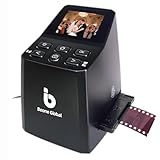
- Ergonomic Design for Easy Use – Thoughtfully crafted with front-facing buttons placed right below the screen, allowing you to operate the scanner comfortably and naturally without awkward hand movements.
- High-Resolution Scans with Advanced CMOS Sensor – Digitize films and slides in up to 16MP with a premium 1/3” CMOS sensor, delivering ultra-clear, true-to-life images. Purpose-built for film scanning, this professional-grade component ensures every detail of your negatives is captured with outstanding clarity and color accuracy.
- Fast & Convenient Scanning – Digitize 126 and 135 film in just seconds. Save directly to an SD card (up to 32GB, not included) and easily share with family or on social media.
- Built-In Editing Options – Adjust brightness, colors, flip or rotate your images directly on the scanner before saving, giving you more control over the final look of every memory.
- Compact & Portable – Lightweight and easy to carry, making it simple to bring along anywhere so you can enjoy and preserve your film memories anytime, without hassle.
- Compare the same image area or state the frame dimensions.
- Identify the film stock and the digital camera or capture method.
- State whether the figure refers to chart resolving power, a contrast-sensitive measure such as MTF, scan sampling, or detail measured in the final image.
- Include the target contrast or other test criterion; do not compare a high-contrast film-chart maximum with a digital camera’s pixel count as if they were equivalent measurements.
- Account for lens, focus, exposure, movement, processing and—when film is scanned—the scanner’s optical performance, sampling and aliasing.
- Judge visible detail at the intended output size, rather than assuming that the largest file or highest nominal number contains the most useful detail.
Product prices and availability are accurate as of the date/time indicated and are subject to change. Any price and availability information displayed on Amazon at the time of purchase will apply.




