If Meta Verified is missing on Instagram, start with eligibility and Advanced Protection, not repeated reinstalls. Meta limits the subscription by age, country, account type, activity, security status and recent profile changes. Updating the app helps only when the problem is a stale interface; it cannot override an eligibility rule.
Use the checks below to identify whether your account is ineligible, still under review, connected to the wrong Meta account, or affected by a rollout or technical fault.
First identify what is actually missing
- No Meta Verified option anywhere: usually an eligibility, rollout, account-linking or interface issue.
- An “not eligible” message: follow the stated requirement; reinstalling will not remove it.
- Sign-up starts but payment fails: troubleshoot billing and the purchase channel.
- ID review is pending: wait for the review notification rather than submitting duplicate applications.
- You paid but see no badge: the subscription, identity review or profile status may still be processing.
Meta Verified is different from Instagram Subscriptions, which lets professional accounts sell exclusive content to followers (Meta’s explanation). It is also separate from legacy, merit-based verification and from Facebook verification; a badge on one service does not automatically transfer to the other (Meta verification guidance).
Where to look for Meta Verified
Open the correct Instagram account and check the profile menu and Accounts Center. If you use a professional creator account, check the Professional dashboard as well. Search Instagram’s settings for “Meta Verified.” Menu names and placement vary by app version, device and country.
#1 Best Overall

- Multi-Platform NFC & QR Code Display Stand: Engage your visitors with this transparent acrylic display stand featuring review tap card, Instagram QR code stand, and Facebook follow us sign. Each platform has an independent NFC tag and QR code, letting guests review us or follow us individually. Works seamlessly with all smartphones
- Easy Setup & Platform Activation: Quickly set up each platform by scanning its individual QR code, then enter the activation code to link it to the corresponding platform. Each platform operates independently, allowing visitors to instantly interact with your review stand, Instagram QR code stand, or Facebook follow us sign
- Analytics Dashboard & Engagement Tracking — No App, No Subscription Fees: Access visitor statistics and engagement data through your dashboard. See how often customers access your Google review $ social media page and gain greater visibility into customer interactions. Simply activate once and manage everything from your dashboard
- Premium Clear Acrylic Stand: Made from crystal-clear acrylic, this 110×210 mm display stand neatly organizes your Google Reviews, Instagram andFacebook links in one professional display. Customers can instantly connect through either NFC tap or QR code scan, making it easier to review or follow your social media—all from a single stand while keeping your counter clean and organized
- Suitable for All Business Environments: Perfect for small businesses, cafés, salons, retail stores, or events, this stand works as a professional review us and follow us on social media sign. Its modern, transparent design fits seamlessly in any commercial setting, enhancing visibility and engagement
Meta lists Instagram mobile apps and desktop web as supported sign-up routes (official subscription access information). Checking the desktop site while logged into the same account is a useful comparison, not a guaranteed workaround.
Eligibility checks that explain a missing option
Account type
For the creator subscription, Meta lists Instagram personal and professional creator accounts. It does not list Instagram business accounts on that creator eligibility page (creator requirements). A business account should investigate Meta Verified for businesses rather than repeatedly switching account types; changing type can itself trigger a recent-change limitation.
Age and country
You must be at least 18 or the age of majority where you live, and you must be in a country where Meta Verified is offered. Availability changes, and Meta does not publish one permanent worldwide list. Keep the account’s date of birth accurate, check your normal App Store or Google Play country, and do not use a VPN or location spoofing to force access. Moving to an unsupported location can also lead to cancellation (subscription cancellation reasons).
Advanced Protection
Meta requires Advanced Protection on the Instagram profile being verified (sign-up troubleshooting). In Instagram, try Settings and activity → Accounts Center → Password and security → Advanced Protection. Complete the prompted security steps, then reopen Instagram.
The Tool Desk
Outbyte PC Repair FREERepair Windows errors before they cause bigger problemsFix Now →Outbyte Driver Updater FREEScan for outdated or missing drivers - takes under a minuteDriver Scan →Rank #2

- CONVENIENT AND EASY HANDS-FREE SHUTTER CONTROL FOR MOBILE DEVICES: Perfect for taking selfies and steady tripod shots.【Update】: compatible with Instagram and Snapchat(long press for taking video and short press for photo
- SMALL ENOUGH TO KEEP ON A KEYCHAIN OR IN YOUR POCKET: The remote is very small and lightweight, so it is convenient to carry with you
- OPERATIONAL UP TO 30 FEET (10M): Take photos even when at a distance from your device
- COMPATIBLE WITH ANDROID 4.2.2 OS AND UP / APPLE IOS 6.0 AND UP: Option to use in-built app or Google Camera 360 app
- COMPATIBLE WITH WIDE RANGE OF DEVICES: Including iPhone17 17 pro 17pro max 17 air, iPhone 16,16 Pro,16 Pro max, iPhone 15 15 pro 15 Pro max , 14, 14pro, 14 pro max, 13 13 pro max, iPhone 12 pro max, 12 pro, 12, 11, 11 pro, 11 Pro max, Xs, Xs max, XR, X, 8, 8 Plus, 7, 7 Plus, 6, 6 Plus, ; iPad 3, 4,5,6, Mini , Pro, Air; Samsung Galaxy S24 S23,S22,S21,S10, Note 20, NOTE 10 NOTE 10 PLUS S9+, S9, S8, S7, S7 Edge, S6, ; and other smart andriod device.
Advanced Protection is not necessarily identical to ordinary two-factor authentication, and Meta says the feature is being rolled out progressively (rollout information). If the setting is absent, update the app, enable two-factor authentication as general protection, and check again later; its absence does not prove that your account is defective.
Activity, profile stability and standing
Meta requires minimum Instagram activity but does not state one universal follower, post or account-age number (eligibility requirements). Maintain a complete, authentic profile, but treat that as preparation rather than a guaranteed unlock.
Meta also limits applications after certain recent changes, including name, username, profile picture, location and account type changes. If you recently edited any of these, stop making further changes and wait for the account-specific restriction to clear; Meta does not publish one universal waiting period.
Open Instagram’s Account Status and resolve active restrictions, policy violations or appeals. Suspicious login, impersonation, fraud or payment signals can block eligibility. Meta requires compliance with its terms and Community Standards.
Rank #3
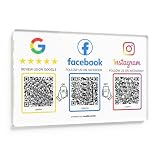
- Note: The adhesive backing is suitable for most surfaces but avoid applying it to metal surfaces, as it may affect NFC performance. Multi-Platform NFC & QR Code Display Plate: Engage your visitors with this transparent acrylic display Plate featuring review tap card, Instagram QR code, and Facebook follow us sign. Each platform has an independent NFC tag and QR code, letting guests review us or follow us individually. Works seamlessly with all smartphones
- Easy Setup & Platform Activation: Quickly set up each platform by scanning its individual QR code, then enter the activation code to link it to the corresponding platform. Each platform operates independently, allowing visitors to instantly interact with your review stand, Instagram QR code stand, or Facebook follow us sign
- Analytics Dashboard & Engagement Tracking — No App, No Subscription Fees: Access visitor statistics and engagement data through your dashboard. See how often customers access your Google review page and gain greater visibility into customer interactions. Simply activate once and manage everything from your dashboard
- Premium Clear Acrylic Stand: Made from crystal-clear acrylic, this 11.22 inches × 7.09 inches display stand neatly organizes your Google Reviews, Instagram, Facebook, and website links in one professional display. Customers can instantly connect through either NFC tap or QR code scan, making it easier to leave reviews, follow your social media, or visit your website—all from a single stand while keeping your counter clean and organized
- Suitable for All Business Environments: Perfect for small businesses, cafés, salons, retail stores, or events, this plate works as a professional review us and follow us on social media sign. Its modern, transparent design fits seamlessly in any commercial setting, enhancing visibility and engagement
Identity information
Be ready for an unexpired, government-issued photo ID showing your name, photograph and date of birth. Meta may also request a video selfie (ID and selfie requirements). Your profile must satisfy Meta’s naming and authenticity checks; do not alter personal information merely to bypass eligibility.
Step-by-step fix sequence
- Update Instagram. Install the latest version, force-close and reopen it, sign out and back in, restart the phone, and test both Wi‑Fi and mobile data. Temporarily disable unusual VPN or proxy routing. These steps rule out a stale display only.
- Confirm the account. Check that you are viewing the intended Instagram profile, not another account saved on the device. Recheck the profile menu, Accounts Center and Professional dashboard.
- Confirm account type. Personal and professional creator accounts are the creator-product types Meta lists. Do not switch to creator solely because an unofficial guide promises it will unlock the option.
- Check Advanced Protection. Use the Accounts Center path above. If it is unavailable because of the gradual rollout, recheck later rather than repeatedly changing security settings.
- Review recent edits. Avoid changing your name, username, photo, location, date of birth or account category while eligibility is being evaluated.
- Check Account Status. Resolve or appeal restrictions through Instagram’s own tools. Never pay an outside “verification agent.” Meta warns that third-party verification attempts can lead to badge removal or account action (legacy verification and safety guidance).
- Inspect Accounts Center. Make sure the correct Instagram and Facebook profiles are linked. Look for another profile already included in a subscription, a pending verification or profile update, or a disconnected account relationship. A creator subscription can include up to two eligible profiles—one Instagram and one Facebook—subject to Meta’s conditions (subscription benefits and support).
- Compare access routes. Check Instagram’s official desktop website while logged into the same account. Do not install modified apps, unofficial APKs or browser extensions.
- Report a technical problem. If you appear eligible and Advanced Protection is enabled but the option remains absent, use Instagram’s in-app Report a problem. Include your account type, country, device, operating-system and Instagram versions, screenshots, where the option is missing, and whether it appears on Facebook or another Instagram account. Meta specifically recommends reporting a technical problem when sign-up does not work (official troubleshooting).
If Meta Verified appears but sign-up fails
Payment is declined
Meta Verified is a monthly recurring subscription. Meta lists Visa, Mastercard and American Express credit or debit cards, while Apple and Google may apply different payment methods in their stores (billing information). Check card details, billing address and the payment channel, and avoid repeatedly submitting failed charges.
ID upload or selfie fails
Use the complete, valid document: all corners visible, even lighting, no glare, readable text and no edits, crops or screenshots. If verification is not completed within three days, Meta says the subscription may be canceled and you may qualify for a refund (verification troubleshooting).
Review is pending
Meta says an in-app update generally arrives within three business days after submission (creator subscription information). Do not submit duplicate applications while one is pending.
Crashes, No Sound, or Screen Glitches?
Random freezes, missing sound and display glitches usually trace back to one bad driver. Find and replace yours safely.Free scan · under a minuteWindows Errors? Fix Them Before They Spread
Repair common Windows errors and clear accumulated junk for a smoother, more stable PC - no reinstall needed.Free scan · no reinstallRank #4

- Multi-Platform NFC & QR Code Display Stand: Engage your visitors with this transparent acrylic display stand featuring google review tap card, Instagram QR code stand, and Facebook follow us sign. Each platform has an independent NFC tag and QR code, letting guests review us or follow us individually. Works seamlessly with all smartphones
- Easy Setup & Platform Activation: Quickly set up each platform by scanning its individual QR code, then enter the activation code to link it to the corresponding platform. Each platform operates independently, allowing visitors to instantly interact with your review stand, Instagram QR code stand, or Facebook follow us sign
- No App, No Fees with Visitor Insights: This display requires no app or subscription, making it hassle-free for businesses. Built-in visitor statistics allow you to see interactions for each platform
- Clear Acrylic: Made from fully transparent acrylic, this 9.45" × 5.71" all-in-one display stand ensures high visibility while keeping all 4 platforms organized. The stand allows easy placement on counters, reception desks, or glass surfaces
- Compact Size – 9.45" × 5.71" : Perfectly sized for counters, reception desks, and service areas, this stand is compact yet highly visible, keeping your review link accessible without taking up too much space
The badge is still absent after payment
Check that identity review finished, the subscription is active and the correct profile is linked. Benefits and features vary by region and creator, so payment does not guarantee every listed feature. Subscriber support becomes available after successful verification and an active subscription, not before.
Independent reader supportYour contribution helps us test, update, and keep practical guides available for everyone.Business, legacy and Facebook cases
Do not conflate the creator subscription with Meta Verified for businesses. If you run an Instagram business account, the creator eligibility page does not establish that the creator offer applies to you. Legacy verification remains a separate route for notable public figures, brands and entities; it is not a paid substitute and approval is not guaranteed (legacy verification guidance).
A badge confirms authenticity, not expertise, importance or endorsement (Instagram’s badge explanation). Meta may later revoke or cancel a subscription for failed verification, payment problems, policy violations, account deletion, removal from a bundle or loss of eligibility (cancellation rules).
When the problem is on Meta’s side
If your account meets the published conditions, has no restrictions, has Advanced Protection where available, and shows the same missing option across current app and web routes, the remaining explanation may be a staged rollout or Meta-side fault. Document the conditions and report the problem through Instagram. No VPN, follower purchase or third-party seller can legitimately override Meta’s eligibility system.
Best Value

- NFC Instagram Sign with QR Code – Tap or Scan to Connect: This NFC social media display allows customers to access your Instagram page instantly through a simple tap or QR scan. It functions as both an Instagram QR code stand and a contactless interaction point, making it easy for users to connect without searching manually
- No App, No Subscription, No Extra Fees: Designed for simplicity and long-term use, this social media display requires no app installation or subscription. A one-time setup links your Instagram page, providing a cost-effective solution for ongoing business promotion
- Quick Setup with Link Management & Access Insights: Set up in minutes by connecting your Instagram profile. The system allows you to update your link anytime and provides basic interaction data, helping you understand how users engage with your digital display
- Works with All Modern Smartphones: This follow us on Instagram sign supports both NFC tap and QR scan functions. Customers can easily access your social media page through whichever method is most convenient
- Ideal Social Media Display for Multiple Business Scenarios: Perfect as a social media sign for retail shops, cafés, restaurants, salons, offices, and event spaces. The compact 6.3 x 4.45 inches acrylic stand fits neatly on counters, reception desks, and service areas, keeping your Instagram presence visible and accessible
Frequently Asked Questions
Can a personal Instagram account get Meta Verified?
Yes. Meta lists personal and professional creator Instagram accounts as potentially eligible, subject to age, location, activity, security, identity and policy requirements.
Do I need a professional account?
No. Meta lists personal accounts as well as professional creator accounts. A business account is not listed on the creator eligibility page.
Does two-factor authentication replace Advanced Protection?
No. They are related security measures, but Meta specifically requires Advanced Protection for the profile being verified; that setting may be rolled out gradually.
Can a VPN unlock Meta Verified?
No legitimate fix is established. Location spoofing can create payment, identity and account-integrity problems.
How long does verification take?
Meta says review updates generally arrive in an in-app notification within three business days, but that is not a promise of approval.
Is Instagram Subscriptions the same as Meta Verified?
No. Instagram Subscriptions sell exclusive follower content; Meta Verified is the identity-verification subscription.
Can someone else get the badge for me?
Avoid third-party sellers. Meta warns that outside verification attempts can lead to badge removal or account action.
Quick Recap
Product prices and availability are accurate as of the date/time indicated and are subject to change. Any price and availability information displayed on Amazon at the time of purchase will apply.
Do these 3 things before closing this tab:
1Clear out junk files and repair common Windows errors2Fix the driver behind crashes, sound loss and screen glitches3Repair Windows errors before they cause bigger problems



