Do these 3 things before closing this tab:
1Clear out junk files and repair common Windows errors2Scan for outdated or missing drivers - takes under a minute3Repair Windows errors before they cause bigger problemsAO3 Wrapped is a community-made year-in-review report for Archive of Our Own (AO3), not an official AO3 feature. Depending on the tool, it can summarize the works in your reading history, total listed word count, fandoms, relationships, characters, tags, authors, kudos, comments, and activity by month or day.
There is no single standardized version. A browser userscript, a Google Colab notebook, and a manually prepared report may all use different date ranges and calculations. The most important distinction is that AO3 records works you accessed, not proof that you finished reading them.

What AO3 Wrapped actually measures
Most Wrapped projects read data from AO3’s History page. AO3 describes History as a list of works accessed while you were logged in, arranged from the most recently accessed to the least recently accessed. It records the last-visited date and the number of times a work was accessed. Works created by your own account are not included.
That means a report may count a work you:
- Opened only to read the summary or tags
- Abandoned after a few paragraphs
- Visited while checking a reference or investigating possible plagiarism
- Opened accidentally
- Revisited several times
- Downloaded or backed up without reading in full
Consequently, “words read” is usually an estimate of the word counts of works appearing in History. “Words in works accessed” is a more accurate description.
Free tools Windows power users keep installed
One-click scans. No signup required.
#1 Best Overall

- Package Quantity: 30pcs different kinds bookmarks
- Materials: Bookmark is printed on sturdy, 350g white cardboard
- Unique design: Vintage style, they are pretty and funny
- Package Dimensions: 15.4cm x 4.5cm x 1.5cm(6" * 1.77" * 0.59" )
- Outer packing box which is convenient for storage.
Turn on AO3 History before using a Wrapped tool
History is not normally retrospective. Enabling it now will not reconstruct everything you read in earlier months or years.
- Log in to AO3.
- Open My Dashboard.
- Choose Preferences.
- Open the Misc section.
- Select Turn on History.
- Save the change with AO3’s update button.
Afterward, open the History link from your account navigation or profile area. The precise position can vary with AO3’s layout or a site skin.
Your data can still be incomplete if you read while logged out, used another account, browsed privately, had History disabled, cleared entries, or accessed AO3 from a session that was not authenticated. Bookmarks are not a substitute: bookmarks are saved works, while History is a record of accessed works.
Current ways to create an AO3 Wrapped
1. AO3 Journey userscript
AO3 Journey: English Edition is a third-party userscript listed for managers such as Tampermonkey, Greasemonkey, Violentmonkey, or Userscripts. Its current listing describes annual reader and creator reports, fandom and relationship breakdowns, word counts, kudos, comments, most-revisited works, and PNG export.
Rank #2

- Exquisite Oil Painting Design--Each bookmark features a stunning oil painting-style design, showcasing intricate details and vibrant colors.The artistic motifs add a touch of elegance and sophistication to your reading experience, making them perfect for book lovers and art enthusiasts.
- Premium Metal Material--Crafted from high-quality metal, these bookmarks are durable, rust-resistant, and designed to last.The smooth edges and lightweight construction ensure they won’t damage your books while providing a sturdy and reliable bookmarking.
- Versatile and Practical--This set includes 12 unique designs, offering a variety of styles to suit different moods and preferences. Whether for personal use or as a thoughtful gift, these bookmarks are ideal for students, readers, and collectors.
- Perfect Gift Choice--Packaged beautifully, this 12-piece set makes an excellent gift for any occasion. The vintage style and artistic appeal are sure to impress, making it a memorable present for birthdays, holidays, or special milestones.
- Easy to Use and Store--The slim and compact design allows these bookmarks to fit seamlessly into books of all sizes. Their lightweight nature makes them easy to carry, ensuring you always have a stylish bookmark on hand for your next reading.
Its published workflow is:
- Install a compatible userscript manager for your browser.
- Install AO3 Journey from its script listing.
- Log in to AO3 and open the site.
- Select the floating 📊 My AO3 Journey button.
- Confirm with Yes, Continue when the adult-content prompt appears.
- Wait while the script scans History.
- Use the year tabs to inspect the results.
- Use Export to save report images.
The script claims that collected data stays in browser localStorage rather than being sent to an external server. That claim applies to this particular script; it is not a safety guarantee for every AO3 analytics tool. Review the source, permissions, and update history before installing it. The script also requires AO3 History to be enabled.
2. Google Colab notebooks
A Colab notebook is another common route. The indexed AO3 Wrapped: Your Reading Year in Review notebook can produce summary statistics, a daily activity heatmap, deleted-work information, fandom trends, and most-visited works and authors. It can also load an existing CSV instead of scraping AO3 again.
Use a copy rather than running the public notebook:
- Open the notebook.
- Choose File → Save a copy in Drive.
- Run the copied version.
- Authenticate to AO3 only as the notebook instructs.
- Scrape or upload your History data.
- Run the visualization cells.
Look for the notebook’s CONFIGURATION SETTINGS section. The YEAR_LIMIT setting controls the analysis year, while other settings control the number of fandoms displayed, scraping limits, and delays.
The Tool Desk
Outbyte PC Repair FREEClear out junk files and repair common Windows errorsFree Scan →Outbyte Driver Updater FREEScan for outdated or missing drivers - takes under a minuteDriver Scan →Rank #3

- Officially authorized by Warner Brothers.
- Manufactured by The Noble Collection
- Set includes seven bookmarks.
- Finely detailed and hand enameled
- Inside you will get Tom Riddle's Diary, Marvolo Gaunt's Ring, Salazar Slytherin's Locket, Helga Hufflepuff's Cup, Rowena Ravenclaw's Diadem, Lord Voldemort's snake Nagini and the Lightning Bolt
Colab is not automatically private simply because it runs in a browser. Read the code to understand where credentials, cookies, CSV files, and generated results go.
3. Cookie-based community notebooks
Some 2025 Wrapped projects moved away from username-and-password login and began asking users for AO3 session cookies. This can avoid some slow or unreliable login methods, but it creates a serious security risk: an AO3 session cookie can function like an authenticated login token.
Never paste AO3 cookies into an unknown website, public notebook, chat, or screenshot. If a cookie-based method is necessary, use a locally copied and reviewed project, understand exactly how the cookie is handled, and revoke the session afterward if you are unsure whether it was exposed. Do not treat cookies as harmless analytics data.
4. A legacy command-line program
The older Python project twitchy-ears/ao3-wrapped is separate from newer browser scripts and Colab notebooks. Its documented example for processing an earlier year is:
Rank #4
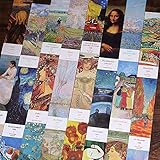
- 1. SINGLE-SIDED PRINTING: For the convenience of writing, each bookmark is printed on one side, and the other side is blank.
- 2. DECENT MATERIAL: It made of 450g white cardboard. Thick enough to prevent bending or getting ruined.
- 3. PRODUCT SIZE: 1.6*6 inches (4*15 cm). Slim enough to insert into any books without taking too much space.
- 4. CLASSIC PATTERNS: Inspired by famous paintings, unique and nostalgic. Perfect gift for your friends, kids, booklovers, or art lovers.
- 5. WHAT YOU GET: 30 pieces bookmarks (no duplicate). Our friendly customer service and worry-free refund or replacement.
ao3-wrapped --year 2019 --start-history-page 35 --max-history-page 85Its options include --history-sleep, --max-history-page, --request-window, --request-amount, --sleep, --only-kudos, and --no-dump-report. The project describes itself as simple and possibly buggy. Its original username-and-password login instructions should be treated as obsolete; do not hand AO3 credentials to an unreviewed third-party service.
Why an older year can produce the wrong report
AO3 History is newest first. A scraper that begins at the first page will normally encounter the current year. To analyze a previous year, a tool may need both the target year and the History page where that year begins.
Changing only a report label from “2025” to “2024” does not change the records being processed. Check the tool’s year filter, starting page, ending page, and date logic. If your History is large, finding the correct page can be a substantial part of the job.
Independent reader supportYour contribution helps us test, update, and keep practical guides available for everyone.Common errors and practical fixes
| Error | Likely cause | What to try |
|---|---|---|
AttributeError: 'NoneType' object has no attribute 'find_all' |
The scraper expected a History pagination element but received a different page. | Confirm History is enabled. If using cookies, obtain current cookies from the AO3 History page rather than the homepage. Check that the account has History, then try later if AO3 returned an interrupted or unexpected response. |
Error: Page.goto: net::ERR_TOO_MANY_REDIRECTS |
AO3 authentication or traffic-control systems are repeatedly redirecting the scraper. | Stop the run, wait, verify the cookies are current, and avoid launching multiple copies. |
| Blocked or timeout | A large History requires many requests, or AO3 is busy. | Do not repeatedly restart immediately. Increase delays where the tool allows it, run only one scan, and check AO3’s official status and Known Issues pages. |
| Only one image appears | Other Colab outputs may have been written to the notebook file browser. | Open the folder icon on the left, then check the content directory. |
Host system is missing dependencies to run browsers |
The Colab runtime lacks the browser automation packages required by the notebook. | Follow that notebook’s dependency-install instructions or use a compatible runtime. This is not necessarily an AO3 account failure. |
Large histories can take from tens of minutes to several hours, depending on the number of pages and the tool’s request delay. Community users have reported being blocked after processing roughly 131 History pages. Repeated retries increase the load and may make the problem worse.
Best Value
How to interpret the finished report
Use the result as a snapshot of your AO3 browsing patterns, not as an exact reading log. “Most-read fandom” may really mean the fandom with the most accessed works. A high word total may include abandoned multi-chapter stories. A frequently visited work may reflect rereading, checking updates, or repeatedly opening it from a search result.
For a cleaner personal report, state the method alongside the result: for example, “works in AO3 History during 2025,” rather than “works I completed in 2025.” If you want a curated list of favorites, analyze Bookmarks separately instead of combining them with History.
FAQ
Is AO3 Wrapped an official AO3 feature?
No. AO3 Wrapped is a community term for third-party scripts, notebooks, and manually produced reports. AO3 provides History, but it does not provide one standardized Wrapped report.
Does AO3 Wrapped show exactly how many words I read?
Usually not. Most tools add the word counts of works recorded in History. Because History records access rather than completion, the total may include summaries, abandoned works, accidental visits, and repeated visits.
What’s actually slowing this PC down?
Pick the symptom - the matching free tool is one click away.
Can I recover last year’s reading after turning on History?
Generally no. AO3 History is not retrospective. It also misses activity completed while logged out, on another account, in private browsing, or with History disabled.
Are AO3 cookies safe to give to a Wrapped tool?
Treat them as credentials, not ordinary analytics data. A session cookie can provide authenticated access to your account. Never paste one into an unknown site or public notebook; use only a reviewed, trusted method and protect or revoke the session if it may have been exposed.
The Bottom Line
AO3 Wrapped can make an entertaining and useful snapshot of a year’s fandom habits, but its numbers need careful wording. Enable AO3 History in advance, choose a tool whose code and permissions you understand, and treat cookies as login credentials. The resulting totals describe works accessed through your account—not necessarily works finished, or every work you actually read.
Quick Recap
Product prices and availability are accurate as of the date/time indicated and are subject to change. Any price and availability information displayed on Amazon at the time of purchase will apply.




