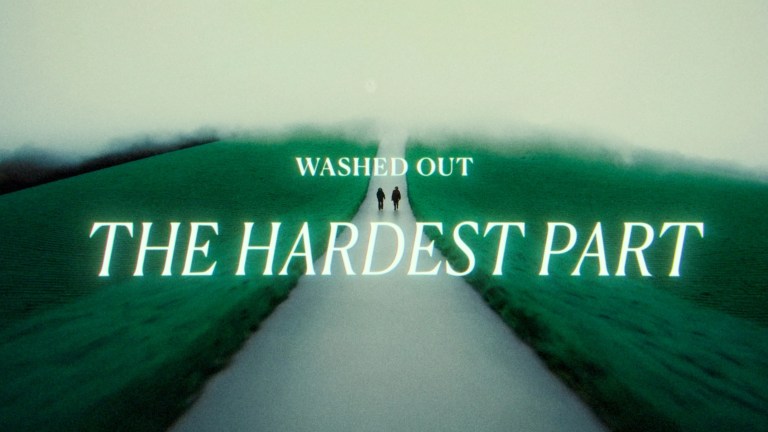
Runway announced Gen-4 on March 31, 2025, positioning it as a way to keep characters, objects, locations and visual style more consistent across AI-generated shots. Its key advance was reference-guided generation: creators could give the model images to anchor a new shot, then describe the action and framing. That made multi-shot visual development more practical, but it did not give the model persistent story memory or guarantee continuity. Gen-4 is now part of a broader Runway lineup that includes newer Gen-4.5 and other models.
What Runway announced with Gen-4
Runway introduced Gen-4 on March 31, 2025, first rolling it out to paid users and enterprise customers. The company described it as a “world consistency” system: a model family and workflow intended to generate new images and video shots that retain the identity and appearance of supplied characters, objects, environments and styles. Runway said creators could combine visual references with written instructions without fine-tuning or additional model training. Runway’s launch announcement shows examples of consistent characters, objects and camera coverage; Ars Technica’s launch coverage provides context on the rollout.
The distinction matters: Gen-4 was not a one-prompt system that independently planned and generated a complete film. Its pitch was to help creators generate a series of short, reference-guided shots that could be selected and assembled into a scene or sequence.
What “consistency” means—and what it does not
In conventional filmmaking, continuity spans far more than whether a face looks familiar. Gen-4’s reference-based approach targets visual coherence, but it does not guarantee every kind of continuity that an editor or continuity supervisor tracks.
Outdated Drivers Are Slowing You Down
One free scan finds every outdated or missing driver and matches the right update for your exact hardware.Free scan · exact hardware matchWindows Errors? Fix Them Before They Spread
Repair common Windows errors and clear accumulated junk for a smoother, more stable PC - no reinstall needed.Free scan · no reinstall#1 Best Overall

- Read Before You Buy — No Video Output: These adapters support charging and USB 2.0 data transfer, but cannot transmit video signals. Except for standard USB webcams (which use USB data only), they are not compatible with HDMI/DisplayPort cables, video-capable USB-C hubs, or docking stations with video output.
- Convert USB-A Ports to USB-C: Designed to connect USB-C earphones, cables, flash drives, card readers, and other USB-C accessories to standard USB-A ports. Plug-and-play with no drivers or software required.
- Aluminum Alloy Housing: Built with a sturdy aluminum alloy shell that aids in heat dissipation and protects against daily wear and scratches. Designed to maintain a stable and secure connection.
- Compact & Travel-Friendly: The ultra-compact design allows the adapter to stay plugged into your device without blocking adjacent ports or adding bulk, reducing wear and tear on your original USB ports.
- 12-Month Warranty: Backed by a 12-month manufacturer warranty for peace of mind. Designed to meet strict quality control standards for reliable everyday performance.
| Continuity concern | What reference-guided generation can help with | What still needs checking |
|---|---|---|
| Character identity | Keeping a recognizable person or creature across generated shots when references are supplied. | Face shape, hair, wardrobe, accessories, body proportions and age can drift. |
| Objects | Giving a prop, product or vehicle a visual anchor for later generations. | Small details, logos, text, geometry and object interactions may change. |
| Location and style | Reusing references for a setting, color palette or overall visual treatment. | Room layout, lighting logic, spatial relationships and camera language may not match precisely. |
| Temporal continuity within a shot | Generating motion from an image or visual concept. | Frame-to-frame details, anatomy, hands, hair, cloth and physical motion can fluctuate. |
| Editorial and narrative continuity | Creating candidate coverage for a planned scene. | Screen direction, eyelines, action causality, blocking and matching edits remain human production tasks. |
“Across scenes” therefore means the creator can supply references again so the model attempts to reconstruct the same subject or world under new conditions. It does not establish a persistent story database that remembers every previous shot. A face that remains recognizable is useful, but it is not proof that wardrobe, props, lighting, geography and action all match.
How to use Gen-4 as a filmmaking workflow
Runway’s examples focus on reference-driven generation and coverage from different angles. In practice, the method is iterative: establish what must remain recognizable, generate short candidates, and carry approved visual material forward as references. Runway’s Gen-4 video help page explains the current workflow; model names and interface locations can change, so use its present model selector rather than relying on old menu directions.
Rank #2

- 5-in-1 USB-C Hub: Experience comprehensive connectivity featuring a Power Delivery input, two USB-A 2.0 ports, a USB-A 3.0 port, and an HDMI port. (Note: The USB-C power delivery input port is only for connecting an external wall charger to power your laptop and cannot power peripheral devices.)
- 90W Pass-Through Charging: Achieve optimal charging with 90W pass-through power to your laptop, supported by a total input of 100W, with the hub reserving 10W for operational efficiency. (Note: Wall charger not included.)
- Quick Data Transfers: Accelerate your productivity with rapid data transfers using a high-speed 5Gbps USB 3.0 port and two 480Mbps USB 2.0 ports.
- 4K HDMI Display: Enhance your visual experience with a hub capable of delivering 4K resolution at 30Hz in both mirror and extend modes. Please note that this hub is compatible with MacBook (macOS 12 and newer), Windows 10 and 11, ChromeOS, and laptops equipped with DP Alt Mode and Power Delivery. Note: This device is not compatible with Linux.
- What You Get: Anker USB-C Hub (5-in-1, 4K HDMI), welcome guide, 18-month warranty, and our friendly customer service.
- Build a visual anchor. Choose or create a clear reference image for the character, object, location or style the sequence needs to preserve.
- Describe one shot. Specify the action, framing, camera movement, lighting and environment. Avoid asking a single generation to carry an entire scene with several beats.
- Generate and select takes. Review alternatives for identity, motion and shot usefulness, not just whether one frame looks impressive.
- Reuse approved visual material. Use a selected image or frame as a reference for subsequent coverage, while checking for drift.
- Finish in an editor. Assemble and trim clips, then handle retiming, color matching, compositing, transitions, dialogue, sound effects and music conventionally.
- Regenerate mismatches selectively. If a shot breaks continuity, treat it as a shot-level problem rather than expecting a later clip to repair the whole scene automatically.
Runway’s timeline reflects the evolution of the tools around the original launch. Gen-4 Turbo arrived April 7, 2025; Gen-4 References became available to paid plans April 30; Gen-4 image generation and References reached free-plan users May 7; and Runway announced an object-consistency and prompt-adherence update for Gen-4 References on June 25. These dates and product changes are listed in the Runway changelog.
What independent use suggests—and where evidence stops
Independent coverage reports meaningful gains for reference-based consistency, alongside failures with detailed motion and complex continuity. OakGen reported that a character was recognizable in 41 of 48 generations in its own test. A separate production-use review estimated roughly 80–85% consistency. Those are reviewer-run observations, not standardized benchmarks: the figures depend on the prompts, references, subjects and definition of “consistent,” so they should not be treated as a universal success rate. See OakGen’s review and XineMind’s production-use review.
Rank #3

- Sleek 7-in-1 USB-C Hub: Features an HDMI port, two USB-A 3.0 ports, and a USB-C data port, each providing 5Gbps transfer speeds. It also includes a USB-C PD input port for charging up to 100W and dual SD and TF card slots, all in a compact design.
- Flawless 4K@60Hz Video with HDMI: Delivers exceptional clarity and smoothness with its 4K@60Hz HDMI port, making it ideal for high-definition presentations and entertainment. (Note: Only the HDMI port supports video projection; the USB-C port is for data transfer only.)
- Double Up on Efficiency: The two USB-A 3.0 ports and a USB-C port support a fast 5Gbps data rate, significantly boosting your transfer speeds and improving productivity.
- Fast and Reliable 85W Charging: Offers high-capacity, speedy charging for laptops up to 85W, so you spend less time tethered to an outlet and more time being productive.
- What You Get: Anker USB-C Hub (7-in-1), welcome guide, 18-month warranty, and our friendly customer service.
Reviews also describe trouble with hands, close details, complex motion and physical interaction. A shot may look convincing in isolation yet fail as coverage when a reverse angle changes a prop, a hand does not make contact, or the subject’s movement no longer matches the prior shot. Curious Refuge’s review discusses these limitations. The useful takeaway is not a single percentage: teams should inspect a sequence, including the cuts between shots, rather than judge only a showreel frame.
Where Gen-4 fits in documentary and video production
Gen-4 is most defensible where visual exploration and short-form shot generation are valuable, and where a human can review and finish the result. Runway’s educational material identifies filmmaking and post-production applications including cinematography, documentary work, VFX and previsualization (Runway education curriculum).
Rank #4

- Dual Converters, Infinite Potential:Includes 2× USB C male to USB A female adapters and 2× USB A male to USB C female adapters. Perfect for a wide range of uses—tablets with Bluetooth keyboards, expand USB ports on macbook, and more. Two different converters for all your daily needs
- Next-Level 10Gbps & 3A Charging: No more slow 480Mbps, this usb to usb c adapter has a transfer speed of up to 10Gbps, allowing you to do more transferring in less time. This usb adapter fits both USB A and USB C charger, supporting up to 3A fast charging
- Upgraded Exquisite Craftsmanship: With an aluminum alloy housing and metal connector, the usbc to usb adapter is extremely durable and sturdy. Rigorously tested to withstand more than 10,000 times of plugging and unplugging, ensuring long-lasting performance
- Broad Compatible: The usb c to usb adapter widely supports all USB C/ USB A devices like laptops, tablets, cellphones, car chargers, and phone chargers. Such as compatible with MacBook Pro/Air 2023/2022, Thunderbolt 4/3 Devices,Apple MagSafe Watch 9/8/7/SE/Ultra, iPad Pro 2022/2021, Samsung Galaxy S23/S20/S10, and iPhone 17/16/15 Pro. Plug and play
- Please Note: To reach 10Gbps speed, keep the cable under 3.3 ft. For USB A Male to USB C adapters, try flipping the USB C connector. USB C Male to USB A adapters support bidirectional 10Gbps transfer within 3.3 ft
- Good fit: storyboards, previsualization, mood reels, proof-of-concept scenes, look development, experimental or animation-like films, background concepts and social or branded sequences where exact detail is not mission-critical.
- Use with caution: product imagery, VFX plates and footage extensions. These can help with ideation or supervised shots, but small details and geometry need inspection.
- Poor fit without substantial supervision: long uninterrupted dramatic scenes, dialogue-heavy performances requiring accurate lip sync, exact technical or medical demonstrations, precise logos and labels, or action built around reliable physical contact.
The original Gen-4 is not itself a complete synchronized-dialogue production system. Dialogue, voice, music and sound effects may require separate tools and editorial work; do not infer native audio capabilities from the launch’s visual-consistency claims.
Independent reader supportYour contribution helps us test, update, and keep practical guides available for everyone.Gen-4, Turbo, References and Gen-4.5 are not interchangeable
Runway’s model labels refer to distinct capabilities and generations. The original March 2025 announcement should not be confused with what someone choosing a model on the platform today will see. Runway’s product and plan page and developer model list are the current references for available models and their supported uses.
Quick wins for a faster PC:
Fix the driver behind crashes, sound loss and screen glitchesFind Drivers →Repair Windows errors before they cause bigger problemsFix Now →Best Value

- 5-in-1 Connectivity: Equipped with a 4K HDMI port, a 5 Gbps USB-C data port, two 5 Gbps USB-A ports, and a USB C 100W PD-IN port. Note: The USB C 100W PD-IN port supports only charging and does not support data transfer devices such as headphones or speakers.
- Powerful Pass-Through Charging: Supports up to 85W pass-through charging so you can power up your laptop while you use the hub. Note: Pass-through charging requires a charger (not included). Note: To achieve full power for iPad, we recommend using a 45W wall charger.
- Transfer Files in Seconds: Move files to and from your laptop at speeds of up to 5 Gbps via the USB-C and USB-A data ports. Note: The USB C 5Gbps Data port does not support video output.
- HD Display: Connect to the HDMI port to stream or mirror content to an external monitor in resolutions of up to 4K@30Hz. Note: The USB-C ports do not support video output.
- What You Get: Anker 332 USB-C Hub (5-in-1), welcome guide, our worry-free 18-month warranty, and friendly customer service.
| Option | Role in the workflow | Useful distinction |
|---|---|---|
| Gen-4 | Original 2025 generation associated with the “world consistency” launch. | Historical launch model; do not assume it is the newest Runway video model. |
| Gen-4 Turbo | Faster, more efficient option introduced in April 2025; current product listings describe it for image-to-video. | Consider when animating a visual anchor and iteration speed matters. |
| Gen-4 References | Reference-driven image creation and related consistency workflow. | Runway later updated its object consistency and prompt adherence; it is not a promise of scene-wide continuity. |
| Gen-4.5 | A newer video model in Runway’s current lineup. | Consider it when choosing a current Runway model rather than reproducing the original Gen-4 launch workflow. |
Runway also hosts third-party models, including Veo and Seedance variants, according to its API model documentation. A multi-model workspace can be useful if one tool produces a better reference image and another handles motion or audio more effectively. Model availability, output behavior and cost can vary; compare the task rather than assuming one model is best for every shot. Independent comparisons sometimes favor Veo for motion realism or native audio and Runway for reference-based character workflows, but those are reviewer assessments, not universal benchmark results (OakGen).
What it costs—and why a usable shot costs more than one generation
Runway’s consumer pricing page showed Free at $0 with 125 one-time credits and Standard at $15 month-to-month or $12 per month with annual billing, with 625 monthly credits, on August 16, 2026. Standard was described as including access to AI image and video models such as Gen-4.5 and Gen-4 Turbo. Prices and plan contents can change, so check Runway’s pricing page before subscribing.
For API users, Runway’s developer pricing documentation listed credits at $0.01 each on August 16, 2026. Its listed rates were 5 credits per second for gen4_turbo, 12 credits per second for gen4.5, and 5 credits per 720p image or 8 credits per 1080p image for gen4_image. At those listed rates, a five-second Gen-4 Turbo clip works out to about $0.25, a ten-second clip to $0.50, and a five-second Gen-4.5 clip to $0.60, before taxes or other account considerations. See API pricing, billing details and the model guide for current specifications.
These are per-generation calculations, not the cost of a finished shot. Multiple prompts, alternate camera moves, reference creation, discarded takes, cleanup and compositing can raise the effective cost. For budgeting, estimate the cost per approved shot and include editorial and finishing labor, not just the credit rate of one generation.
The Tool Desk
Outbyte Driver Updater FREEFix the driver behind crashes, sound loss and screen glitchesFind Drivers →Outbyte PC Repair FREEClear out junk files and repair common Windows errorsFree Scan →Choosing a workflow for a real project
- Use a Gen-4 reference workflow when a short, stylized sequence needs recurring visual subjects and the team can iterate, curate references and finish shots.
- Look at Gen-4.5 or another current model when the priority is the newest available video capability. Do not assume its behavior or cost matches the original Gen-4.
- Use multiple tools when reference-image fidelity, motion, audio and exact product details have different requirements. Keep human review at the shot and sequence level.
- Use conventional footage or tightly controlled production methods when continuity, dialogue, branded details or physical interactions must be dependable without repeated repair.
Runway is also positioning itself as a multi-model platform through its API; that may suit agencies or developers automating generation, while the API is less useful to casual creators who do not need programmatic workflows. Runway’s API page describes access, and its pricing documentation sets out credit rates. The platform’s model breadth does not remove the need to test whether the selected model meets a project’s continuity, audio and output requirements.
Quick Recap
Product prices and availability are accurate as of the date/time indicated and are subject to change. Any price and availability information displayed on Amazon at the time of purchase will apply.