Some links on this page are affiliate links: if you buy through them we may earn a commission, at no extra cost to you.
Prime Video supports subtitles on iPhone, but not every title, language, regional edition, download, or playback device includes the same tracks. Before changing iPhone settings, test another title and open the subtitle control during playback. If subtitles fail on one title only, the track may be unavailable; if they fail on several supported titles, work through the app, iPhone, network, and account checks below.
Amazon’s instructions are to start playback, tap the screen to reveal controls, select the subtitles or closed-caption icon, and choose an available track: Prime Video subtitle instructions.
First, identify what “not working” means
These symptoms do not all have the same cause:
- No subtitle or closed-caption control appears.
- The control appears, but no languages are listed.
- A language is selectable, but no text appears.
- Subtitles work on some titles, episodes, or devices but not others.
- Text is delayed, stuck, in the wrong language, or disappears after pausing.
- A downloaded video behaves differently from the streamed version.
- You expected captions but selected an audio-description track.
One title only usually points toward that title’s track, edition, provider, or region. Several supported titles make an app, iPhone, network, account, or Prime Video service problem more plausible. This is a useful diagnostic inference, not a guarantee.
Confirm that the title offers the track you want
Prime Video says subtitle, closed-caption, alternative-audio, and audio-description availability varies by title and device. A missing language therefore does not prove that the iPhone app is defective. Check the title listing where available, then test a known title that advertises the language.
#1 Best Overall

- 【iPhone 15 HDMI ADAPTER TO TV】- The 2-in-1 iPhone to HDMI adapter for tv helps iPhone15/16/iPad/MacBook expand a HDMI 4K@60Hz port and a charging port, enjoy crystal-clear audio and high-definition video experience, just share happiness with your family or friends. This apple HDMI to USB C adapter allows for faster charging, stable connections and high-definition output, which means you can enjoy home-theater, live streaming ,working report and playing while charging for your apple USB C to HDMI adapter.
- 【PLUG AND PLAY】- The apple HDMI to USB C adapter no need install any driver or app, no need to connect WiFi, no need power supply, no need to adjust mirror of iPhone15/16/iPad, just insert each interface to corresponding device, click the “Trust” button when connecting and then wait a few seconds to connect automatically. Plug and play, easy and quick to install, the iPhone 15/16 HDMI adapter to TV is so easy to use, saving your much time.
- 【WIDELY COMPATIBILITY】- The apple USB C to HDMI adapter is compatible with devices equipped with USB-C ports supporting display port alternate mode. The iPhone to HDMI adapter for tv compatible with iPhone 16/16 Plus/16 Pro/16 Pro Max, iPhone 15/15 Plus/15 Pro/15 Pro Max, MacBook M3/M3 Pro/M3 Pro Max, MacBook Pro 2015-2024, MacBook air 2018-2024, iPad Pro 2018-2024, iMac 2017-2024, Samsung Galaxy S24/S24+/S24 Ultra/S23/S23+/S23 Ultra/S22/S22+/S22 Ultra/S21/S20/Note 10, and other USB C devices.
- 【APPLICATION SUPPORT】- The apple USB C to HDMI adapter supports a variety of video applications, the iPhone to HDMI adapter for tv connector supports mirror videos from Apps, such as YouTube, Quickflix, Hulu Plus, IDMB, Family on TV, ABC, NBC, FOX, Microsoft Office and more videos downloaded and saved on your iOS devices for stream. But please note this apple USB C to HDMI adapter won’t work with Apps with have “HDMI” video copyrights protection, such as Netflix, Prime video, Amazon video, HBO go, HULU.
- 【STURDY AND LASTING DESIGN】- The apple HDMI to USB C adapter for extra durability and a high-quality USB-C connector provides a snug connection with your devices for stable signal transfer. Premium aluminum alloy casing and nylon braided cable for better heat dissipation. The iPhone 15 HDMI adapter to tv is compact and light design let you carry the apple HDMI to USB C adapter in bag everywhere. This tiny device will fit even in the smallest pocket and will always be with your when you need the apple USB C to HDMI adapter.
Subtitles, captions, and audio descriptions are different
- Subtitles translate or transcribe dialogue.
- Closed captions can also identify speakers and important sounds.
- Audio description is an additional spoken audio track; it does not display text.
System caption settings cannot create a Prime Video track that the title does not supply. Prime Video’s in-player selector is the relevant control for its available tracks.
12 fixes, in the least disruptive order
1. Open the subtitle menu during playback
- Open Prime Video and start the movie or episode.
- Tap the video once to reveal the playback controls.
- Look for the subtitles, CC, or speech-box control. Its label and appearance can vary with app version, language, and playback state.
- Select the desired language, then resume playback.
If the control is not visible, tap again, pause and resume, rotate the phone, or leave and re-enter playback. If it remains absent for one title, check another title before assuming an app fault.
2. Turn subtitles off, then on again
In the playback subtitle menu, choose Off, wait several seconds, reopen the menu, and select the language again. This can refresh the selection for the current playback session.
Do these 3 things before closing this tab:
1Repair Windows errors before they cause bigger problems2Scan for outdated or missing drivers - takes under a minute3Clear out junk files and repair common Windows errors3. Try another available language
Select a different listed language. If that language displays text, the original track may be unavailable or malfunctioning. If no language displays anything, continue with the app and device checks.
Rank #2
- 【Never Worry About Power】 Enjoy uninterrupted entertainment with 4K HDMI video output and USB-C 100W charging, ensuring you're always powered up and ready to go
- 【Widely Compatibility】Usb c to HDMI adapter for tv can work with devices equipped with USB-C ports that supporting DisplayPort Alternate Mode, compatible with iPhone 17/17 Air/17 Pro/17 Pro Max, iPhone 16/16 Plus/16 Pro/16 Pro Max, iPhone 15/15 Plus/15 Pro/15 Pro Max, MacBook Pro/Air, iPad Pro/Air 5, Galaxy S24/S23/S23+/S23 Ultra/S22/S22+/S22 Ultra/S21/S20/Note 20/Note 10, Switch, Surface Book 3/Laptop 5/Pro 7, XPS 17/15/13, etc
- 【Sturdy and Lasting Quality】Our usb c to HDMI pd dual adapter uses eco-friendly ABS case for better heat dissipation, soft but durable TPE cable is anti-pulling, nickel -plated connector for extra durability and long-term service life
- 【Plug and Play】 No power supply required, no WiFi, no hotspot or any driver/software required, our c to HDMI adapter is truly plug and play, support hot swappable, you can set the connection in 10 seconds, easy to achieve fast and stable connection. This iPhone 16 HDMI adapter is so easy to use, even the olders can use it, easily set up and enjoy large and clear screen displaying anywhere anytime
4. Test another title and episode
Try another episode in the same series and then a completely different movie or series. Note whether the failure is title-specific, series-specific, profile-specific, or present everywhere. Also compare streaming with a previously downloaded copy; downloads may have been created before a track was selected or may contain a different edition.
5. Force-close Prime Video
On an iPhone with Face ID, swipe up from the bottom and pause, find the Prime Video preview, then swipe it upward. On an iPhone with a Home button, double-click Home and swipe the Prime Video preview upward. Reopen the app and test the same title. Apple documents this procedure at Force close an app on iPhone. Force-closing repeatedly is unnecessary because the app must reload.
6. Restart the iPhone
Restart the iPhone normally, open Prime Video again, and repeat the title test. Apple includes a normal restart among the recommended responses when an app does not work as expected: If an app on your iPhone or iPad stops responding. A force restart is not the default remedy; reserve it for a frozen or unresponsive phone.
7. Update Prime Video
- Open the App Store.
- Tap the account or profile button at the top.
- Open App Updates.
- Tap Update beside Prime Video, or choose Update All.
Apple’s current path is described at How to manually update apps from the App Store. Do not rely on a particular version number; the listing changes.
Rank #3

- The Anker Advantage: Join the 80 million+ powered by our leading technology.
- Vivid Video: The HDMI adapter lets you connect to any TV or display with an HDMI port to stream video in up to 4K resolution.
- Plug and Play: Instantly turn your laptop’s USB-C port into an HDMI port, with no installation necessary. This product does not support charging or Power Delivery (PD).
- Premium Construction: A lightweight aluminum casing allows for greater heat dissipation, while the reinforced braided-nylon cable is designed to withstand the twists and tugs of daily use.
- Compatibility: Supports USB-C DP Alt mode, USB4, and Thunderbolt connections.
8. Update iOS
- Open Settings.
- Tap General, then Software Update.
- Install an available update if the iPhone is compatible and charged or connected to power.
An operating-system update may resolve compatibility problems, but it is not a guaranteed subtitle fix. Apple recommends it when an app remains faulty without an available app update: Apple app troubleshooting.
9. Switch networks and check connectivity
- Try Wi-Fi instead of cellular data, or cellular instead of Wi-Fi.
- Test a different Wi-Fi network.
- Temporarily avoid restrictive hotel, school, work, or public networks.
- Pause other heavy network activity and restart the router or connected device if appropriate.
A network problem can interrupt playback or retrieval of a subtitle track, even when video eventually plays. Amazon recommends checking the connection and pausing other internet activity in its Prime Video playback troubleshooting.
10. Disable VPN, proxy, DNS filtering, or content blockers temporarily
Turn off VPN apps, proxy settings, network-level ad blockers, DNS filters, or corporate and school traffic-routing tools, then test again. Amazon explicitly recommends disabling VPNs and proxies during playback troubleshooting. Re-enable security tools after the test, and do not remove a managed work profile without administrator approval.
Outdated Drivers Are Slowing You Down
One free scan finds every outdated or missing driver and matches the right update for your exact hardware.Free scan · exact hardware matchWindows Errors? Fix Them Before They Spread
Repair common Windows errors and clear accumulated junk for a smoother, more stable PC - no reinstall needed.Free scan · no reinstall11. Delete and reinstall Prime Video
Use this only after the less disruptive steps:
- Confirm that you know the Amazon sign-in details.
- Touch and hold Prime Video and choose its delete or remove option.
- Confirm deletion, then reinstall it from the App Store.
- Sign in and test streaming before restoring downloads.
Deleting removes app-related data and can remove downloaded titles, which may need to be downloaded again and could consume cellular data. Apple explains the data implications at deleting and redownloading an app; Amazon also lists reinstalling as a playback remedy. Offloading is not the same as a clean reinstall because offloading keeps documents and data: Apple storage guidance.
Rank #4

- USB C to HDMI Converter: With Apple MFi certified chip, it supports mirroring/extending the iPhone 15/16/computer/MacBook/iMac/iPad Pro/smartphone screen (including apps, videos, pictures, presentations, websites, slides, etc.) to HDMI-enabled TVs, monitors, projectors and other devices. Suitable for home theater entertainment, office, exhibition, demonstration, teaching, etc.
- UHD 4K@60Hz HDMI Output: Plug and play, no app or driver installation required. The USB C to HDMI cable transmits up to 4K@60Hz UHD (3840x2160@60Hz) resolution for clear audio and HD video experience. Supports HDCP 2.2, you can stream 4K protected content from video apps, Compatible with Netflix, HBO Max, Disney+, Hulu, etc.
- Widely Compatible: This Type C HDMI Dongle is compatible with iPhone 15/15 Plus/15 Pro/15 Pro Max, 16/16 Plus/16 Pro/16 Pro Max, iPhone 17 / 17 Air/ 17 Pro / 17 Pro Max, M3/M3 Pro/M3 Pro Max, MacBook Pro 2015-2025, MacBook Air 2018-2025, iPad Pro 2018- 2025, iMac 2017-2025, Samsung Galaxy S25/S24/S23/S22 Ultra 5G, S21/S20/S20 fe/S20 Ultra/S10/S10 Plus/S8/S8 Plus/S9/S9 Plus/ Note 8/9/10/ Note 10 plus, Surface Book 2, Dell XPS 13/15, Acer Spin7, Acer Chromebook R13, Yoga 900/910, Google Chromebook Pixel, HP Spectre X2/X360, etc.
- 100W PD Charging Port: The USB-C port supports up to 100W fast charging to charge your USB-C port computer/smartphone/tablet. (Note: The actual charging speed may vary due to the charging cable, charging adapter and voltage level.)
- Worry-Free Guarantee: We always strictly in quality and provide a 24-month warranty. If you have any problem with this Digital AV HDMI Connector Cable, please feel free to contact us.
12. Contact Prime Video support with precise evidence
Contact Amazon when subtitles are advertised, the control or language is available, multiple supported titles fail, and the problem remains after updates, network tests, and reinstalling. Use Amazon’s Prime Video help and contact categories.
Include:
- iPhone model and iOS version.
- Prime Video app version, if shown.
- Amazon account region and profile.
- Title, season, episode, subtitle language, and any failure timestamp.
- Whether you streamed or used a download.
- Whether the issue affects one title or every tested title.
- Whether it works on another supported device or network.
- Screenshots or a short recording, if support permits them.
Special cases that need a different diagnosis
Downloaded video versus streaming
Stream the same title instead of opening the download. A download may have been made before a subtitle choice, may represent a different catalog edition, or may be incomplete. Do not assume that all downloads omit subtitles; behavior varies by title and app version.
Add-on channels and external providers
Titles supplied through a Prime Video add-on channel or another provider can have different playback and language behavior. Test a standard Prime Video title before treating the result as an iPhone-wide failure.
The Tool Desk
Outbyte Driver Updater FREEFix the driver behind crashes, sound loss and screen glitchesFind Drivers →Outbyte PC Repair FREERepair Windows errors before they cause bigger problemsFix Now →Casting or another display
If text appears on the iPhone but disappears when casting or connecting to a television, streaming stick, or console, troubleshoot the receiving device separately. Supported features vary by device, and an iPhone caption setting does not control every external player.
Best Value

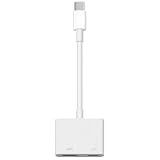
- The USB-C digital AV multiport adapter lets you connect your USB-C enabled Mac or iPad to an HDMI display, while also connecting a standard USB device and a USB-C charging cable. This adapter allows you to mirror your Mac Display to your HDMI-enabled TV or display.
- Simply connect the adapter to a USB-C or Thunderbolt 3 (USB-C) port on your Mac or select iPad model and then to your TV or projector via an HDMI cable (sold separately).
- Use the standard USB port to connect devices such as your flash drive or camera or a USB cable for syncing and charging your iOS devices. You can also connect a charging cable to the USB-C port to charge your Mac, iPad, or iPhone.
- System Requirements: macOS Mojave 10.14.6 or later; iOS 12.4 or later
- Requires an HDMI cable (sold separately) for connection to your TV or projector. Supports both video and audio output.
Wrong language, delay, or synchronization
Try another episode, another language, and both streaming and downloaded playback. If only one episode or title is out of sync, record the title and timestamp for Amazon rather than changing the iPhone clock or installing third-party subtitle files.
Advanced network reset: only when the evidence points to networking
A network reset is not a normal subtitle-first fix. It removes saved Wi-Fi networks and passwords and resets VPN and network settings. If other apps and networks also fail, the path is Settings > General > Transfer or Reset iPhone > Reset > Reset Network Settings. Apple documents the consequences at Reset iPhone settings.
Use this escalation order
Check availability, open the playback menu, test another title, restart the app, restart the iPhone, install app and iOS updates, test the network and VPN settings, then reinstall. If supported titles still fail, give Amazon the title, language, region, device, versions, network results, and timestamp so it can distinguish a catalog-track defect from an iOS-app problem.
Quick Recap
Product prices and availability are accurate as of the date/time indicated and are subject to change. Any price and availability information displayed on Amazon at the time of purchase will apply.

