Cecilia is a free, open-source audio signal processing environment for building and using sound-processing tools. Its documentation uses “ear-bending sonics” as a project tagline—not as the name of a music genre, audio track, or technical standard. Cecilia 5 uses Pyo as its audio engine, and users can create custom interfaces with controls such as sliders, toggles, graphers, and popup menus. Cecilia’s project documentation describes the software as licensed under GNU GPL v3 and names Olivier Bélanger as its programmer and maintainer.
What Cecilia is—and what “ear-bending sonics” means
Cecilia is an environment for audio signal processing. It provides built-in modules for shaping or generating sound, while also allowing users to assemble a custom graphical interface for audio-processing tools. The phrase “ear-bending sonics” comes from the project’s own documentation; it is expressive branding rather than a formal audio category.
This makes Cecilia relevant to people interested in sound design and audio experimentation. A secondary overview characterizes it as aimed at musicians and sound designers and describes real-time processing of sound files or live audio. That audience description is secondary; the official documentation is the stronger source for the functions Cecilia documents.
What can you do with Cecilia?
The built-in modules cover several broad areas of processing and sound creation. The official module documentation groups them by function:
Quick wins for a faster PC:
Fix the driver behind crashes, sound loss and screen glitchesFind Drivers →Repair Windows errors before they cause bigger problemsFix Now →Scan for outdated or missing drivers - takes under a minuteDriver Scan →#1 Best Overall

- Fine-tune your system with a 15-band graphic EQ, parametric EQ, active crossover, delay alignment and limiter for clear, balanced, professional-quality sound.
- Features RCA and High-Level inputs, making it easy to integrate with OEM factory stereos or aftermarket head units without sacrificing sound quality.
- Customize every speaker with HPF and LPF filters, multiple crossover slopes and routing options for precise frequency distribution.
- The integrated Anti-Pop System helps eliminate unwanted turn-on and turn-off noises, while clip indicators and limiter protect your audio system.
- Ideal for custom car audio systems, active speaker setups and OEM upgrades with professional DSP tuning in one compact processor.
- Dynamics and amplitude: tools that alter levels and dynamic behavior.
- Filters and subtractive synthesis: filtering and sound shaping by removing or attenuating parts of a signal.
- Multiband processing: processing audio in multiple frequency bands.
- Pitch and playback speed: tools for changing pitch or playback rate.
- Resonators and artificial spaces: processes for resonant effects and simulated acoustic spaces.
- Spectral processing: tools that work with a sound’s frequency spectrum.
- Additive synthesis and particle generators: approaches to generating sounds from component partials or collections of sound events.
- Time, granulation, and delay: tools for manipulating time and creating delay- or granular-style effects.
The documentation also links to material for developing custom audio-processing tools. The interface customization is a notable part of the environment: rather than being limited to a fixed set of controls, users can create a GUI with controls such as graphers, sliders, toggles, and popup menus.
How Cecilia’s audio engine fits in
Cecilia 5 uses Pyo as its audio engine. The documentation identifies this relationship but does not, in the material reviewed, establish comparative performance figures or a feature-by-feature advantage over other audio engines. Treat the engine detail as useful context about how Cecilia is built, not as evidence of a particular speed or sound-quality claim.
Rank #2

- The DP-26 is a 1U rack-mountable, high-performance audio processor that combines the functions of multiple conventional devices into one unit, including a crossover, equalizer, limiter, delayer, and filter. It allows for easy configuration using the panel’s function keys and coding wheel or through a computer with dedicated PC control software, making operation convenient, intuitive, and efficient.
- The machine provides USB and RS485 interface can be connected to the computer, through the RS485 interface can be connected to a maximum of 250 machines, and ad hoc RS232 serial port, convenient for different occasions when the application needs, and more than 1500 meters away from the computer to control. Stand-alone or PC control software can store 12 kinds of user programs.
- 96KHz sampling frequency, 32-bit DSP processor, 24-bit A/D and D/A conversion, each input has 31 segments of GEQ + 10 segments of PEQ, the output of 10 segments of PEQ; 2x24 LCD display function setup, 8 segments of the LED display input and output of the accurate digital level meter, mute and edit the status.
- Each output channel can be individually set high-pass filter (HPF) and low-pass filter LLPF), high / low-pass filter parameters can be independently adjusted to achieve asymmetrical crossover function; variable high / low-pass filter slope can be set, which (Bessel), (Butterworth) can be set to 12dB, 18dB, 24dB per octave, ( Linkwitz-Rilev) can be set to 12dB, 24dB, 36dB, 48dB per octave.
- Each input and output has a delay and phase control and mute settings, delay up to 1000ms, less than 10ms, step distance is 21us: more than 10ms, step distance is 1ms. Delay units are available in milliseconds (ms) , meters (m) , and feet (ft).
Version and installation details to verify
The documentation reviewed identifies itself as Cecilia 5.4.1. That identifies the version described by those documents; it does not establish that 5.4.1 is the latest release. Current operating-system support, installation requirements, and download availability are not established here, so check the project’s current release and installation documentation before choosing a setup or relying on compatibility.
Independent reader supportYour contribution helps us test, update, and keep practical guides available for everyone.License and project information
Cecilia’s official documentation describes it as free and open source under the GNU GPL v3, and credits Olivier Bélanger as programmer and maintainer. For anyone planning to use, modify, or redistribute the software, consult the project’s license and current documentation directly for the applicable terms.
Do these 3 things before closing this tab:
1Fix the driver behind crashes, sound loss and screen glitches2Clear out junk files and repair common Windows errors3Scan for outdated or missing drivers - takes under a minuteQuick Recap
Best Value
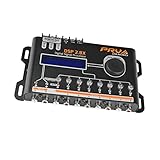
- INTUITIVE INTERFACE CAR AUDIO DSP PROCESSOR: Through an LCD display (16x2 Characters) and intuitive interface, it allows real-time audio adjustments
- PRV DSP HANDLES IT ALL: The PRV DSP 2.8x processor features 2 audio inputs (A and B) and 8 channel crossover independent outputs and allows you to choose the audio source (A, B or A + B) for each output
- INTEGRATED EQUALIZATION SYSTEM: With 15 band graphic car audio equalizer amplifier, manual tuning, or through 12 presets (Flat, Loudness, Bass Boost, Mid Bass, Treble Boost, Powerful, Electronic, Rock, Hip Hop, Pop, Vocal and Pancadão)
- DIGITAL CROSSOVER: For professional equalization adjustments, it has 1 INPUT and 1 OUTPUT Parametric Equalizer with gain control, specific frequency setting, and equalizer bandwidth, allowing fine adjustments and detailed equalization control
- SEQUENCER FEATURE: The PRV DSP audio processor allows sequential triggering of other products through the remote trigger connection (REM). Ecualizador de sonido para carro o ecualizador car audio
Rank #4

- Real-time signal processing for ultimate control
- Complete audio customization for application specific installations
- Easy-to-use Graphical User Interface (GUI)
- All eight output channels have a fully adjustable 10-band parametric EQ
- Optional Bluetooth dongle (for streaming and app control) and wired remote available
Rank #3

- INTUITIVE INTERFACE CAR AUDIO DSP PROCESSOR: Through an LCD display (16x2 Characters) and intuitive interface, it allows real-time audio adjustments
- PRV DSP HANDLES IT ALL: The PRV DSP 2.4x processor features 2 audio inputs (A and B) and 4z channel crossover independent outputs and allows you to choose the audio source (A, B or A + B) for each output
- INTEGRATED EQUALIZATION SYSTEM: With 15 band graphic car audio equalizer amplifier, manual tuning, or through 12 presets (Flat, Loudness, Bass Boost, Mid Bass, Treble Boost, Powerful, Electronic, Rock, Hip Hop, Pop, Vocal and Pancadão)
- DIGITAL CROSSOVER: For professional equalization adjustments, it has 1 INPUT and 1 OUTPUT Parametric Equalizer with gain control, specific frequency setting, and equalizer bandwidth, allowing fine adjustments and detailed equalization control
- SEQUENCER FEATURE: The PRV DSP audio processor allows sequential triggering of other products through the remote trigger connection (REM). Ecualizador de sonido para carro o ecualizador car audio.
Product prices and availability are accurate as of the date/time indicated and are subject to change. Any price and availability information displayed on Amazon at the time of purchase will apply.




