To run a Himalayan river sounds stream continuously on YouTube, use original or properly licensed audio and visuals, confirm your channel can livestream, then send a tested feed through an encoder or a cloud service. “24/7” describes the schedule you intend—not guaranteed uninterrupted uptime. YouTube can interrupt a broadcast for copyright matches, and monetization is not assured for repetitive ambience.
Choose what “live” means for your river stream
Decide whether you are broadcasting a real-time field feed or a prepared ambience composition. A field feed uses a live camera and microphone at the location. A prepared composition plays recorded sound and footage; describe it honestly as a continuous ambience stream rather than implying that it is live from a Himalayan riverbank.


For a documentary-oriented channel, original location recordings and footage can give the stream a distinct identity. You can also use third-party material, but only when its license permits the uses you intend.
Clear the audio and visual rights before scheduling
Prefer recordings and footage you made yourself. For material made by someone else, get written permission or a license that covers live transmission, continuous or repeated use, intended monetization, relevant territories, and any replay or archive you plan to keep. Save the permission and source files where you can retrieve them.
What’s actually slowing this PC down?
Pick the symptom - the matching free tool is one click away.
#1 Best Overall
Do not assume that material described as “copyright-free” is cleared for every use. Read the actual license. YouTube scans live broadcasts for third-party content; a match can replace the stream with a placeholder, and if the material remains after a warning, YouTube may temporarily interrupt or terminate the broadcast. A licensed creator may still need the rights owner to allowlist the channel before going live. See YouTube’s guidance on copyright issues with live streams.
Confirm your channel can livestream
YouTube says live streaming requires a verified channel with no live-streaming restriction in the preceding 90 days. Check access before investing time in a launch: open YouTube Studio or the Live Control Room and follow the prompts to enable or start a stream. Encoder streaming is one of YouTube’s supported methods. Requirements and access can change, so consult YouTube’s current live-streaming setup guidance.
Rank #2
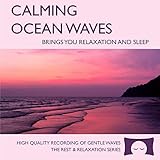
- 60 minutes of calming ocean waves. Relax and drift off to sleep to the rhythm of real ocean waves.
- No crashing surf, cawing seagulls, jarring thunder, or cheesy music. Nothing but peaceful waves.
- Creates white noise to drown out household sounds. Helps you relax, unwind and sleep soundly.
- This CD is a professional, high-quality CD made in the USA and will work in all players.
- Gift quality packaging. Makes an elegant and thoughtful gift. It can help with anxiety, stress and insomnia.
Build and test the stream
Prepare a loop that sounds intentional
Listen to the full audio cycle, especially the transition from its end back to its beginning. Abrupt changes in river level, background noise, or ambience can make a repeated composition distracting. If the visuals are prepared footage, make the title and description clear that the video is a composed or recorded ambience stream.
Connect an encoder in YouTube Live Control Room
- Open YouTube Live Control Room. Create or schedule a live stream and select the encoder workflow.
- Copy the stream key into your encoder. Treat the key like a password: do not publish it or share it with anyone who should not be able to broadcast to your channel.
- Set the encoder to use RTMPS. YouTube recommends RTMPS for encoder streams. Use the current server and stream-key details displayed in Live Control Room rather than relying on old saved settings.
- Choose settings your connection can sustain. For H.264 at 1080p and 30 fps, YouTube’s published recommendation is 10 Mbps. That is a recommendation, not proof that a particular internet connection can sustain it continuously. If the upload connection is variable, choose a lower resolution or bitrate and test for stability.
- Start a private or unlisted test. Check the Live Control Room preview and stream health, listen for audio problems and loop seams, and view the stream on a phone before promoting it. YouTube recommends testing with representative audio and movement and monitoring stream health; see its encoder settings and bitrate guidance.
YouTube’s practical advice is that “You do not need expensive equipment, what you have at hand will do.” A computer capable of running an encoder is one option, not a requirement to buy high-end hardware. YouTube’s live-streaming tips offer more setup guidance.
Rank #3

- Shrink-wrapped
Plan for outages and preserve a copy
A continuous schedule needs an operational plan, not just a play button. For a local encoder, arrange stable power and internet, decide who will check the broadcast, and write down how to reconnect or restart it if the encoder or connection fails. A hosted service is another operating option, but neither a local computer nor an external service should be treated as a guarantee of uninterrupted uptime.
If retaining the programme matters, record a local master and test the recording workflow separately. Do not promise viewers an archive or replay for a continuous broadcast unless you have confirmed that the current YouTube workflow will preserve it as you expect.
Make the stream useful without promising monetization
Rights clearance and monetization eligibility are separate questions. YouTube’s channel monetization policy warns that highly repetitive content can disappoint viewers; a loop is not automatically eligible just because you own or licensed its source material. Review YouTube’s Channel Monetisation Policies and do not present acceptance into the YouTube Partner Program as guaranteed.
For a more distinctive listener experience, build around authentic location sound or original footage, meaningful changes in scene or sound, and accurate Hindi titles and descriptions. “हिमालयी नदी की आवाज़” is a natural Hindi description meaning “the sound of a Himalayan river”; use wording that accurately describes whether the feed is real-time or prepared.
Troubleshooting common problems
- You cannot start an encoder stream: check that the channel is verified and has no live-streaming restriction in the previous 90 days, then review the Live Control Room setup prompts.
- The preview is missing or the encoder will not connect: confirm that you copied the current stream key and server details from Live Control Room, that the key is entered correctly, and that the encoder is configured for RTMPS.
- The broadcast buffers or drops: lower the resolution or bitrate to better match sustained upload capacity; verify the connection and power, then observe stream health during another test.
- The stream is replaced, interrupted, or terminated: investigate a possible third-party content match. Remove or replace disputed material; if you have a license, check whether the rights owner must allowlist your channel.
- The loop sounds jarring: revise the audio edit at the loop point and test the complete transition before restarting the public stream.
- The stream looks repetitive to viewers: add genuine editorial value through original sound, footage, scene variation, or useful context. That may improve the viewer experience, but it does not guarantee monetization approval.
Or let it run in the cloud
With StreamNeo, upload a recording or build a playlist, add your YouTube stream key once, and go live. StreamNeo loops uploaded video from the cloud, so no computer or home internet connection has to stay on. Every slot supports the uploaded quality up to 4K at 60 fps for one flat price per slot, includes 10 GB of storage per slot pooled across active slots, and can automatically recover if YouTube drops the stream. The first day is free with no card; one free day is available per account. Monthly billing is $9.99 per month. StreamNeo streams to YouTube, not from a live camera; the source video must still be yours or properly licensed, and a cloud service cannot prevent copyright enforcement or guarantee uninterrupted YouTube uptime. Start your free StreamNeo day.
Quick Recap
Product prices and availability are accurate as of the date/time indicated and are subject to change. Any price and availability information displayed on Amazon at the time of purchase will apply.



