What’s actually slowing this PC down?
Pick the symptom - the matching free tool is one click away.
The safest way to watch Game of Thrones without spoilers is to start with Season 1, Episode 1 and continue in release order through Season 8. The completed series has eight seasons and 73 episodes. House of the Dragon should come afterward, not first, for the cleanest first-time viewing experience.
The safest way to watch Game of Thrones without spoilers is to start with Season 1, Episode 1 and continue in release order through Season 8. The completed series has eight seasons and 73 episodes. Do not begin with House of the Dragon just because its story is set earlier in the fictional history: it is a later-produced prequel and is best treated as optional follow-up viewing.
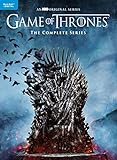

The spoiler-safe viewing order
- Game of Thrones, Season 1
- Game of Thrones, Season 2
- Game of Thrones, Season 3
- Game of Thrones, Season 4
- Game of Thrones, Season 5
- Game of Thrones, Season 6
- Game of Thrones, Season 7
- Game of Thrones, Season 8
This is both the original release order and the simplest first-time viewing plan. Watch each season from its first episode to its last before moving on. Avoid searching for “chronological order” lists, fan-made edits, or supplemental viewing guides: they add complexity without making the initial experience safer.
Where to watch Game of Thrones in the United States
For U.S. viewers, the most straightforward streaming route identified by official service documentation is to stream Game of Thrones on Max. Max states that all eight seasons are available on the service, and its viewing interface supports navigating directly to a series, season, and episode.
The Tool Desk
Outbyte PC Repair FREERepair Windows errors before they cause bigger problemsFix Now →Outbyte Driver Updater FREEFix the driver behind crashes, sound loss and screen glitchesFind Drivers →#1 Best Overall
Streaming catalogs can change. Max also notes that some titles are available only for limited periods, so search for the exact title in the Max app or on the service’s current website before subscribing or committing to a long viewing plan. This guide intentionally does not quote a subscription price, promotion, or plan tier because those details can change by date and location.
A spoiler-safe way to use the app
- Open Max directly rather than searching the web for the show.
- Search only for the exact title Game of Thrones.
- Open the series page and choose Season 1, Episode 1.
- Use the platform’s season and episode list to continue sequentially.
- When you finish an episode, stop browsing if you are not ready for the next one.
Do not assume that a recommendation row, “popular moments” panel, autoplay screen, or thumbnail is spoiler-free. If the app offers autoplay, you can turn it off or stop playback as soon as the episode ends.
Why not watch House of the Dragon first?
House of the Dragon is set roughly 200 years before Game of Thrones, so a purely fictional-chronology-based watch would place it first. That does not make it the best starting point for a new viewer.
Rank #2
Game of Thrones was the original completed television narrative. House of the Dragon was produced later as a prequel for an audience already familiar with the wider franchise. Starting with the main series preserves the original release sequence and avoids introducing a separate show before you know whether you want to explore more of this fictional world.
The spoiler-safe franchise order is therefore:
- First: Game of Thrones, Seasons 1–8
- Afterward, if you want more: House of the Dragon
Watching House of the Dragon first is not impossible, but it is not required and is not the recommendation for a first-time viewer who wants the cleanest experience.
How to avoid spoilers while watching
The biggest spoiler risk is usually not the episode itself. It is what appears around the episode: search suggestions, video thumbnails, social posts, fan discussions, and apparently harmless character pages. Use these precautions until you have finished the relevant episode or the entire series.
Rank #3
![Game Of Thrones: Seasons 1-8 4K Ultra HD [2019] [Region Free] [Blu-ray] [4K UHD]](https://m.media-amazon.com/images/I/51ez-t0--0L._SL160_.jpg)
- Item name: Game Of Thrones: Seasons 1 8 4K Ultra HD 2019 Region Free Blu ray
- Product ty: ABIS VIDEO
Before you start
- Tell friends and family that you want discussion limited to episodes you have completed.
- Mute keywords related to the show on social-media platforms where possible.
- Do not search individual character names, even to check spelling or pronunciation.
- Avoid browsing cast interviews, “best moments” videos, memes, fan wikis, and episode explainers.
- Do not use search-engine image results for the series or its characters.
While you are watching
- Use the streaming service’s own episode list rather than an external episode guide.
- Skip recommendation carousels and related-video menus.
- Do not read comments beneath clips, reviews, or discussion threads.
- If you watch with friends, establish a firm rule: conversation stops at the most recently completed episode.
- Keep a spoiler-free viewing checklist rather than looking up episode titles or summaries.
If you accidentally see a spoiler
Stop investigating immediately. Do not search for context, confirm what you saw, or look up the character or event. Return to the series and continue from the last episode you completed. A vague headline, thumbnail, or comment may be misleading; trying to resolve it is more likely to expose you to additional information.
Should you buy the complete series instead?
Streaming is the simplest choice if you already use Max or want convenient access. Physical media is the better fit if you want stable access that does not depend on a changing streaming catalog, or if you prefer to watch without subscription decisions and recommendation feeds.
Quick wins for a faster PC:
Clear out junk files and repair common Windows errorsFree Scan →Fix the driver behind crashes, sound loss and screen glitchesFind Drivers →If you would rather own the show than depend on a streaming catalog, look for the Game of Thrones complete series 4K Blu-ray set or the Blu-ray edition. Check the exact listing for region compatibility, included discs, edition, condition, current stock, current price, and any digital-copy terms before buying. Those details vary by listing and should not be assumed from the product name alone.
Rank #4
![Game of Thrones - Complete Seasons 1-8 - 33-Disc 4K Ultra HD Box Set ( Game of Thrones - Seasons One to Five ) (Steelbook Edition) [ Blu-Ray, Reg.A/B/C Import - France ]](https://m.media-amazon.com/images/I/41WDfJ7qpKL._SL160_.jpg)
- Game of Thrones - Complete Seasons 1-8 - 33-Disc 4K Ultra HD Box Set ( Game of Thrones - Seasons One
- Game of Thrones - Complete Seasons 1-8 - 33-Disc 4K Ultra HD Box Set
- Game of Thrones - Seasons One to Five
The complete Blu-ray collection contains all eight seasons and includes extensive bonus material, such as a reunion special, deleted or extended scenes, featurettes, audio commentaries, animated histories and lore, and The Last Watch documentary. A complete-series 4K Ultra HD release contains all 73 episodes, bonus content, and—where specified for U.S. consumers—an HD digital copy. Confirm the contents of the particular edition you are considering.
You do not need the box set for a spoiler-safe first viewing. It is simply the more durable option if ownership matters to you. A standard Blu-ray set is also a sensible alternative if you do not have 4K Ultra HD equipment.
What to avoid in a first viewing
- Chronological fan orders: they are unnecessary for the main series and can introduce prequel material too early.
- Recap videos: titles and thumbnails may reveal events beyond the point you have reached.
- “Essential episode” lists: they can reveal which episodes matter, what to anticipate, or what other viewers consider significant.
- Character and relationship explainers: even introductory pages often contain outcomes or later-season information.
- Fan-made edits: they may change the intended release order or incorporate material from other parts of the franchise.
- Episode-title searches: the title itself can sometimes provide more context than you want before watching.
The simplest plan
Open Max—or use a complete-series disc set—select Game of Thrones, Season 1, Episode 1, and watch forward one episode at a time through Season 8. Keep discussion, searches, wikis, social media, and video recommendations out of the process until you reach the point they discuss. After finishing the main series, watch House of the Dragon if you want a separate prequel story set earlier in the fictional timeline.
Best Value
![Game of Thrones 4K (Complete Seasons 1-8) - 33-Disc Box Set ( Game of Thrones - Seasons One to Five ) [ Blu-Ray, Reg.A/B/C Import - Belgium ]](https://m.media-amazon.com/images/I/41IMYO0occL._SL160_.jpg)
- Game of Thrones 4K (Complete Seasons 1-8) - 33-Disc Box Set ( Game of Thrones - Seasons One to Five
- Game of Thrones 4K (Complete Seasons 1-8) - 33-Disc Box Set
- Game of Thrones - Seasons One to Five
Frequently Asked Questions
What is the correct order to watch Game of Thrones?
Start with Game of Thrones Season 1, Episode 1 and watch through Season 8 in release order. Watch House of the Dragon afterward if you want the prequel.
Where can I watch all eight seasons of Game of Thrones?
Max is the clearest U.S. streaming option identified by official documentation as carrying all eight seasons. Confirm the title in the app before subscribing because streaming catalogs can change.
Should I watch House of the Dragon before Game of Thrones?
No. House of the Dragon takes place earlier in the fictional chronology, but it is a later-produced prequel and is not required before Game of Thrones.
How can I avoid Game of Thrones spoilers?
Use the streaming service’s own episode list, avoid web searches and character-name lookups, skip social media and fan wikis, and agree with friends to discuss only episodes everyone has finished.
Do these 3 things before closing this tab:
1Scan for outdated or missing drivers - takes under a minute2Repair Windows errors before they cause bigger problems3Fix the driver behind crashes, sound loss and screen glitchesThe Bottom Line
Bottom line: Watch Game of Thrones first, in release order from Season 1 through Season 8. In the U.S., Max is the clearest streaming option supported by current official documentation, but confirm availability in the app because catalogs change. Treat House of the Dragon as optional viewing afterward, and avoid searches, wikis, social media, recaps, and recommendation thumbnails until you finish the relevant episodes.
Quick Recap
Product prices and availability are accurate as of the date/time indicated and are subject to change. Any price and availability information displayed on Amazon at the time of purchase will apply.