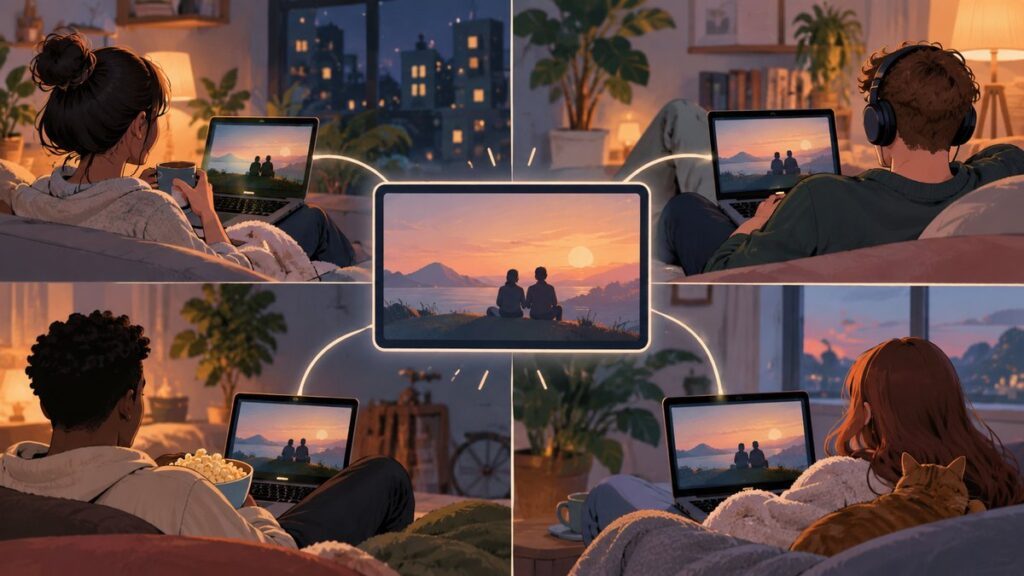
You cannot host a new native Facebook Watch Party today. Meta removed the original feature on April 16, 2021, so there is no working “Watch Party” or “Start Watch Party” button in Facebook Groups, Pages, profiles, or the post composer. The closest option is Messenger’s separate Watch Together feature for Facebook-hosted videos inside a video call.
You cannot host a new native Facebook Watch Party today. Meta removed the original Watch Party feature on April 16, 2021, so there is no working “Watch Party” or “Start Watch Party” button in Facebook Groups, Pages, profiles, or the post composer. Tutorials that instruct you to choose Group → Create post → Watch Party describe a retired interface, not a hidden setting.
For a small group watching Facebook-hosted videos together, use Messenger’s separate Watch Together feature. For a larger Facebook audience, use Facebook Live, a scheduled video post, a Group, an Event, or—where available—a video Premiere. These alternatives can create a shared viewing or discussion experience, but they do not recreate the old synchronized Facebook Watch Party.
What happened to Facebook Watch Party?
Facebook launched Watch Party globally for Groups on July 25, 2018. The feature let people watch live or recorded videos hosted on Facebook at the same time while commenting and reacting around the video. That launch announcement is historical; it does not describe Facebook’s current interface. The feature was removed on April 16, 2021. (Meta’s original Watch Party announcement; current feature status)
Do these 3 things before closing this tab:
1Repair Windows errors before they cause bigger problems2Fix the driver behind crashes, sound loss and screen glitches3Clear out junk files and repair common Windows errors#1 Best Overall

- Wide Compatibility: This tablet stand adjustable can fit for 4 to 11 inch tablet, cell phone and E-reader with Max thickness of 0.55" (including its case). Compatible for Apple iPad 9.7 inch, iPad 10.2" 2019, iPad Pro 11-inch 2020, iPad mini 2 3 4 5 Wi-Fi, iPad Air 2, iPhone 17 16 15 14 13 12 11 Pro Max, iPhone 12 mini, the new iPhone SE 2020, iPhone XR X XS 8 Plus 6 7 6S, Samsung Note20 S20 Ultra S10 S9 S8 Note 10 9 8 android phones
- Easy to Carry: With a small size of 4.7" x 4.2", the portable tablet stand can be foldable and easy to slip into your pocket for travel
- Multi-Angle Adjustable: There are multiple viewing angles to choose from 15° to 100°, you can always find one you like. This tablet holder for desk can hold your smartphone or tablet at a comfortable angle, ideal for watching videos, reading, recording, browsing, facetime call and more
- Sturdy and Stable: Premium ABS material supports this ipad pro stand holder for desk durability in usage. Silicone pads on the bottom to protect your phone or tablet from sliding and scratches
- What You Get: 1x UGREEN Ipad Holder for Desk
Removal applies to every account type. Being a Group administrator, Page manager, or profile owner does not restore the old control. There is no current path for creating a native Facebook Watch Party.
The closest current option: Messenger Watch Together
Messenger’s Watch Together is a different feature. It operates inside a Messenger video call or Messenger Room and lets participants select videos from Facebook Watch in a shared player. It is not the former Facebook Group Watch Party under a new name.
How to start Watch Together in Messenger
- Open the Messenger mobile app.
- Start a video call with the people you want to invite.
- Tap the screen to reveal the call controls.
- Open the call menu.
- Tap Watch Together.
- Choose an available video from Facebook Watch.
The exact icon or menu position can vary with Messenger’s app version and device, but the feature label to look for is Watch Together. It will not appear in an ordinary text chat, and starting a voice-only call is not enough.
How many people can join?
| Messenger format | Reported capacity | How to use Watch Together |
|---|---|---|
| Standard Messenger video call | Up to 8 people | Start the video call, then open the call menu and choose Watch Together. |
| Messenger Room | Up to 50 people | Start or join the Room first, then launch Watch Together inside the Room. |
These reported limits are not the same as a Facebook Group audience. Messenger Watch Together is best for a private viewing session with a limited number of participants, not for a public documentary screening.
What’s actually slowing this PC down?
Pick the symptom - the matching free tool is one click away.
What can Watch Together play?
The synchronized player is limited to videos hosted in Facebook Watch. It does not play Netflix, Disney+, Hulu, Max, YouTube, TikTok, or arbitrary external web links inside the shared player. If the documentary or clip is not available as a playable Facebook-hosted video, Messenger Watch Together will not turn the external service into a synchronized screening.
Rank #2

- Portable and Durable Construction: Folds flat for travel and holds whatever angles you need, product weight 15.2 ounces /0.95pound, made of high-quality ABS plastic, the bottom is equipped with a metal panel with anti-slip silicone
- Height and Angle Adjustable with Bridge Screw: Additional Gifts Bridge Screw Adjustment Truss Rod, Always Keep Extended Stable, ipad 9th generation stand Normal tablet holder after several months adjust joints maybe become loose. LISEN 2026 upgrade iPad holder Stand office accessories, free bridge screw adjustment truss rod, and The locking mechanism can be adjusted freely when you feel it is too loose or too tight
- Gravity-Based Secure System: Gravity-based system with no clips or magnets that relies on the back tilt to keep the tablet secure, Place the stand at its lowest angle for maximum stability when tapping or typing
- Foldable Design for Easy Portability: This foldable tablet holder can be fully folded into a pocket size, Accessory for Working Remotely. The iPad stand for desktop takes little space when storage, easy to carry in your pocket or bag, an addition in travel or business trip. Smart Phone is supported only in landscape mode, not portrait mode
- Wide Device Compatibility: Compatible With 4.0-15.9 inch 2026 iPhone Duo, iphone 18 pro max, ipad air 11 inch case Mini 7 college essentials Tablet Kindle. Device Width less than 0.7inches, Heavy Duty ipad Case not supported
Why Watch Together may be missing or fail
If you cannot find the control, check the session before assuming the feature has been removed from your account:
- You are not in an active video call: Watch Together is a call feature, not a normal Messenger-chat feature.
- The call is voice-only: switch to video.
- You are still in a text conversation: start or join the video call first.
- Messenger is out of date: update the mobile app, then restart the call.
- The current context is unsupported: feature availability can vary by device, app version, account, and rollout.
If the menu appears but a video will not play for everyone, the problem may be the title rather than the call. A video can fail when it is unavailable in one participant’s region, has been removed from Facebook Watch, or encounters a connection problem. Try another Facebook-hosted video; if that works, the original title or its availability is the likely cause. (Messenger Watch Together troubleshooting details)
How to host a larger Facebook viewing event now
For a documentary community, the practical replacement is to choose between a broadcast, a discussion post, or a private synchronized call. Facebook’s current tools do not provide the old Watch Party playback model for a large Group or Page audience.
Outdated Drivers Are Slowing You Down
One free scan finds every outdated or missing driver and matches the right update for your exact hardware.Free scan · exact hardware matchWindows Errors? Fix Them Before They Spread
Repair common Windows errors and clear accumulated junk for a smoother, more stable PC - no reinstall needed.Free scan · no reinstallOption 1: Broadcast with Facebook Live
Facebook Live is suitable when you want an audience to watch a host, discussion, trailer, commentary, or other content that you have the right to broadcast. It is not automatically a legal method for rebroadcasting a commercial film or television episode.
- Go to the intended destination: a profile, Page, Group, or Event.
- Open the post composer.
- Select Live video.
- Configure the audience, description, and other options shown for that destination.
- Start the broadcast when ready.
The controls after selecting Live video depend on the destination, your account role, device, region, and Facebook’s interface rollout. Page managers may find scheduling and live-management tools in Meta Business Suite or the Page’s Professional dashboard. Labels and availability can vary by Page.
Rank #3

- 【Perfect Viewing Angle】: This tablet stand features an innovative locking mechanism that allows you to adjust the height and angle. Whether you need a low profile for typing or a higher position for video conferencing, this stand holds its position securely, providing a custom viewing experience for your needs.
- 【Extended Compatibility】: This versatile stand supports a wide range of devices from 4.7 inches up to 16.9 inches, including tablets, iPads, e-readers, and portable monitors. Please note: This stand is not designed for laptops. It’s perfect for multitasking, reading, drawing, or watching videos hands-free.
- 【Sturdy All-Metal Design】: Made with high-quality, durable materials, including a robust all-metal alloy base, this stand ensures stability and long-lasting use. The weighted base and strong support structure prevent your device from tipping or wobbling, even during vigorous use.
- 【Non-Slip Design for Added Security】: Equipped with anti-slip silicone pads on both the base and the device holder, this stand keeps your device securely in place, preventing accidental slips or falls. The soft silicone also protects your device and desktop from scratches.
- 【Portable & Space-saving】: Designed with portability in mind, this stand folds flat for easy storage. It's compact enough to fit into a bag, making it the perfect accessory for traveling professionals or students who need a reliable stand on the go.
Facebook Live creates a live broadcast, not synchronized playback of a separately hosted film for every viewer. If you are discussing a documentary, a rights-cleared live introduction, Q&A, or post-screening conversation is a safer use case than rebroadcasting the documentary itself.
Option 2: Publish or schedule a shared-video post
For an asynchronous group screening discussion:
- Go to the target Group, Page, profile, or Event.
- Open the post composer.
- Choose Photo/video, or paste a Facebook-video link.
- Set the audience and publish the post. If scheduling is available for that destination, choose the scheduling control instead.
- Tell viewers when to press Play and where to discuss the film.
This creates a shared discussion location only. Each viewer presses Play separately, so people can be at different points in the video. A post, a Facebook-video link, or a scheduled publication does not create synchronized playback. (Current Facebook alternatives and posting workflow)
Option 3: Use a Group or Event as the discussion hub
A Group or Event can organize the audience around a screening without pretending to be a Watch Party. Post the legal viewing link, publish a start time, pin viewing instructions, and use comments for reactions or a moderated discussion. This works especially well when the film is hosted on a legitimate external streaming service, because viewers open the service independently while returning to Facebook for conversation.
For a Page, use Meta Business Suite or the Page’s Professional dashboard when those tools are available to schedule posts and manage the event. Do not assume every Page role, region, or device receives the same controls.
Option 4: Use a Premiere when available
A video Premiere can provide a scheduled release and a live discussion around a video where Facebook makes the feature available. It is closer to a scheduled communal launch than to the old Watch Party: viewers still do not receive the former Group Watch Party control, and availability can vary by account and rollout.
Rank #4
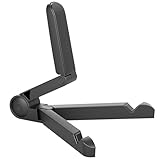
- Versatile Compatibility: Designed to securely hold tablets, iPads, Kindles, and other devices with adjustable grips and foldable legs,offering flexibility for various devices.Could also be used as a Book Stand or a Display Stand Picture Frame for Photos,is simple and easy set-up.
- Sturdy Construction: Made from Premium ABS material this tablet holder is durable in usage,slip pads to keep your portable monitor secure and stable during use, preventing accidental slips or falls.
- Ergonomic Design:Multi Adjustable Capability - Can be easily adjusted (from 0° to 180°) to support vertical and horizontal viewing - perfect for playing games, watching videos, viewing photos, reading, video recording or taking selfies. ensuring a perfect setup for any workspace or environment, in landscape or portrait mode
- Compact and Portable:Lightweight Easily folds into a compact size for convenient storage and portability, making it ideal for on-the-go use or traveling.
- Multi-Purpose Usage: Ideal for use with tablets, e-readers, laptops, and monitors for various tasks.
Copyright: the major risk in replacement workflows
Replacing Watch Party with Live or another broadcast method does not grant permission to show copyrighted material. Rebroadcasting movies, television episodes, sports, or music without the necessary rights can lead to audio muting, blocking, reduced distribution, or removal. A Group post or Event invitation does not change those rights obligations.
Recommended Free Tools
Before organizing a public or private screening, confirm that you have permission for the specific activity: streaming the work, showing it to the intended audience, rebroadcasting it, or using its audio and video in a live production. If you do not have those rights, use a legal viewing link and host the discussion separately, or broadcast only rights-cleared commentary and programming.
Independent reader supportYour contribution helps us test, update, and keep practical guides available for everyone.Choose the right method
| Your goal | Best current Facebook approach | What it does not provide |
|---|---|---|
| Watch a Facebook-hosted video privately with a few people | Messenger video call with Watch Together | External streaming services or a large public audience |
| Watch with a larger Messenger group | Messenger Room, then Watch Together | The old Facebook Group Watch Party experience |
| Reach a large Facebook audience live | Facebook Live, where available and rights-cleared | Automatic synchronized playback of a separate film |
| Organize an asynchronous documentary discussion | Group, Page, Event, or profile post with a legal viewing link | Playback synchronization |
| Release your own video at a scheduled time | Scheduled post or available Premiere | A guarantee that every viewer starts at precisely the same playback position |
Outdated instructions to ignore
- “Go to Group → Create post → Watch Party.” That menu belonged to the retired feature.
- “Only Group admins can host a Watch Party.” Admin status does not restore a feature that Facebook removed.
- “Watch Party moved to Messenger.” Messenger Watch Together is separate, smaller in scope, and limited to Facebook Watch videos.
- “Posting a video creates synchronized viewing.” A normal post gives people a shared place to comment; viewers still control playback individually.
Bottom line
There is no current way to host the original Facebook Watch Party. Use Messenger’s Watch Together for a small, synchronized session involving a Facebook-hosted video; use a Messenger Room if you need the reported capacity of up to 50 participants. For a larger Facebook audience, organize a Live broadcast, scheduled post, Group, Event, or available Premiere—and describe it accurately as a broadcast or discussion workflow, not as a native Watch Party.
Frequently Asked Questions
Can I still host a Facebook Watch Party?
No. Facebook removed the native Watch Party feature on April 16, 2021. There is no current “Watch Party” or “Start Watch Party” control in Groups, Pages, profiles, or the post composer.
What is the replacement for Facebook Watch Party?
Use Messenger’s Watch Together inside an active video call: start a video call, tap the screen, open the call menu, select Watch Together, and choose a video from Facebook Watch.
Free tools Windows power users keep installed
One-click scans. No signup required.
Best Value

- YOUR NECK PAIN ENDS TODAY: Premium Tablet Holder Stand with 7-10" telescoping range brings screens to eye level for comfortable all-day work; this Kindle Stand can hold any device up to 4.4lb
- ROCK-SOLID STABLE: Tablet Stand For Desk features triple stability design: weighted metal base preventing tipping even on soft surfaces, EVA non-slip padding gripping any surface, and this i pad Stand has a 40% wider holding plate
- UNIVERSAL TABLET STAND HOLDER: The iPad Holder Stand For Tablet is compatible with iPad Pro 12.9, Oasis Kindle Holder, Samsung Galaxy Tab, and 15.6-17 inch Portable Monitors. Holds up to 4.4lb
- VERSATILE DESKTOP TABLET STAND: Ideal portable monitor stand, versatile iPad holder for desk Zoom calls, practical iPad stand for kitchen, kids apps, tablet holder for desk, and couch entertainment; adjustable 270° tilt for multiple angles
- THE PERFECT STAND FOR IPAD: Adjustable iPad stand holder with exclusive cooling vents, triple silicone padded holding plate, and friction-based aluminum rod on steel base tested 10,000+ times; built for years of daily use
Can Messenger Watch Together play Netflix or YouTube?
No. Watch Together is limited to videos hosted in Facebook Watch. It does not synchronize Netflix, Disney+, Hulu, Max, YouTube, TikTok, or arbitrary external links inside the player.
How many people can join Messenger Watch Together?
A standard Messenger video call reportedly supports up to 8 people, while a Messenger Room reportedly supports up to 50. Start or join the Room before launching Watch Together to use the larger format.
Does posting a video in a Facebook Group create a Watch Party?
No. Sharing a video in a Group, Page, profile, or Event creates a discussion post, but each viewer must press Play separately. It does not synchronize playback.
The Bottom Line
The original Facebook Watch Party was discontinued on April 16, 2021. The closest replacement is Messenger’s Watch Together for Facebook-hosted videos inside a video call. For larger audiences, use Facebook Live, a scheduled post, a Group, Event, or available Premiere, remembering that ordinary posts do not synchronize playback and copyrighted material requires appropriate rights.
The Tool Desk
Outbyte PC Repair FREEClear out junk files and repair common Windows errorsFree Scan →Outbyte Driver Updater FREEScan for outdated or missing drivers - takes under a minuteDriver Scan →Quick Recap
Product prices and availability are accurate as of the date/time indicated and are subject to change. Any price and availability information displayed on Amazon at the time of purchase will apply.